How Do I Get Navigation on My Toyota Made Simple Guide
Getting navigation on your Toyota is easier than you think. Whether your Toyota comes with a built-in system or you need to add GPS through your phone, this guide walks you through every option. You will learn about Toyota infotainment, setup steps, map updates, and how to troubleshoot common issues.
Driving a Toyota without a clear sense of direction can feel stressful. Whether you are commuting through a busy city or taking a road trip to a new place, having reliable Toyota GPS navigation makes all the difference. The good news is that most Toyota vehicles offer navigation options, even if your model is older or does not come with a built-in screen.
In this guide, we will walk you through every way to get navigation on your Toyota. We cover factory systems, smartphone connections, apps, and aftermarket solutions. By the end, you will know exactly what works best for your vehicle and your budget.
Toyota navigation has come a long way over the years. Older models relied on CD-based map discs, while newer ones offer real-time traffic updates and voice-guided directions. No matter what year your Toyota is, there is a navigation solution that fits your needs.
Key Takeaways
- Toyota Built-In Navigation: Many newer Toyota models come with a factory-installed GPS system that offers turn-by-turn directions right out of the box.
- Smartphone Integration: You can use Apple CarPlay or Android Auto to bring Google Maps or Apple Maps to your Toyota screen.
- Toyota Entune App: This free app provides navigation features and can work even without a subscription in many cases.
- Map Updates Are Key: Keeping your Toyota navigation maps current ensures accurate directions and avoids routing errors.
- Voice Commands Help: You can change the voice on Toyota Navigation and use hands-free controls for safer driving.
- Aftermarket Options Exist: If your Toyota lacks built-in nav, affordable GPS units or phone mounts are great alternatives.
📑 Table of Contents
Understanding Toyota Navigation Options
Before you dive into setup, it helps to understand what navigation options exist for Toyota vehicles. Each option has its own strengths, and the right choice depends on your model year, budget, and how often you use directions.
Factory-Built-In Toyota Navigation Systems
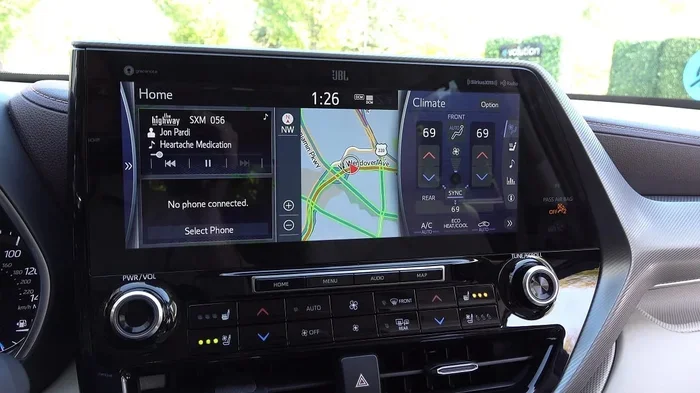
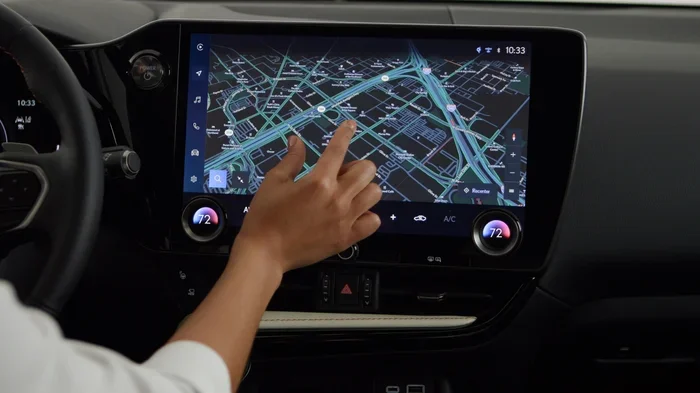
Many Toyota models from the past decade come with a factory-installed navigation system. These systems are built into the dashboard and use a dedicated GPS receiver. They typically include a touchscreen display, preloaded maps, and turn-by-turn voice guidance.
Here are some key features of factory Toyota navigation:
- Preloaded maps for the United States and sometimes Canada or Mexico
- Turn-by-turn voice guidance with clear spoken directions
- Points of interest search for gas stations, restaurants, and hotels
- Traffic-aware routing on higher-end models
- Integration with vehicle settings like climate control and audio
If your Toyota has a built-in system, you will usually find the navigation icon on the home screen. It often looks like a small map or a compass symbol. Tapping it opens the Toyota GPS navigation interface.
Toyota Entune and Its Navigation Features
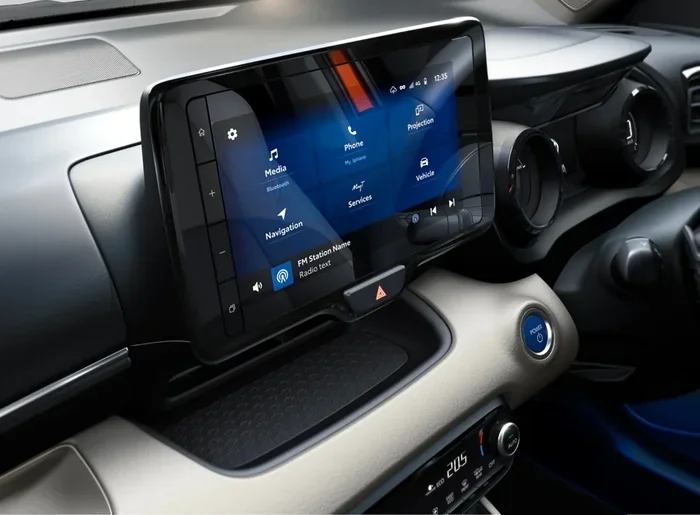
Toyota Entune is Toyota’s infotainment platform. It has been available on many Toyota models since the early 2010s. The Entune system connects your phone to the car’s screen and offers a range of apps, including navigation.
With Toyota Entune, you can access navigation through several methods:
- Built-in navigation app (available on select models with the premium package)
- Connected navigation that uses your phone’s data for real-time traffic
- App-based navigation through the Entune 3.0 platform
The Entune system also supports Toyota Connect, which offers remote services like remote start, vehicle tracking, and concierge navigation help. You can use Toyota Connect without a subscription for basic features, but a paid plan unlocks more advanced navigation tools.
How to Set Up Navigation on Your Toyota
Setting up navigation on your Toyota is straightforward once you know the steps. Below, we break down the process for the most common scenarios.
Setting Up Built-In Toyota Navigation
If your Toyota came with a navigation system, follow these steps to get it running:
- Turn on the ignition and make sure the infotainment screen is active.
- Tap the navigation icon on the home screen. It usually looks like a map or compass.
- Wait for the system to initialize. The first startup may take a minute as the GPS connects to satellites.
- Enter your destination by typing the address or searching for a point of interest.
- Press the Start or Go button to begin receiving turn-by-turn directions.
Make sure your vehicle is parked safely while setting up your route. Most Toyota systems allow you to enter a destination while driving, but it is safer to do it before you start moving.
Using Your Phone for Toyota Navigation
If your Toyota does not have a built-in navigation system or you prefer using your phone, you can connect your smartphone to the car’s screen. This is one of the most popular ways to get navigation on your Toyota today.
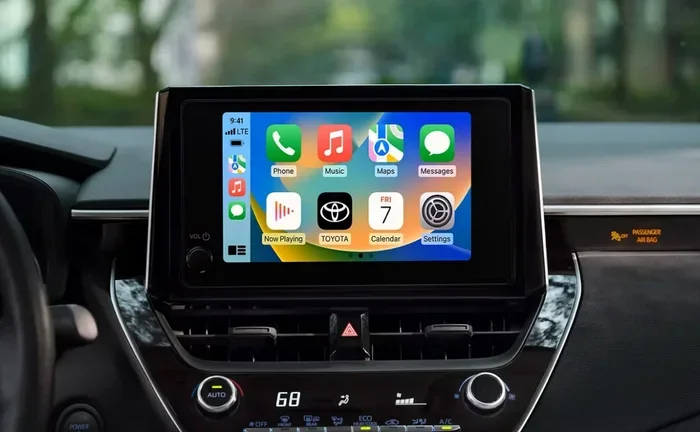
For Apple CarPlay users:
- Plug your iPhone into the USB port or connect wirelessly if supported.
- Tap the CarPlay icon on your Toyota screen.
- Open the Maps app on your phone, and it will appear on the car display.
For Android Auto users:
- Plug your Android phone into the USB port.
- Select Android Auto on the Toyota infotainment screen.
- Open Google Maps on your phone, and the route will display on the car screen.
Using your phone for navigation gives you access to real-time traffic, live rerouting, and updated maps without needing a built-in system. It is a flexible and cost-effective option.
Setting Up the Toyota Navigation App on Your Phone
Toyota offers a mobile app that works alongside your vehicle’s navigation system. The app lets you plan routes on your phone and send them to the car’s screen. To get started:
- Download the Toyota app from the App Store or Google Play.
- Create an account and pair it with your vehicle.
- Plan your route on the app before you drive.
- Send the destination to your Toyota’s navigation screen.
This method is especially useful for pre-planning long trips. You can avoid typing on the car’s touchscreen while driving.
Keeping Your Toyota Navigation Maps Updated
One of the most important things you can do for your Toyota GPS navigation is keep the maps up to date. Outdated maps can lead to missed turns, wrong exits, and incorrect addresses.
How to Update Toyota Navigation Maps
Map updates for built-in Toyota systems are usually available through a USB update or a dealer visit. Here is the general process:
- Check your current map version in the navigation settings menu.
- Visit the Toyota website or contact your dealer to find the latest map disc or download.
- Insert the update USB or disc into the car’s USB port or disc player.
- Follow the on-screen prompts to install the update.
- Restart the system once the installation is complete.
Some newer Toyota models support over-the-air map updates through the Toyota app. Check with your dealer to see if your vehicle qualifies for this convenient feature.
How Often Should You Update Maps?
Toyota recommends updating your navigation maps at least once a year. Roads change, new businesses open, and addresses get reassigned. Regular updates ensure your Toyota navigation system gives you the most accurate directions possible.
Troubleshooting Common Toyota Navigation Issues
Even the best Toyota GPS navigation systems can run into problems. Here are some common issues and how to fix them.
Navigation Screen Not Responding
If your Toyota navigation screen freezes or becomes unresponsive, try a soft reset. Locate the reset button on the back of the infotainment unit or hold the power button for about 10 seconds. This restarts the system without erasing your settings.
GPS Signal Lost
A lost GPS signal can happen when you drive through tunnels, tall buildings, or dense forests. To improve signal strength:
- Make sure the roof antenna is not blocked by cargo or accessories.
- Drive to an open area and let the system reconnect to satellites.
- Check the GPS settings to ensure location services are enabled.
Voice Guidance Not Working
If the voice directions stop working, check the volume settings for navigation specifically. The navigation volume is often separate from the radio volume. You can also change the voice on Toyota Navigation to a different accent or language if you prefer. This setting is usually found in the navigation audio or voice settings menu.
For Toyota models with the newer navigation platforms, you can even change the voice on Toyota Navigation 2 for a more personalized experience. Experiment with different voices to find one that is clear and easy to understand while driving.
Routes Not Calculating Correctly
If your Toyota navigation system keeps giving you wrong routes, your maps may need updating. Outdated map data is the most common cause of routing errors. A map update often fixes this issue quickly.
Adding Navigation to Older Toyota Models
Not every Toyota has a built-in navigation system. If you drive an older model or a base trim that does not include GPS, you still have great options.
Aftermarket GPS Units
Portable GPS units from brands like Garmin and TomTom work well with any Toyota. These devices mount on the windshield or dashboard and provide full turn-by-turn navigation. They come preloaded with maps and update annually.
Phone Mounts and Apps
The simplest and most affordable option is a phone mount with a navigation app. You can use Google Maps, Apple Maps, or Waze on your phone and mount it where you can see the screen clearly. This approach gives you all the benefits of smartphone navigation without any extra cost.
Upgrade the Infotainment System
Some Toyota owners choose to upgrade their factory head unit to an aftermarket touchscreen that supports navigation. These units often include Apple CarPlay, Android Auto, and built-in GPS. Just make sure any upgrade is compatible with your Toyota model and year.
Expert Tips for Using Toyota Navigation
Here are some practical tips to get the most out of your Toyota navigation system:
- Use voice commands to enter destinations hands-free. This keeps your eyes on the road.
- Favor your home and work addresses in the system for quick route access.
- Save frequent destinations like your gym, the airport, or a regular restaurant.
- Check traffic before you leave by using the Toyota app on your phone.
- Keep the screen clean so the map is easy to read in bright sunlight.
- Update maps regularly to avoid routing errors and missing roads.
These small habits make a big difference in your daily driving experience. They turn your Toyota GPS navigation from a basic tool into a reliable driving companion.
Key Takeaways
- Built-In Toyota Navigation: Most newer Toyotas come with a factory GPS system that offers turn-by-turn directions right out of the box.
- Smartphone Integration: Apple CarPlay and Android Auto let you use Google Maps or Apple Maps on your Toyota screen for flexible navigation.
- Toyota Entune App: This free platform connects your phone to the car and provides navigation features without a subscription for basic use.
- Map Updates Are Essential: Regularly updating your Toyota navigation maps ensures accurate directions and prevents routing errors.
- Voice Customization: You can change the voice on Toyota Navigation to suit your preferences for clearer guidance.
- Aftermarket Options Work Well: Portable GPS units, phone mounts, and upgraded head units are great for older Toyota models.
- Troubleshooting Is Simple: Most common navigation issues can be fixed with a soft reset, GPS signal check, or map update.
Frequently Asked Questions
Can I get navigation on any Toyota model?
Most Toyota models from the past 15 years have some form of navigation available. Newer models often come with built-in systems, while older models can use smartphone apps or aftermarket GPS units. Even base trim Toyotas can get navigation through Apple CarPlay or Android Auto.
How much does it cost to add navigation to a Toyota?
If your Toyota already has a navigation-ready screen, you may only need a map update or app download, which costs little to nothing. Aftermarket GPS units range from $100 to $300. Upgrading the entire infotainment system can cost $500 to $1,500 depending on the unit and installation.
Do I need a subscription for Toyota navigation?
Basic Toyota navigation features do not require a subscription. However, some connected services through Toyota Connect or Entune may require a paid plan for real-time traffic, live search, and advanced navigation features. Check with your dealer for the latest subscription details.
How often should I update my Toyota navigation maps?
Toyota recommends updating your maps at least once a year. If you frequently drive new roads or live in a rapidly growing area, more frequent updates can be helpful. Many dealers offer map update services, or you can perform the update yourself with a USB drive.
Can I use Google Maps on my Toyota screen?
Yes, if your Toyota supports Apple CarPlay or Android Auto, you can use Google Maps on the car’s display. Simply connect your phone and open Google Maps. The route and directions will appear on the Toyota screen, and you can control playback through the car’s audio system.
Why does my Toyota navigation keep losing signal?
GPS signal loss often happens in tunnels, underground parking, or areas with tall buildings blocking the sky view. It can also occur if the roof antenna is damaged or obstructed. Moving to an open area usually restores the signal within a few seconds.
=== CONCLUSION ===
Getting navigation on your Toyota is a straightforward process with several options to choose from. Whether your vehicle has a factory-built-in system, you use smartphone integration, or you rely on an aftermarket GPS unit, the goal is the same: safer, smarter driving with clear directions. Start by understanding what your Toyota supports, then pick the method that fits your lifestyle and budget.
Keep your maps updated, use voice commands for safety, and take advantage of the Toyota Entune app for pre-trip planning. These simple steps will make your Toyota GPS navigation experience smooth and reliable every time you hit the road.
With the right setup, your Toyota becomes more than a car. It becomes a connected guide that helps you reach every destination with confidence. Enjoy the drive and let Toyota navigation take you where you need to go.