How to Reset the Wrench Light on a Mazda 3 the Easy Way
Resetting the wrench light on a Mazda 3 is simpler than most drivers think. This guide walks you through every method, from using the steering wheel controls to the display screen reset. Whether your Mazda 3 wrench light appeared after an oil change or a service interval, you will find the exact steps to turn it off and keep your dashboard clean.
Key Takeaways
- Multiple reset methods exist: You can reset the wrench light using steering wheel controls, the display screen, or even a battery disconnect.
- The wrench light is not an emergency: It is a maintenance reminder, not a sign of immediate danger like the check engine light.
- Address the root cause first: Always complete the required service before resetting the light to avoid it coming back quickly.
- Common mistakes can cause frustration: Skipping steps or resetting too early often leads to the light returning within days.
- Regular maintenance prevents future alerts: Following your Mazda service schedule keeps warning lights from appearing in the first place.
- Professional help is available: If DIY methods fail, a certified Mazda technician can diagnose and resolve persistent issues quickly.
📑 Table of Contents
- Understanding the Wrench Light on Your Mazda 3
- Common Reasons the Wrench Light Comes On
- How to Reset the Wrench Light on a Mazda 3
- Common Mistakes People Make When Resetting the Wrench Light
- When to See a Professional Instead
- Keeping Your Mazda 3 in Top Shape
- Final Thoughts on Resetting the Wrench Light
Understanding the Wrench Light on Your Mazda 3
If you have ever glanced at your dashboard and spotted a small wrench icon staring back at you, you are not alone. The wrench light on a Mazda 3 can catch even experienced drivers off guard. But here is the good news: it is almost always a maintenance reminder, not a sign that something is broken right now.
The wrench symbol on your Mazda 3 dashboard is part of the vehicle information system. It works as a service required indicator that reminds you when it is time for scheduled maintenance. Think of it like a calendar alert for your car. It does not mean your engine is failing. It simply means your Mazda service interval has been reached.
Many drivers confuse the wrench light with the check engine light. They are very different. The check engine light signals a problem detected by the Mazda 3 OBD system, which could be serious. The wrench light is a friendly nudge. It tells you to book a service appointment or perform routine upkeep. Still, ignoring any dashboard warning for too long is never a smart move.
Wrench Light vs. Check Engine Light: What Is the Difference?
This is one of the most common questions we get. The wrench light and the check engine light look different and mean different things. The wrench icon is typically yellow or orange. It looks like a small spanner or wrench shape. The check engine light is usually a yellow engine silhouette.
Here is a quick comparison:
- Wrench Light: Maintenance reminder. Service interval reached. Not urgent.
- Check Engine Light: Diagnostic alert. Possible engine or emissions issue. Needs attention soon.
If you are dealing with a check engine light instead, the approach is different. For example, after clearing codes, you may need to wait a certain period before your vehicle passes emissions testing. The wrench light does not work the same way. It is purely tied to your maintenance schedule.
What Does the Wrench Symbol Actually Mean?
The wrench symbol on a Mazda 3 is designed to be simple and universal. It represents the idea of service or upkeep. When it lights up, your car is telling you that a specific maintenance task is due. This could be an oil change, a tire rotation, a brake inspection, or a general multi-point check.
Different Mazda models may use slightly different wording on the display. You might see messages like “Service Due” or “Maintenance Required” alongside the wrench icon. These are all part of the same system. The goal is to keep your car running smoothly and to prevent unexpected breakdowns.
Common Reasons the Wrench Light Comes On
The wrench light does not turn on randomly. There is always a trigger. Understanding these triggers helps you know exactly what to do next. Here are the most common reasons the Mazda 3 maintenance reminder activates.
Maintenance Schedule Reminders
Every Mazda 3 comes with a built-in maintenance tracker. The car monitors your mileage and time since the last service. When you hit a set interval, the system triggers the wrench light. Most Mazdas use a 5,000-mile or 7,500-mile service interval, depending on your driving conditions and model year.
This system is smart. It takes into account factors like short trips, extreme temperatures, and heavy loads. If you drive in tough conditions, the system may shorten the interval. That is why the wrench light sometimes comes on earlier than expected. It is not a malfunction. It is the car being cautious.
Oil Change Due
The most common reason for the wrench light is a simple oil change. Engine oil breaks down over time. It loses its ability to lubricate and protect engine components. When the oil life monitor reaches zero, the wrench light appears.
Keeping up with your oil changes is one of the easiest ways to avoid major engine problems. Just as you need to know how many quarts your engine takes when changing oil, knowing your Mazda 3 oil capacity helps you stay on top of maintenance.
Other Service Intervals
Beyond oil changes, the wrench light can also remind you about other services. These include:
- Tire rotation and alignment checks
- Brake pad and rotor inspections
- Transmission fluid replacement
- Coolant flush and refill
- Air filter and cabin filter changes
- Spark plug replacement
The Mazda system groups these services into maintenance schedules. When you visit a dealer or independent shop, they reset the counter after completing the work. If you do the work yourself, you need to reset it manually.
How to Reset the Wrench Light on a Mazda 3
This is the section you have been waiting for. Resetting the wrench light on a Mazda 3 is straightforward once you know the steps. There are three main methods. The method you use depends on your model year and what controls your car has. Let us walk through each one.
Method 1: Using the Steering Wheel Controls
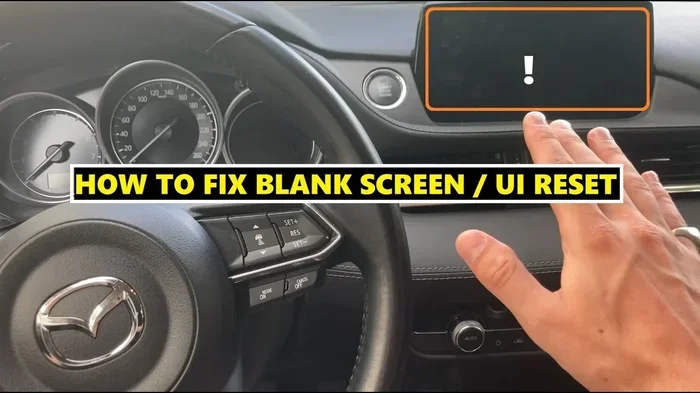
This is the most common method for newer Mazda 3 models. The steering wheel has buttons that control the instrument display. Here is how to do it:
- Turn the ignition to the “ON” position. Do not start the engine. Just press the start button without pressing the brake pedal.
- Press the “MENU” button on the left side of the steering wheel.
- Use the up and down arrow buttons to scroll to “Settings.”
- Press the “ENTER” button to select.
- Scroll down to “Maintenance” or “System.”
- Find the “Reset Maintenance” or “Reset Service” option.
- Press “ENTER” to confirm the reset.
- Turn the ignition off and then back on to verify the light is gone.
This method works on most Mazda 3 models from 2014 onward. The exact menu names may vary slightly depending on your model year. If you do not see “Maintenance” in the settings menu, try looking under “System” or “Vehicle Info.”
Method 2: Using the Display Screen
Some Mazda 3 models have a larger infotainment display that makes the reset process even easier. If your car has this setup, try these steps:
- Press the power button to wake up the display screen.
- Navigate to the “Settings” icon on the home screen.
- Look for “Vehicle” or “Car Settings.”
- Select “Maintenance” or “Service Reset.”
- Choose the specific maintenance item you want to reset.
- Confirm the reset by pressing “Yes” or “OK.”
- The wrench light should turn off immediately.
This screen-based method is very user-friendly. It gives you more control over which specific service items you want to reset. You can reset the oil life counter separately from other maintenance reminders.
Method 3: Disconnecting the Battery
This is the old-school method, and it works. But it comes with caveats. Disconnecting the battery resets all electronic systems in your car. This includes radio presets, clock settings, and sometimes even power window calibration.
Here is how to do it safely:
- Turn off the engine and all accessories.
- Open the hood and locate the battery.
- Use a wrench to loosen the negative (black) terminal clamp.
- Remove the cable from the terminal and move it away.
- Wait at least 15 minutes.
- Reconnect the negative terminal and tighten it firmly.
- Start the engine and check if the wrench light is off.
Use this method only if the other two do not work. It is a reliable reset, but it can be inconvenient because you lose your settings. Also, some newer Mazda models may require a special reset procedure even after a battery disconnect.
Common Mistakes People Make When Resetting the Wrench Light
Resetting the wrench light seems simple, but people make mistakes all the time. These errors lead to the light coming back within days or even hours. Here are the most common pitfalls you should avoid.
Ignoring the Underlying Issue
This is the biggest mistake. The wrench light is a reminder. It is not just a nuisance to be silenced. If you reset the light without actually doing the service, you are just hiding the problem. Your car still needs that oil change or inspection. Resetting without acting sets you up for bigger issues down the road.
Think of it this way: the wrench light is like a smoke detector battery warning. You can silence the beep, but if you do not replace the battery, the alarm will just go off again. The same principle applies here.
Not Following the Correct Sequence
Each reset method has a specific order of steps. Skipping a step or pressing the wrong button can cancel the process. Some drivers rush through the steps and end up back at the main menu. The key is patience. Follow each step carefully. If the light does not turn off on the first try, double-check that you completed every step in the correct order.
Resetting Too Early
If you reset the wrench light before the service is actually completed, the car will eventually remind you again. The maintenance counter tracks actual service. If you reset it prematurely, the system recalculates and may trigger the light again very soon.
Always complete the service first. Get the oil changed, the filters replaced, or whatever maintenance is due. Then reset the light. This ensures the counter starts fresh and you have a clean slate for the next interval.
When to See a Professional Instead
Most of the time, resetting the wrench light is a DIY job. But there are situations where you should leave it to the experts. Knowing when to seek professional help saves you time, money, and frustration.
Persistent Warning Lights
If the wrench light keeps coming back after you reset it, something deeper may be going on. The maintenance counter might be stuck. Or there could be a sensor issue that needs professional diagnosis. A certified Mazda technician has the tools to run a full diagnostic check and identify the root cause.
Do not keep resetting the light and hoping it stays off. Persistent warnings are your car’s way of saying it needs more than a simple reset. Visit a mechanic who specializes in Mazdas. They will have the right software and expertise to fix the problem properly.
Other Dashboard Alerts Appearing
If the wrench light appears alongside other warning lights, take it seriously. A combination of dashboard alerts could indicate a more complex issue. For instance, if you also see the temperature gauge climbing, you need to act fast. Ignoring multiple warning lights at once can lead to serious damage.
Just as a car can only overheat for a limited time before engine damage occurs, ignoring multiple dashboard warnings compounds the risk. Get your Mazda 3 inspected as soon as possible if you see several lights at once.
After a Recent Accident or Major Repair
If your Mazda 3 has been in an accident or undergone a major repair, the wrench light may appear as part of the system recalibrating. In these cases, a professional reset at the dealership or repair shop is the safest option. They can also verify that no sensors or systems were damaged during the incident.
Keeping Your Mazda 3 in Top Shape
Prevention is always better than cure. The best way to deal with the wrench light is to prevent it from coming on in the first place. A solid maintenance routine keeps your Mazda 3 running smoothly and your dashboard clean.
Follow the Mazda Maintenance Schedule
Every Mazda 3 comes with a manufacturer-recommended maintenance schedule. This schedule outlines exactly what needs to be done and at what mileage intervals. Following it is the single best way to avoid surprise wrench lights. The schedule covers oil changes, filter replacements, tire rotations, brake inspections, and more.
Keep a log of every service you perform. Write down the date, mileage, and what was done. This log is invaluable. It helps you track your car’s health and gives you proof of maintenance if you ever sell the vehicle. A well-documented service history also boosts resale value.
Regular Dashboard Checks
Make it a habit to glance at your dashboard every time you get behind the wheel. A quick 5-second scan can catch warning lights early. The sooner you address a reminder, the easier it is to fix. Small maintenance tasks are always cheaper and simpler than major repairs.
Also, get to know your specific dashboard symbols. Each light has a meaning. The more familiar you are with them, the more confident you will be behind the wheel. If you ever see a symbol you do not recognize, consult your owner’s manual or look it up online.
Keep Fluid Levels in Check
Regularly checking your fluid levels is a simple habit that pays off big. Check your engine oil, coolant, brake fluid, and transmission fluid at least once a month. Low fluid levels can trigger warning lights and cause serious damage if left unchecked.
Keeping your fluids topped off is one of the easiest forms of car care. It takes just a few minutes and can prevent expensive repairs. Think of it as giving your car a small daily dose of care that adds up to years of reliable performance.
Final Thoughts on Resetting the Wrench Light
The wrench light on a Mazda 3 is nothing to fear. It is a helpful reminder designed to keep your car in great shape. Whether you use the steering wheel controls, the display screen, or the battery disconnect method, resetting the light is something you can do yourself in just a few minutes.
The key is to never just silence the light without addressing the reason it appeared. Complete the service, then reset the counter. This approach keeps your Mazda 3 running strong and your dashboard free of annoying warnings. If you ever feel unsure or the light keeps returning, do not hesitate to visit a professional. A certified Mazda technician can handle even the trickiest situations with ease.
Stay on top of your maintenance schedule, get to know your dashboard, and your Mazda 3 will reward you with years of reliable, worry-free driving. The wrench light is just a small part of the car ownership experience. Handle it with confidence, and you will be back on the road in no time.
Frequently Asked Questions
Can I drive my Mazda 3 with the wrench light on?
Yes, you can generally drive with the wrench light on. It is a maintenance reminder, not an urgent warning. However, you should not ignore it for long. Schedule a service appointment soon to avoid potential issues from neglected maintenance.
How often does the wrench light come on a Mazda 3?
The wrench light typically comes on every 5,000 to 7,500 miles, depending on your driving conditions and model year. Stick to the maintenance schedule in your owner’s manual for the best results.
Will disconnecting the battery reset the wrench light permanently?
It can reset the light temporarily, but the maintenance counter may still track the overdue service. The light could return once the system detects that the service interval has not been completed. Always perform the actual service first.
What is the difference between the wrench light and the check engine light?
The wrench light is a maintenance reminder tied to your service schedule. The check engine light is a diagnostic alert that signals a potential problem with the engine or emissions system. They serve very different purposes and require different responses.
Can I reset the wrench light myself without going to a dealer?
Absolutely. You can reset the wrench light using the steering wheel controls or the display screen. These methods work on most Mazda 3 models and do not require a dealer visit or special tools.
What should I do if the wrench light stays on after resetting?
If the light persists after a reset, there may be a sensor issue or a stuck maintenance counter. Visit a certified Mazda technician who can run a diagnostic scan and identify the underlying problem.
=== CONCLUSION ===
Resetting the wrench light on a Mazda 3 is a skill every Mazda owner should have. It is quick, easy, and saves you a trip to the dealer. Whether you use the steering wheel buttons, the display menu, or the battery disconnect method, the steps are straightforward and well within any driver’s capability.
Remember to always complete the required service before resetting the light. Address the root cause, not just the symptom. Keep up with your Mazda service interval and make dashboard checks part of your routine. Your Mazda 3 will stay healthy, and you will stay confident every time you turn the key.