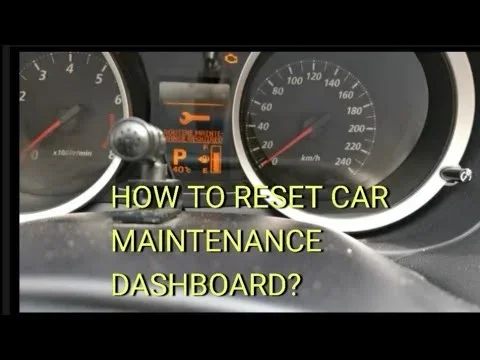
How to Reset Your Car Dashboard After an Oil Change
Resetting your car dashboard after an oil change is a quick and easy process that keeps your vehicle’s maintenance tracking accurate. Most cars only take a few minutes, and you can do it yourself without visiting a mechanic. This guide covers simple steps for all major car brands so you can handle the reset with confidence.
You just got your oil changed, and you feel great. Your car is running fresh, and you know you are doing the right thing for its health. But then you notice it. That little oil change reminder light is still glowing on your dashboard. It is annoying, and it makes you wonder if something went wrong. The good news is that resetting your car dashboard after an oil change is usually very simple. You do not need to be a mechanic or spend a dime at a shop.
In this guide, we walk you through the exact steps to reset your dashboard lights for most car brands. Whether you drive a Toyota, Honda, Ford, Chevrolet, or something else, we have you covered. We also share tips on what to do if the light refuses to go away, and how often you should be resetting your maintenance reminders. By the end, you will feel confident handling this task on your own.
Let us get into it. Your car deserves a clean dashboard, and so do you.
Key Takeaways
- Resetting your dashboard is essential: It keeps your oil change reminder accurate and helps you track your next service.
- Every car brand has a different method: We cover the most common reset procedures for popular vehicles.
- You can do it yourself: No mechanic or dealership visit is needed for most dashboard resets.
- Warning lights may persist: Sometimes the check engine light stays on even after a reset, and we explain what to do.
- Regular resets save money: Keeping your maintenance schedule on track prevents costly repairs down the road.
📑 Table of Contents
- Why You Need to Reset Your Dashboard After an Oil Change
- How to Reset the Dashboard on Common Car Brands
- What to Do If the Dashboard Light Won’t Go Away
- Common Mistakes People Make When Resetting Dashboard Lights
- How Often Should You Reset Your Dashboard After Service
- Expert Tips for Keeping Your Dashboard Accurate
- Conclusion
Why You Need to Reset Your Dashboard After an Oil Change
After every oil change, your car’s maintenance system needs a manual reset. This tells the vehicle that fresh oil is now in the engine. Without the reset, your dashboard will keep showing the oil change reminder, even though you just serviced the car. It is like setting a new alarm after you have already woken up.
Most modern vehicles use an oil life monitor system. This system tracks your driving habits, engine temperature, and mileage. It calculates when your next oil change interval is due. When you get fresh oil and a new filter, you need to tell the computer to start the countdown again. If you skip the reset, the reminder light will stay on. It can be distracting and confusing every time you get behind the wheel.
What Happens If You Do Not Reset the Dashboard?
If you ignore the reset, the oil change light will stay on. This does not mean your car is broken. It simply means the system has not been updated. However, a persistent light can be annoying. It can also make it harder to notice a real warning. If you always have a dashboard light on, you might ignore a genuine alert when something actually goes wrong. That is why resetting the dashboard warning lights after every service is a smart habit.
Some cars also track other maintenance items. These include tire rotation, brake inspection, and fluid checks. Resetting the dashboard clears all of these reminders and gives you a fresh start. It keeps your vehicle maintenance schedule organized and easy to follow.
How to Reset the Dashboard on Common Car Brands
Every car manufacturer has its own reset procedure. The good news is that most of them are very straightforward. Below, we walk you through the steps for the most popular brands. Grab your owner’s manual if you want to follow along with extra detail.
How to Reset a Toyota Dashboard
Toyota vehicles are known for being user-friendly. Here is how you reset the maintenance light on most Toyota models:
- Turn the ignition to the “ON” position. Do not start the engine.
- Press the odometer or trip button until you see the maintenance light.
- Hold the trip reset button for about 10 seconds.
- The light should start blinking, then turn off.
- Turn the ignition off and then back on to confirm the reset.
If you own a newer Toyota with a touchscreen, the process might be slightly different. You can often find the reset option in the settings menu under vehicle maintenance. Toyota owners can also visit a Toyota dealer for a free reset if they prefer not to do it themselves.
How to Reset a Honda Dashboard
Honda makes the reset process very simple. Here are the steps:
- Turn the ignition to the “ON” position without starting the engine.
- Locate the trip meter reset button on the instrument panel.
- Press and hold the button for about 10 seconds.
- The maintenance indicator should blink and then turn off.
- Turn the ignition off and back on to verify.
For Honda models with a digital display, you may need to scroll through the menu to find the maintenance reset option. Honda owners who prefer a quick option can also visit any Honda service center. Many offer free oil changes as part of their maintenance program.
How to Reset a Ford Dashboard
Ford vehicles use a slightly different approach. Here is what you need to do:
- Press the brake pedal and push the start button to turn the ignition on.
- Use the steering wheel arrows to navigate to the Settings menu.
- Select “Vehicle” and then “Maintenance Reminders.”
- Choose the oil change reminder and select “Reset.”
- Confirm the reset, and the light should disappear.
Older Ford models may require a different method. Some use a combination of the gas pedal and ignition cycle. Always check your owner’s manual for the exact steps for your specific Ford model year.
How to Reset a Chevrolet Dashboard
Chevrolet dashboard resets are also quite simple:
- Turn the ignition to the “ON” position without starting the engine.
- Press the trip odometer button until the maintenance menu appears.
- Hold the trip button for about 5 to 10 seconds.
- The service light should turn off.
- Turn the ignition off and then back on to confirm.
Some newer Chevrolet models allow you to reset the dashboard through the infotainment screen. Navigate to the vehicle settings, find the maintenance section, and select reset. It is just as easy.
What to Do If the Dashboard Light Won’t Go Away
Sometimes, despite your best efforts, the light stays on. This can be frustrating, but it is usually not a serious problem. Here are the most common reasons why a dashboard light will not reset and what you can do about each one.
The Oil Cap Was Not Tightened Properly
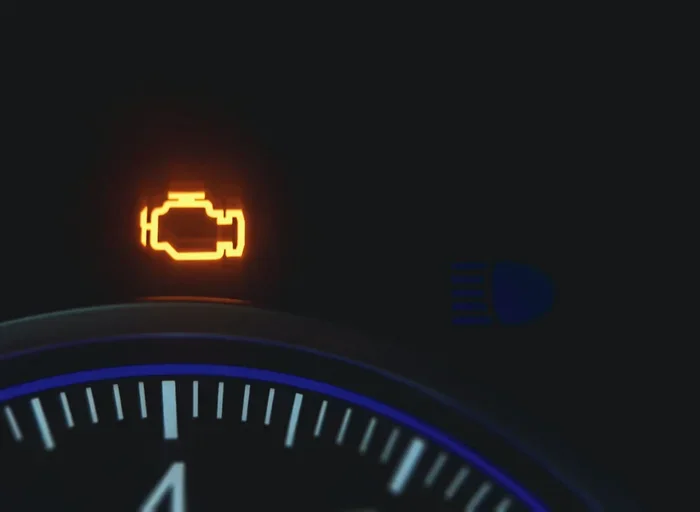
This is the number one cause of a persistent dashboard light after an oil change. If the oil cap is loose or not seated correctly, the car’s sensors detect a problem. The check engine light may come on, and the oil reminder will stay active. Simply open the hood, remove the oil cap, and reinsert it firmly until it clicks. Then try resetting the dashboard again.
The Oil Level Is Too Low or Too High
After an oil change, the level needs to be correct. If too much oil was added, it can trigger sensors. If too little oil was added, the system will detect low pressure. Check the dipstick and make sure the oil level is between the minimum and maximum marks. You can also add oil to your car if the level is below the minimum line. Once the level is correct, reset the dashboard.
The Oil Filter Was Not Installed Correctly
A loose or improperly seated oil filter can cause leaks and sensor triggers. If the filter is not tight enough, oil pressure drops, and the dashboard light stays on. Check the filter and tighten it if needed. If the filter was installed by a quick service shop like Jiffy Lube, it is worth asking them to double-check the installation.
You Need to Clear the Oil Life Monitor Manually
Some vehicles have a separate oil life monitor that does not reset with the standard procedure. This is common in newer models. You may need to access a hidden menu in the instrument cluster or infotainment system. If you cannot find the option, search online for your specific vehicle year and model. The steps are almost always available somewhere.
The Oil Pressure Sensor May Be Faulty
In rare cases, the oil pressure sensor itself may be malfunctioning. A faulty sensor can trigger the light even when everything else is perfect. If you have tried all the steps above and the light still will not go away, it is time to visit a mechanic. They can run a diagnostic scan and check the sensor. This is a simple fix that usually costs very little.
Common Mistakes People Make When Resetting Dashboard Lights
Resetting a dashboard light seems simple, but people still make mistakes. Here are the most common ones and how to avoid them.
Turning the Ignition Off Too Soon
One of the biggest mistakes is releasing the reset button too early. You need to hold it for the full 10 seconds or longer. If you let go too soon, the system does not register the command. Wait until the light starts blinking before you release the button.
Starting the Engine During the Reset
Always keep the engine off during the reset process. Starting the engine changes the system mode, and the reset will not work. Turn the key or push the start button just enough to reach the “ON” position, then release it.
Forgetting to Reset After Every Oil Change
Some people reset the dashboard once and never do it again. Every oil change requires a new reset. Make it a habit to reset the system every time you get fresh oil. This keeps your car maintenance routine accurate and reliable.
Using the Wrong Button
Many cars have multiple buttons on the instrument panel that look similar. The trip reset button and the mode button can look identical but serve different purposes. Always use the button specifically labeled for trip or maintenance reset. If you are unsure, check your owner’s manual to confirm which button to use.
How Often Should You Reset Your Dashboard After Service
You should reset your dashboard every time you have any maintenance service performed. This includes oil changes, tire rotations, brake pad replacements, and fluid flushes. Each service resets the relevant reminder system so you can track your next appointment accurately.
Most vehicles use a maintenance reminder system that calculates the next service based on driving conditions. If you drive in severe conditions, such as stop-and-go traffic or extreme temperatures, your system may recommend more frequent service. Resetting the dashboard after each visit ensures your reminders match your actual service history.
If you get your oil changed at a quick lube shop, ask them to perform the reset for you. Many shops include this as part of their service. If they do not, you can always do it yourself using the steps in this guide. It takes less than five minutes, and you will not need to make a second trip.
For those who prefer to handle oil changes at home, the reset process is especially important. When you do it yourself, there is no service advisor to remind you to reset the system. Make the reset the final step of every oil change you perform. This keeps your oil change frequency tracking accurate and your car running smoothly.
Expert Tips for Keeping Your Dashboard Accurate
Here are some extra tips from experienced mechanics and car care professionals. These simple habits will keep your dashboard lights working correctly and your maintenance schedule on track.
Keep a Service Log
Write down every oil change and service in a notebook or phone app. Include the date, mileage, and type of service. This helps you track patterns and know when your next service is due. A service log also comes in handy if you ever sell the car. Buyers love a well-documented maintenance history.
Check Your Oil Level Monthly
Even with regular oil changes, it is smart to check your oil level once a month. Use the dipstick to verify the level is in the safe range. Low oil between changes can indicate a leak or excessive oil consumption. Catching this early can prevent serious engine damage.
Use the Right Oil for Your Vehicle
Always use the oil grade recommended by your car’s manufacturer. Using the wrong oil can affect how your oil life monitor tracks your service intervals. Check your owner’s manual or the oil cap for the recommended grade. Most modern cars use synthetic oil, which provides excellent protection and longer intervals between changes.
Do Not Ignore Other Dashboard Lights
The oil change light is just one of many dashboard gauge reset items. Other lights, such as the tire pressure warning, battery light, and brake alert, also need attention when they come on. If a light stays on after a reset attempt, do not ignore it. Have it checked by a professional to rule out any serious issues.
Keep Your Owner’s Manual Handy
Your owner’s manual is the best resource for your specific vehicle. It contains the exact reset procedure for your model and year. Keep a copy in your glove box or download a digital version from the manufacturer’s website. When in doubt, the manual always has the answer.
Visit a Trusted Mechanic for Persistent Issues
If you have tried everything and the light will not go away, do not hesitate to visit a trusted mechanic. Sometimes the issue is deeper than a simple reset. A professional can run diagnostics and find the root cause. Regular visits to a good mechanic also help you stay on top of your car service light reminders and keep your vehicle in top shape.
Conclusion
Resetting your car dashboard after an oil change is one of the simplest and most important things you can do for your vehicle. It takes just a few minutes, and it keeps your maintenance tracking accurate. Whether you drive a Toyota, Honda, Ford, Chevrolet, or any other brand, the process is straightforward once you know the steps.
Remember to hold the reset button long enough, keep the engine off during the process, and double-check that the oil cap and filter are secure. If the light stays on, check your oil level and sensor condition before visiting a mechanic. With these tips, you will handle every dashboard reset like a pro.
Keeping your dashboard lights accurate is part of a healthy car care routine. It ensures you never miss a service and that your vehicle stays in top condition for years to come. Take a few minutes after your next oil change to reset the system. Your car and your wallet will thank you.
If you are looking for a reliable place to get your oil changed, check out our guide on driving up to Jiffy Lube for an oil change. And if you ever wonder about oil levels, read our article on adding oil to your car when it is low for helpful tips.
Frequently Asked Questions
Can I reset my dashboard without the owner’s manual?
Yes, you can. Most reset procedures follow a similar pattern across car brands. You usually need to turn the ignition to “ON,” press and hold a reset button for 10 seconds, and then turn the ignition off and back on. If you cannot find the exact steps, search online for your specific vehicle model and year.
Why does my oil change light come back after I reset it?
This usually means the oil level is too low or the oil filter was not installed correctly. Check your oil level with the dipstick and make sure it is between the minimum and maximum marks. Also check that the oil cap is tight. If the light keeps returning, the oil pressure sensor may need inspection by a mechanic.
How long does it take to reset a car dashboard after an oil change?
It typically takes less than five minutes. The actual reset process only takes about 30 seconds once you know the steps. The hardest part is finding the right button or menu option for your specific vehicle model.
Do I need to reset the dashboard if I get my oil changed at a shop?
Many service shops will reset the dashboard for you as part of their oil change service. However, it is always a good idea to double-check before you leave. If they did not reset it, you can easily do it yourself following the steps in this guide.
Is it safe to drive with the oil change light on?
Yes, it is generally safe in the short term. The light is a reminder, not an emergency warning. However, you should not ignore it for too long. Driving with old oil for extended periods can cause engine wear and reduce performance. Reset the light after your next oil change and stay on top of your maintenance schedule.
Can a dirty air filter affect my dashboard lights?
Yes, in some cases. A dirty air filter can cause engine performance issues that trigger warning lights on your dashboard. While it does not directly affect the oil change light, poor engine health can cause multiple sensors to activate. Keeping up with regular maintenance, including air filter replacement, helps prevent unnecessary dashboard warnings.