How Does Toyota Remote Connect Work And Why It Matters
Toyota Remote Connect lets you control your Toyota vehicle from your smartphone, offering remote start, locking, climate control, and vehicle alerts. This connected car service transforms how you interact with your vehicle, making daily routines easier and more convenient. Understanding how it works helps you get the most out of your Toyota ownership experience.
Have you ever wished you could start your car from your phone on a freezing winter morning? Or maybe you wanted to cool down your vehicle before heading out on a hot summer day? Toyota Remote Connect makes all of this possible and so much more.
Toyota Remote Connect is a smart connected car service that lets you interact with your vehicle using your smartphone. It works through a dedicated app that communicates with your car’s built-in telematics system. Whether you want to remote start the engine, check fuel levels, or lock the doors from across the room, this technology brings your car closer to you.
In this guide, we will walk you through exactly how Toyota Remote Connect works, what features it offers, and why it has become such a popular tool for Toyota owners. We will also cover setup steps, subscription details, and common questions people ask about this system.
Key Takeaways
- Remote Start and Climate Control: You can start your engine and adjust the cabin temperature before you even get in the car.
- Smartphone App Integration: The Toyota app puts all the remote features right at your fingertips on your phone.
- Subscription Required: Toyota Remote Connect needs an active subscription plan to work properly.
- Vehicle Health Monitoring: You can receive alerts about your car’s condition, from engine issues to maintenance reminders.
- Security Features: Remote locking and GPS tracking help keep your vehicle safe at all times.
- Easy Setup: Connecting your car takes just a few simple steps through the Toyota app.
📑 Table of Contents
What Is Toyota Remote Connect?
Toyota Remote Connect is a suite of connected services designed to give Toyota owners more control over their vehicles. It uses cellular connectivity and GPS technology to link your car with your smartphone. Think of it as a digital bridge between you and your Toyota.
The system works through a built-in modem inside your vehicle. This modem connects to Toyota’s servers, which then communicate with the Toyota app on your phone. This means you can access certain features from almost anywhere, as long as you have a cellular signal.
Not every Toyota model comes with this feature standard. Some newer models include it as part of a package, while others may need a compatible device installed. It is always best to check your specific model’s features or consult the owner’s manual.
How the Technology Works Behind the Scenes
Under the hood, Toyota Remote Connect uses a combination of technologies. The car has a telematics control unit (TCU) that acts as the brain of the system. When you send a command through the app, the TCU receives the signal and executes the action.
Here is a simple breakdown of the process:
- You open the Toyota app on your phone and select a feature.
- The app sends a signal through the internet to Toyota’s cloud servers.
- The servers forward the command to your vehicle’s TCU.
- The TCU carries out the action, such as starting the engine or unlocking the doors.
- A confirmation is sent back to your app so you know the command worked.
This whole process happens in just a few seconds. The system relies on a stable cellular connection and a properly functioning modem in your vehicle. If either of these is compromised, the remote features may not work as expected.
Key Features of Toyota Remote Connect
The Toyota Remote Connect system offers a range of practical features that make daily driving more convenient. Let us look at each one in detail.
Remote Engine Start
One of the most popular features is the ability to start your engine remotely. This is especially useful in cold climates where you want the heater running before you get in. You can also use it in hot weather to blast the air conditioning before you sit down.
To use this feature, you simply open the app, tap the remote start button, and your engine will fire up. You can set a timer so the engine shuts off after a set period, usually around 10 to 15 minutes. This helps save fuel and keeps your car safe.
Remote Locking and Unlocking
Ever walked away from your car and wondered if you locked it? With Toyota Remote Connect, you can check and lock your doors right from your phone. This is a great peace-of-mind feature, especially when you are rushing out the door.
The unlocking feature also comes in handy when a passenger needs to get in but you are not near the car. You can unlock the doors remotely and let them in safely.
Climate Control Adjustment
You can also adjust your vehicle’s climate control system remotely. This means you can turn on the air conditioning or heating before you climb behind the wheel. The app lets you set the temperature to your preferred level.
For this feature to work well, your vehicle needs to have a functioning cabin air filter. A dirty filter can reduce airflow and make the climate control less effective. If you notice weak airflow, it might be time to check and replace your cabin air filter to keep the system running smoothly.
Vehicle Location and GPS Tracking
Toyota Remote Connect includes GPS tracking that lets you find your vehicle on a map. This is helpful if you park in a large lot and forget where you left your car. You can also use this feature to check if your car is moving, which adds an extra layer of security.
Maintenance and Vehicle Health Alerts
The system can send you alerts about your vehicle’s health. These alerts might include oil change reminders, low fuel warnings, or notifications about other maintenance needs. Staying on top of these alerts can help you avoid bigger problems down the road.
If your vehicle shows signs of overheating, the app can alert you early. Understanding how long a car can overheat before damage occurs is important, and having real-time alerts through Remote Connect helps you act quickly.
How to Set Up Toyota Remote Connect
Setting up Toyota Remote Connect is a straightforward process. Here is a step-by-step guide to get you started.
Step 1: Check Vehicle Compatibility
First, confirm that your Toyota model supports Remote Connect. Newer models from 2018 onward are more likely to have the built-in hardware needed. You can check the compatibility list on the Toyota website or ask your dealer.
Step 2: Download the Toyota App
Download the official Toyota app from the App Store or Google Play Store. Make sure your phone is compatible with the app and has a stable internet connection.
Step 3: Create Your Account
Open the app and create an account using your email address. You will need to enter your vehicle’s information, such as the VIN (Vehicle Identification Number). This links your account to your specific car.
Step 4: Activate Your Subscription
Toyota Remote Connect requires an active subscription to function. You can choose from different plans based on how long you want the service. You can learn more about using Toyota Connect without a subscription to understand what features may still be available without a paid plan.
Step 5: Connect and Test
Once your account is set up and the subscription is active, try a few features. Test the remote start, check the vehicle location, and make sure alerts are coming through. This ensures everything is working before you rely on it daily.
Subscription Plans and Costs
The Toyota Remote Connect service operates on a subscription basis. Toyota offers different plans to suit various needs and budgets.
Basic plans typically include remote locking, unlocking, and vehicle location. More advanced plans add features like remote engine start, climate control, and detailed health alerts. The cost varies depending on the plan length and the features included.
Some Toyota dealerships offer trial periods so you can test the service before committing to a full subscription. This is a great way to see if the features match your lifestyle and needs.
| Plan Type | Key Features | Typical Cost |
|---|---|---|
| Basic | Remote lock/unlock, vehicle location, alerts | Free trial, then paid |
| Standard | All Basic features plus remote start | Varies by region |
| Premium | All Standard features plus climate control and advanced diagnostics | Higher monthly fee |
Prices and plans change over time, so it is always a good idea to check the current offerings on the Toyota website or through your local dealer. The subscription is usually billed monthly or annually, and you can cancel at any time if the service does not meet your expectations.
Why Toyota Remote Connect Matters
You might wonder why a remote connect system matters for everyday driving. The truth is, it adds a layer of convenience and security that many drivers quickly come to rely on.
First, it saves time. Instead of sitting in a freezing car waiting for it to warm up, you can start it remotely and have it ready when you walk out the door. In the summer, you can cool down the interior before you sit on that hot leather seat.
Second, it enhances security. The GPS tracking and remote locking features mean you always know where your car is and can secure it from anywhere. If you ever suspect your vehicle has been moved or tampered with, the app can give you real-time information.
Third, it helps with vehicle maintenance. The health alerts keep you informed about what your car needs, so you can address small issues before they become expensive repairs. Staying proactive with maintenance is one of the best ways to extend the life of your vehicle.
Common Issues and Troubleshooting
Like any technology, Toyota Remote Connect can sometimes have issues. Here are some common problems and how to fix them.
App Not Responding
If the app does not respond when you try to send a command, check your internet connection first. Both your phone and your vehicle need a stable cellular signal. Restarting the app or your phone often resolves temporary glitches.
Commands Not Executing
Sometimes a command might not go through. This can happen if the vehicle’s modem loses its connection. Try waiting a few moments and sending the command again. If the problem persists, check the Toyota app status page for any service outages.
Subscription Issues
If your features suddenly stop working, your subscription might have expired. Log into your account to verify the subscription status and renew if needed. Keeping your payment information up to date prevents unexpected interruptions.
Vehicle Not Recognized
In rare cases, the app might not recognize your vehicle. This usually happens after a software update or if the VIN was entered incorrectly during setup. Re-linking the vehicle through the app settings typically fixes this.
Tips for Getting the Most Out of Toyota Remote Connect
To make the most of your Toyota Remote Connect experience, keep these tips in mind:
- Keep your app updated. Toyota regularly releases updates that improve performance and add new features.
- Maintain a stable internet connection. Both on your phone and in your vehicle, a strong signal is essential for reliable operation.
- Set reminders for subscription renewal. Missing a renewal date can leave you without access to features you rely on.
- Explore all the features. Many users only use remote start and locking. The app has more tools that can make your life easier.
- Read the owner’s manual. Your vehicle’s manual has specific instructions for using Remote Connect with your model.
Taking a few minutes to explore the app and understand each feature can save you a lot of frustration later. The more familiar you are with the system, the more value you will get out of it every day.
Final Thoughts
Toyota Remote Connect is a powerful tool that brings your vehicle closer to your digital life. From remote starting your engine to tracking your car’s location and receiving health alerts, the system offers real everyday value. It is not just a fancy tech feature; it is a practical tool that saves time, enhances security, and helps you take better care of your car.
If you own a compatible Toyota model, setting up Remote Connect is well worth the effort. The subscription cost is reasonable for the range of features you get, and the convenience factor alone makes it a worthwhile investment. Whether you are dealing with harsh weather, tight schedules, or simply want more control over your vehicle, Toyota Remote Connect delivers.
Take the time to set it up properly, explore all the features, and keep your subscription active. You will quickly wonder how you ever managed without it. Your Toyota is more than just a car; with Remote Connect, it becomes a smarter, more connected part of your daily life.
Frequently Asked Questions
What cars are compatible with Toyota Remote Connect?
Most Toyota models from 2018 onward support Toyota Remote Connect. However, compatibility varies by trim level and market. Check your specific model or consult your local Toyota dealer to confirm whether your vehicle has the necessary hardware built in.
Can I use Toyota Remote Connect without a subscription?
Some basic features may be available without an active subscription, but most remote functions require a paid plan. The subscription gives you access to remote start, climate control, and detailed vehicle alerts. You can find more details about using the service without a subscription through Toyota’s official resources.
How far away can I be from my car to use Remote Connect?
You can use Toyota Remote Connect from virtually anywhere with an internet connection. The system uses cellular networks to communicate between your phone and your vehicle, so distance is not a limiting factor. Whether you are at home, at work, or traveling abroad, the app should work as long as both your phone and car have cellular coverage.
Is Toyota Remote Connect safe and secure?
Yes, Toyota uses encrypted communication protocols to protect your data and vehicle commands. The system requires your login credentials to access any features, adding a layer of personal security. Toyota also regularly updates the app to address any potential vulnerabilities.
What should I do if Remote Connect stops working?
Start by checking your internet connection and making sure your subscription is active. Restarting the app or your phone can also resolve temporary issues. If the problem continues, contact Toyota customer support or visit your local dealer for assistance with the telematics module.
Does Toyota Remote Connect work with Apple CarPlay and Android Auto?
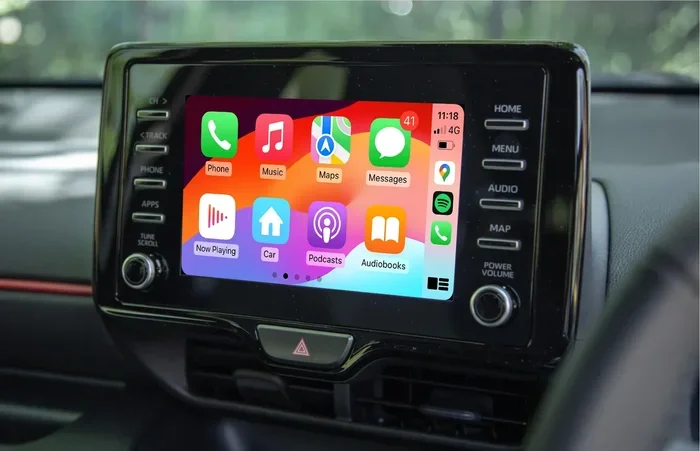
Toyota Remote Connect operates through the Toyota app, which is separate from Apple CarPlay and Android Auto. However, both systems can coexist on your phone. The Toyota app provides the dedicated remote features, while CarPlay and Android Auto handle navigation, music, and other in-car functions.