Does Techstream Require Internet for Updates and More
Does Techstream Require Internet? The short answer is no — you can use Techstream offline for most diagnostic and programming tasks. However, you do need an internet connection to download the initial software, apply updates, and access certain cloud-based features. Whether you are a DIY mechanic or a professional, understanding how Techstream handles connectivity can save you time and frustration.
If you have ever wondered does Techstream Require Internet, you are not alone. Many car owners and mechanics ask this question before they dive into vehicle diagnostics. Techstream is Toyota and Lexus’s official diagnostic software, and it plays a big role in modern car repair and maintenance. Understanding how it handles internet connectivity can make your workflow much smoother.
The good news is that Techstream does not need a constant internet connection to do its job. Once the software is installed and set up on your laptop or PC, you can perform most tasks offline. This includes reading fault codes, viewing live data, and even programming certain ECU components. However, there are a few situations where an internet connection becomes necessary, and knowing those can help you plan better.
In this article, we will walk through everything you need to know about Techstream and internet connectivity. We will cover installation, offline use, updates, and the features that do need the web. By the end, you will have a clear picture of how Techstream works with and without an internet connection.
Key Takeaways
- Techstream works offline: Most diagnostic and ECU programming functions do not need an active internet connection once installed.
- Internet is required for setup: You need a connection to download the software, install updates, and activate your license.
- Offline mode covers the essentials: Vehicle diagnostics, fault code reading, and ECU programming all work without the web.
- Updates are optional but recommended: New vehicle models and improved functions come through periodic online updates.
- Techstream supports Toyota vehicles: It is the official diagnostic tool for Toyota, Lexus, and select Scion models.
- You can use Techstream on a laptop or PC: No special hardware is needed beyond a compatible laptop and a diagnostic cable.
- No internet means no cloud features: Some advanced functions like Techstream Live and online support require connectivity.
📑 Table of Contents
- What Is Techstream and How Does It Work?
- Does Techstream Require Internet for Installation?
- Does Techstream Require Internet for Updates?
- Using Techstream Offline: What Works Without Internet?
- Techstream Internet Features: What Needs Connectivity?
- Techstream Setup and Connectivity Options
- Common Mistakes and How to Avoid Them
- Expert Tips for Using Techstream Effectively
- Final Thoughts
- Frequently Asked Questions
What Is Techstream and How Does It Work?
Techstream is Toyota Motor Corporation’s official diagnostic software. It replaced the older TechPac and Toyota Computer Diagnostic System tools that mechanics used for years. Techstream connects to Toyota and Lexus vehicles through a diagnostic cable and a laptop or desktop computer. Once connected, it communicates with the car’s onboard computer systems to read data, clear codes, and perform various programming tasks.
How Techstream Connects to Your Vehicle
Techstream uses an OBD-II diagnostic cable to link your computer to the vehicle’s OBD-II port. This port is usually located under the dashboard on the driver’s side. The cable can be a USB-to-OBD-II adapter or a Bluetooth-enabled adapter for wireless connections. Once the cable is plugged in, Techstream recognizes the vehicle and pulls up the relevant diagnostic menus.
The software supports a wide range of Toyota and Lexus models. From the latest Camry to older Land Cruiser models, Techstream covers many years and trim levels. It provides access to systems like the engine control module, transmission control, ABS braking, airbags, and more. This makes it one of the most versatile diagnostic tools for Toyota enthusiasts and professionals alike.
Key Features of Techstream
Techstream offers a range of features that make it valuable for both DIYers and professional technicians. Here are some of the most important ones:
- Diagnostic Trouble Code (DTC) Reading: Techstream reads and clears fault codes from your vehicle’s computer. This helps you identify what is wrong with your car quickly.
- Live Data Stream: You can view real-time sensor data while the engine is running. This is incredibly useful for diagnosing intermittent issues.
- ECU Programming: Techstream allows you to reprogram certain ECU components. This includes coding new parts after replacement and updating software.
- Special Functions: These include battery registration, oil reset, steering angle calibration, and more. These functions go beyond what a basic OBD-II scanner can do.
- System Check: Techstream runs comprehensive system checks across multiple vehicle modules to ensure everything is working properly.
Does Techstream Require Internet for Installation?
Yes, you do need the internet to download Techstream initially. The software is not available as a physical CD anymore. Toyota provides it through their official website or authorized distributors. You will need a stable internet connection to download the installer file, which is typically a few gigabytes in size.
System Requirements for Techstream
Before you download Techstream, make sure your computer meets the minimum requirements. Here is what you will need:
- Operating System: Windows 7, 8, 10, or 11 (64-bit versions are recommended)
- Processor: At least Intel Core i3 or equivalent
- RAM: 4 GB minimum, 8 GB or more recommended
- Hard Drive Space: At least 10 GB of free space
- USB Port or Bluetooth: For connecting the diagnostic cable to your computer
Meeting these requirements ensures smooth installation and operation. If your computer falls short, you may experience slow performance or errors during use.
Installing Techstream Without Internet
If you already have the installer file saved on your computer, you can install Techstream without an internet connection. The installation process does not require online verification in most cases. However, you will not be able to download updates or access online resources during the first launch. It is best to install first and then connect to the internet when you are ready to update.
Does Techstream Require Internet for Updates?
This is one of the most common questions we see. The answer is yes — updates do require an internet connection. Techstream releases periodic updates that include support for new vehicle models, improved diagnostic functions, and bug fixes. Without internet access, you will be stuck with the version you originally installed.
Why Updates Matter
Keeping Techstream up to date is important for several reasons. New Toyota and Lexus models hit the market every year, and each new model may require updated software to communicate properly. Even older models benefit from updates that improve diagnostic accuracy and add new special functions.
Updates also fix known bugs and improve overall stability. Running an outdated version of Techstream can lead to incorrect readings or compatibility issues with newer vehicles. If you work on a variety of Toyota models, staying current with updates is essential.
How Often Are Techstream Updates Released?
Toyota does not follow a fixed schedule for Techstream updates. They tend to release updates when new vehicle models are introduced or when significant improvements are made. Some users receive updates every few months, while others may only need to update once or twice a year.
You can check for updates manually by connecting to the internet and opening Techstream. The software will notify you if a newer version is available. You can also set up automatic update checks if you prefer to stay on the latest version at all times.
Using Techstream Offline: What Works Without Internet?
The great thing about Techstream is that the vast majority of its features work perfectly fine without an internet connection. Once the software is installed and updated, you can take your laptop to any garage or driveway and get to work. Here is a closer look at what you can do offline.
Diagnostic Functions That Work Offline
When you are working without internet access, Techstream still provides full diagnostic capabilities. You can read and clear DTCs, view live data streams, and perform ECU programming tasks. These are the core functions that most users rely on, and they do not depend on any online services.
You can also access the vehicle information database stored locally on your computer. This includes wiring diagrams, repair procedures, and component locations for supported models. All of this data is available without needing to pull up anything from the cloud.
Special Functions Available Offline
Many of Techstream’s special functions work entirely offline. These include:
- Battery Registration: Register a new battery after replacement, which is common in Toyota and Lexus vehicles with stop-start systems.
- Oil Reset: Reset the oil change indicator after servicing the vehicle.
- Steering Angle Calibration: Recalibrate the steering angle sensor after alignment or steering work.
- EPB Reset: Reset the electronic parking brake after rear brake service.
- BMS Reset: Reset the battery management system on hybrid vehicles.
These functions are essential for completing many common repairs and services. The fact that they work without internet makes Techstream a very practical tool for mobile mechanics and home garages alike.
Limitations of Offline Use
While offline use covers most day-to-day tasks, there are some limitations. You will not be able to check for new vehicle support or download updated calibration files. If you encounter a vehicle model that is newer than your current Techstream version, you may not have access to full diagnostic features until you update the software. This is why periodic internet access is still important for anyone who works on a variety of Toyota vehicles.
Techstream Internet Features: What Needs Connectivity?
Not everything in Techstream works without the internet. Some features rely on online services, and knowing which ones they are helps you plan your workflow. Here is what requires an active internet connection.
Software Updates
As we covered above, downloading and installing software updates requires internet access. This is the most obvious use case for connectivity. Without it, your Techstream installation will stay at whatever version you last had.
Techstream Live
Techstream Live is an enhanced feature that provides real-time data sharing and remote diagnostics support. This feature allows technicians to connect with Toyota’s support team or share diagnostic data with other professionals. It requires a stable internet connection to function and is particularly useful for troubleshooting complex issues.
Online Vehicle Database Access
While Techstream stores a lot of data locally, some additional resources are only available online. These include the latest technical service bulletins, recall information, and updated wiring diagrams for very recent models. If you need this information, you will need to connect to the internet.
License Activation and Verification
Techstream requires license activation, and this process needs an internet connection. During the initial setup, you must activate your license online. Some versions also require periodic re-verification to ensure your license is still valid. If you lose internet access permanently, this could affect your ability to use the software long-term.
Techstream Setup and Connectivity Options
Setting up Techstream is straightforward, and you have several options for connectivity. Whether you prefer a wired or wireless connection, Techstream has you covered.
Wired Connection Setup
The most reliable way to connect Techstream to your vehicle is through a wired OBD-II cable. A USB-to-OBD-II adapter provides a stable connection that does not depend on Bluetooth or Wi-Fi. This is ideal for diagnostic work where you need consistent data readings. Simply plug the OBD-II end into your car’s diagnostic port and the USB end into your laptop.
Wired connections tend to be faster and more stable than wireless options. If you are doing ECU programming or working with live data that requires precise readings, a wired setup is the best choice. It also eliminates concerns about Bluetooth interference or signal drops.
Wireless Connection Setup
If you prefer the convenience of a wireless connection, a Bluetooth OBD-II adapter works well with Techstream. Pair the adapter with your laptop, and you can read diagnostics without plugging in any cables. This is especially handy when you are working in tight spaces where cable management is difficult.
Keep in mind that Bluetooth adapters may have slightly higher latency than wired connections. For most diagnostic tasks, this difference is negligible. However, for time-sensitive live data monitoring, a wired connection is still preferred.
Do You Need Wi-Fi for Techstream?
You do not need Wi-Fi to use Techstream for diagnostics or programming. Wi-Fi is only necessary when you want to download updates, activate your license, or access online features. For everyday use in a garage or on a job site, a laptop with Techstream installed and a diagnostic cable is all you need.
Common Mistakes and How to Avoid Them
Even experienced Techstream users sometimes run into issues related to internet connectivity. Here are some common mistakes and how to avoid them.
- Assuming All Features Work Offline: Not all Techstream features work without internet. Always check whether a feature requires online access before you head to a location without connectivity.
- Skipping Updates: Running an outdated version of Techstream can lead to compatibility issues with newer vehicles. Make it a habit to check for updates regularly.
- Using an Unstable Internet Connection: If your internet is slow or unreliable, downloads may fail or take excessively long. Use a stable connection when downloading Techstream or its updates.
- Not Saving the Installer File: If you download Techstream once, save the installer file to an external drive. This way, you can reinstall it without needing the internet again.
- Ignoring License Expiration: Techstream licenses have expiration dates. Without internet access, you may not be able to renew your license when the time comes.
Expert Tips for Using Techstream Effectively
Here are some expert tips to help you get the most out of Techstream, whether you have internet access or not.
- Download and save updates when you have good internet: Store them on an external hard drive so you can install them later without needing the web.
- Keep a backup of your Techstream installation: This saves you time if you ever need to reinstall on a new computer.
- Use a wired connection for programming tasks: Wired connections are more reliable and reduce the risk of errors during ECU programming.
- Check the Toyota Techstream support forum before troubleshooting: Many common issues have already been solved by other users online.
- Keep your laptop plugged in during long diagnostic sessions: ECU programming can take time, and you do not want your battery to die mid-process.
Following these tips will help you avoid frustration and get accurate results every time you use Techstream. Whether you are a professional technician or a weekend warrior, these practices will serve you well.
Final Thoughts
So, does Techstream Require Internet? The answer is nuanced. You need internet for initial installation, software updates, license activation, and certain online features. But once everything is set up, you can use Techstream for the vast majority of diagnostic and programming tasks without any connection at all.
This makes Techstream a highly flexible tool that works in garages, on job sites, and in mobile workshops where internet access may be limited or unavailable. The offline capabilities are robust, and the few features that do need connectivity are easy to plan around.
If you are considering Techstream for your Toyota or Lexus vehicle, there is no need to worry about internet dependency holding you back. As long as you handle the initial setup and periodic updates when you have access, you will be able to use Techstream effectively in almost any situation. It is one of the best diagnostic tools available for Toyota vehicles, and its flexibility makes it a valuable addition to any toolkit.
Frequently Asked Questions
Can I use Techstream without any internet connection at all?
Yes, you can use Techstream without internet for most diagnostic and programming tasks. You will need internet only for the initial download, updates, and license activation. Once installed, the core features work fully offline.
How do I update Techstream if I do not have internet at home?
You can download updates at a location with internet access, such as a library or a friend’s house. Save the update files to a USB drive or external hard drive, and then transfer them to your computer for installation. This way, you can keep Techstream current without needing a home internet connection.
Is Techstream free to use?
Techstream is not free. Toyota charges for the software license, and the cost varies depending on the version and features you need. Some distributors also offer subscription-based plans that include updates for a set period.
What vehicles does Techstream support?
Techstream primarily supports Toyota, Lexus, and select Scion models. It covers a wide range of years and trim levels. Newer updates continue to add support for the latest models as they are released.
Do I need a special laptop to run Techstream?
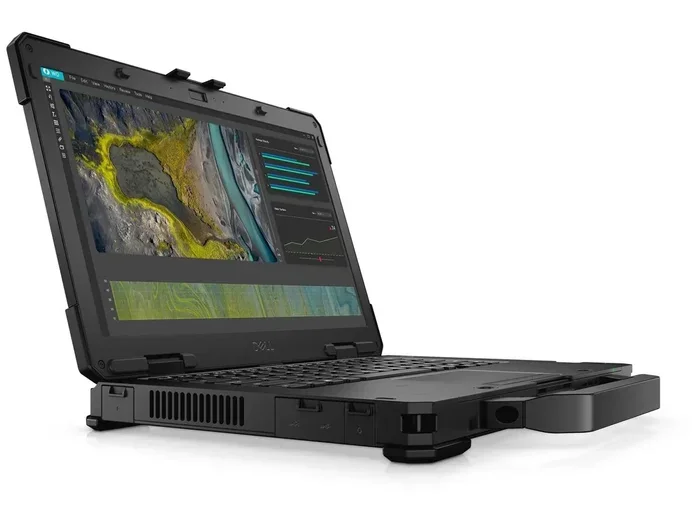
You do not need a special laptop, but your computer must meet the minimum system requirements. A standard Windows laptop with sufficient RAM and storage will work well. Avoid using very old or underpowered computers, as they may struggle with the software.
Can I use Techstream on a Mac or Linux computer?
Techstream is designed for Windows operating systems only. It does not officially support Mac or Linux computers. If you use a Mac, you can run Windows through a virtual machine or use Boot Camp to install Windows and run Techstream that way.