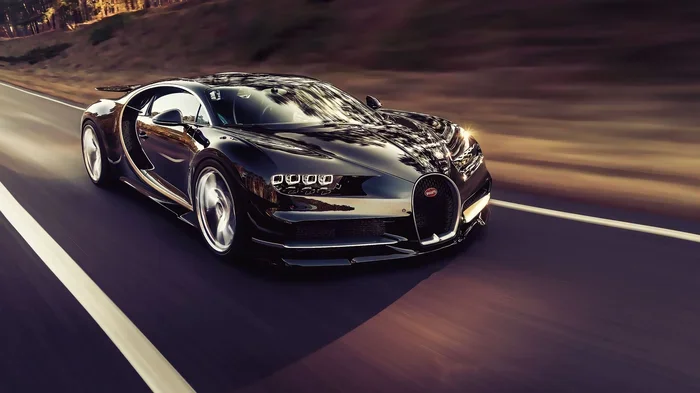
The Ultimate Car HD Wallpaper For iPhone Guide 2024
Looking for the perfect car hd wallpaper for iphone? This 2024 guide covers everything you need to know, from the best free sources to resolution tips that make your phone screen pop. You’ll learn how to find, download, and set stunning car wallpapers that match your iPhone’s display perfectly, whether you love sports cars, luxury rides, or classic muscle cars.
There is something about a beautiful car that makes you stop and stare. Maybe it is the sleek lines of a sports car or the raw power of a muscle machine. Whatever it is, that feeling can now live right on your iPhone screen.
If you are on the hunt for the best car hd wallpaper for iphone, you have come to the right place. This guide is packed with everything you need to know in 2024. We will cover where to find them, how to pick the right ones, and how to set them up like a pro. Let us dive in.
Key Takeaways
- Right resolution matters: Always choose 4K or Retina-grade images for the sharpest car hd wallpaper for iphone experience.
- Free sources exist: Sites like Unsplash, Pexels, and Wallhaven offer high-quality car wallpapers at no cost.
- Set wallpapers correctly: Use the right iOS steps to avoid cropping or stretching your favorite car images.
- Categories to explore: Sports cars, luxury brands, off-road vehicles, and classic cars all offer unique wallpaper options.
- Avoid common mistakes: Don’t download low-res images or ignore aspect ratios that ruin your wallpaper quality.
- Customization adds value: Editing tools and live wallpaper apps can elevate your car wallpaper game to the next level.
📑 Table of Contents
- Why Car Wallpapers Look So Good on iPhone
- Best Places to Find Car HD Wallpaper for iPhone
- Top Car Categories for iPhone Wallpapers
- How to Choose the Perfect Car Wallpaper
- How to Set Your Car Wallpaper on iPhone
- Common Mistakes to Avoid
- Expert Tips for the Best Car Wallpaper Experience
- Recommended Apps for Car Wallpapers
- What Resolution Should Your Car Wallpaper Be?
- Conclusion
Why Car Wallpapers Look So Good on iPhone
Car wallpapers are among the most popular choices for phone backgrounds. And it is easy to see why. Cars are visually stunning. They have bold colors, sharp edges, and dynamic shapes that look incredible on a bright display.
When you pair a gorgeous car image with a high-quality screen, the result is pure eye candy. Your iPhone’s Retina display brings out every detail. The curves of a supercar body, the gleam of chrome, and the depth of a paint job all come alive.
Beyond aesthetics, a great wallpaper can set the mood for your entire day. A sleek black Ferrari on your lock screen might make you feel like a race car driver. A rugged off-road truck could remind you of weekend adventures. Car wallpapers for iPhone are more than just pictures. They are a form of self-expression.
The Role of Display Quality
Apple designs iPhone screens to deliver vibrant colors and deep contrasts. This means your wallpaper needs to match that quality. A low-resolution image will look blurry or pixelated. But a high-definition car image fills the screen with crisp detail.
This is why HD car wallpaper for iPhone is the standard most people look for. The higher the resolution, the sharper the image. When pixels are small and dense, everything looks clean and professional.
Best Places to Find Car HD Wallpaper for iPhone
Finding the right wallpaper is the first step. But not all sources are created equal. Some sites offer free, high-quality images. Others push paid downloads or low-res junk. Here are the best places to search in 2024.
Free Stock Photo Sites
Sites like Unsplash and Pexels are goldmines for free car images. Photographers upload stunning car photos that you can use as wallpapers. These images are often shot in 4K or higher resolution.
Here is how to search effectively:
- Type “car” or “sports car” into the search bar
- Filter results by resolution (look for 4K or 3840×2160)
- Check the license to confirm free personal use
- Download the original, full-size file
Wallpaper-Specific Websites
Websites like Wallhaven, Unsplash, and DeviantArt specialize in wallpapers. They have entire categories dedicated to car images. You can filter by device type, color, or car brand.
These sites often curate collections. That means someone has already picked the best images. You save time and still find top-quality car wallpaper for iPhone options.
Social Media and Communities
Do not overlook platforms like Pinterest, Reddit, and Instagram. Search for “car wallpaper” or “iPhone car background.” You will find thousands of community-shared images.
Many car enthusiasts post their own edits and photos. These often have unique angles or creative edits that you will not find anywhere else. Free car wallpaper communities on Reddit, like r/wallpapers, are especially helpful.
Top Car Categories for iPhone Wallpapers
Not all car wallpapers are the same. Different categories appeal to different tastes. Here are the most popular types of car hd wallpaper for iphone you should explore.
Sports Cars
Sports car wallpapers are the most downloaded category. Brands like Ferrari, Lamborghini, Porsche, and McLaren dominate this space. These images feature low angles, dramatic lighting, and vivid colors.
A red Ferrari 488 against a city backdrop looks incredible on any iPhone screen. The combination of speed, beauty, and luxury makes sports car wallpapers a top choice for enthusiasts.
Luxury Sedans and SUVs
If sports cars are too flashy, luxury sedans and SUVs offer a more refined look. Think Mercedes-Benz S-Class, BMW 7 Series, or Range Rover. These wallpapers often feature clean lines, premium interiors, and elegant styling.
They work great for people who prefer a minimalist or sophisticated phone look. A dark-mode wallpaper with a sleek black Bentley can look very classy.
Classic and Vintage Cars
Vintage car wallpapers bring nostalgia and charm. Classic Mustangs, vintage Corvettes, and old Porsche 911s have a timeless appeal. These images often feature warm tones, retro vibes, and a sense of history.
If you love the golden era of automobiles, classic car HD car images for iPhone will be your favorite category.
Off-Road and Trucks
For the adventure seekers, off-road and truck wallpapers are a great fit. Think Jeep Wranglers in the desert, Ford Raptors on a trail, or Land Rovers crossing rivers.
These wallpapers often feature rugged landscapes and bold machines. They give your iPhone a strong, adventurous feel.
Supercars and Hypercars
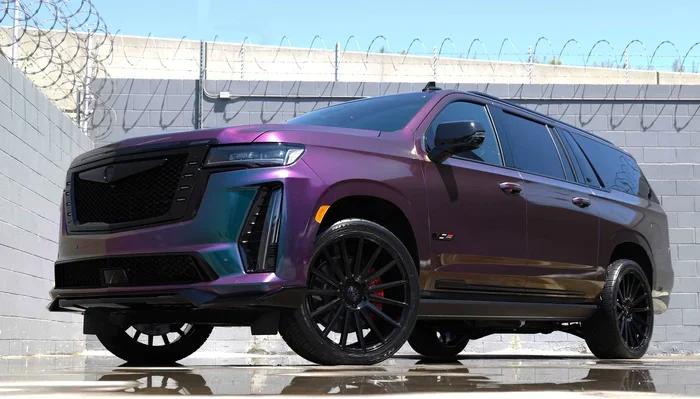
Supercars and hypercars take the excitement to the next level. Bugatti Chiron, Koenigsegg, Pagani Huayra, and McLaren Speedtail are just a few examples. These wallpapers often show the cars in motion or in dramatic settings.
If you want your iPhone to stand out, a supercar wallpaper for iPhone is hard to beat.
How to Choose the Perfect Car Wallpaper
With so many options, picking the right one can feel overwhelming. Here are some tips to help you choose the best car wallpaper for iPhone every time.
Match Your iPhone Screen Size
Every iPhone model has a different screen size and resolution. The iPhone 15 Pro Max has a different display than the iPhone 14 or iPhone SE. Your wallpaper should fit perfectly without cropping or stretching.
Look for images that match or exceed your phone’s native resolution. For most modern iPhones, that means at least 1290×2796 pixels. For the best results, aim for 4K car wallpaper quality.
Consider Your Color Scheme
Think about your phone’s overall look. Do you use light mode or dark mode? A dark car wallpaper works well with dark mode. A bright, colorful car image pops in light mode.
Also consider your home screen layout. If you have lots of app icons, a busy wallpaper might feel cluttered. A simpler car image with negative space keeps things clean.
Think About Your Mood
Your wallpaper sets the tone. A fast red sports car might give you energy in the morning. A peaceful landscape with a classic car might feel calming. Choose images that match how you want to feel when you pick up your phone.
Check the Aspect Ratio
Aspect ratio is the width-to-height ratio of an image. iPhone screens are tall and narrow. A wide landscape photo might get cropped on both sides. Always choose images that are portrait-oriented or close to your phone’s aspect ratio.
For iPhone 15 models, the aspect ratio is roughly 9:19.2. Images that match this ratio will look perfect with no awkward cropping.
How to Set Your Car Wallpaper on iPhone
Downloading a great image is only half the battle. Setting it up correctly makes all the difference. Here is a step-by-step guide to setting your car hd wallpaper for iphone without any headaches.
Step-by-Step Setup
- Download your chosen car image to your iPhone Photos app
- Open the Settings app
- Tap “Wallpaper”
- Choose “Add New Wallpaper”
- Select your downloaded car image from the Photos tab
- Pinch to zoom and adjust the framing
- Tap “Set” and choose “Set Lock Screen,” “Set Home Screen,” or both
Tips for Perfect Framing
When adjusting your wallpaper, pay attention to the center of the image. The iPhone lock screen crops the top and bottom. Make sure the car is centered and the key details are visible.
For the home screen, the dock at the bottom covers part of the image. Keep important parts of the car above the middle of the screen to avoid the dock blocking your favorite details.
Using Live Wallpapers
iOS supports live wallpapers that have subtle motion. Some car wallpapers come with animated effects like parallax. When you tilt your phone, the image shifts slightly, creating a 3D feel.
To use a live wallpaper, look for the “Live Photo” option when setting your wallpaper. This feature adds a nice touch to your car wallpaper for phone setup.
Common Mistakes to Avoid
Setting a car wallpaper sounds simple, but many people make mistakes that hurt the final result. Here is what to watch out for.
Downloading Low-Resolution Images
This is the number one mistake. A small, compressed image looks terrible on a high-resolution iPhone screen. Always check the file size and resolution before downloading. If the image is smaller than your phone’s screen resolution, skip it.
A good rule of thumb: look for images that are at least 3000 pixels wide. This ensures sharpness on any iPhone model now and in the future.
Ignoring Copyright and Usage Rights
Not all car images are free to use. Some photos belong to photographers or car brands. Using copyrighted images as your wallpaper for personal use is generally fine. But reposting or using them commercially can get you into trouble.
Stick to images labeled for personal use or those with Creative Commons licenses. This keeps you safe and respects the work of creators.
Forgetting to Update Regularly
Your wallpaper does not have to stay the same forever. Rotate your best car wallpapers for iPhone with the seasons or your mood. A fresh wallpaper can make your phone feel new again.
Create a folder in your Photos app called “Wallpapers.” Save your favorite car images there. This makes it easy to swap them out whenever you want a change.
Expert Tips for the Best Car Wallpaper Experience
Want to take your car wallpaper game to the next level? Here are some pro tips from wallpaper enthusiasts and designers.
Use Editing Apps
Apps like Snapseed and Lightroom Mobile let you edit your car wallpapers. You can adjust brightness, contrast, and saturation to make the image pop on your screen.
A quick boost in contrast can make a car image look dramatically better. Try darkening the background slightly to make the car stand out more.
Create a Wallpaper Collection
Download a batch of car images every week. Over time, you will build a library of high-quality car wallpapers for iPhone. This way, you always have fresh options ready to go.
Some people change their wallpaper every Monday. It becomes a small weekly ritual that keeps their phone looking fresh and inspiring.
Explore Different Angles
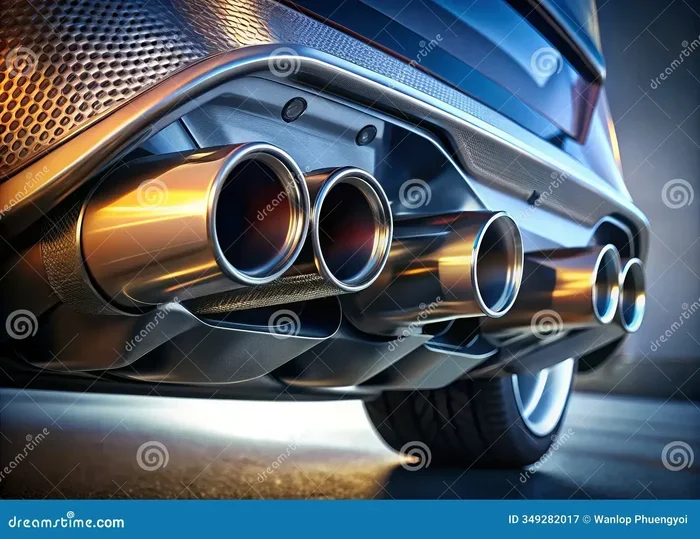
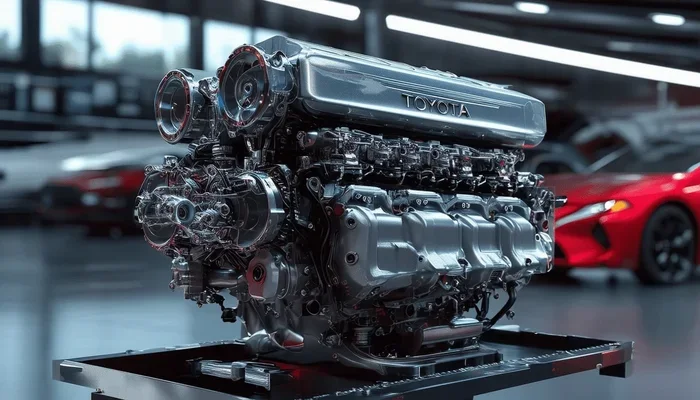
Do not just look for front-facing car photos. Side profiles, rear shots, and detail close-ups all make great wallpapers. A close-up of a car wheel or engine can look surprisingly striking on a phone screen.
Variety keeps your wallpaper experience interesting. Mix sports cars, classics, and off-roaders to create a diverse collection.
Recommended Apps for Car Wallpapers
If you want a convenient way to find and set car wallpapers, apps can help. Here are some of the best options for car hd wallpaper for iphone in 2024.
- Walli: Curated wallpapers from artists around the world, including many car-themed options
- Zedge: A massive collection of free wallpapers, ringtones, and notifications with a strong car category
- Backdrops: High-quality community-submitted wallpapers, easy to browse by category
- Unsplash App: The mobile version of the popular free stock photo site with direct wallpaper downloads
- Pinterest: Search “car wallpaper iPhone” for endless inspiration and direct download links
Each app has its strengths. Walli and Backdrops focus on quality curation. Zedge offers variety. The Unsplash app gives you access to professional-grade photography. Try a few and see which one fits your style best.
What Resolution Should Your Car Wallpaper Be?
Resolution is the most important technical detail when choosing a car wallpaper for iPhone. Here is a quick reference table to help you pick the right resolution for your specific iPhone model.
| iPhone Model | Resolution (pixels) | Recommended Wallpaper Size |
|---|---|---|
| iPhone 15 Pro Max | 1290 x 2796 | 3840 x 2160 (4K) |
| iPhone 15 Pro | 1179 x 2556 | 3840 x 2160 (4K) |
| iPhone 15 | 1170 x 2532 | 3840 x 2160 (4K) |
| iPhone 14 Pro Max | 1290 x 2796 | 3840 x 2160 (4K) |
| iPhone 13 Pro Max | 1284 x 2778 | 3840 x 2160 (4K) |
| iPhone SE (3rd Gen) | 1334 x 750 | 1920 x 1080 (Full HD) |
Always aim for images larger than your phone’s native resolution. This gives you flexibility to crop or zoom without losing quality. A 4K car wallpaper works well across all modern iPhone models.
Conclusion
Finding the perfect car hd wallpaper for iphone does not have to be a chore. With the right sources, the right resolution, and a little creativity, you can transform your iPhone screen into a showcase of automotive beauty.
Remember to choose images that match your phone’s resolution. Explore different car categories to find what truly speaks to you. And do not be afraid to update your wallpaper regularly to keep things fresh.
Whether you are a sports car fanatic, a luxury sedan fan, or a classic car enthusiast, there is a perfect car wallpaper for iPhone waiting for you. Start exploring today and give your phone the upgrade it deserves.
Frequently Asked Questions
What is the best resolution for car hd wallpaper for iphone?
For most modern iPhones, aim for images at least 1290 x 2796 pixels. A 4K resolution (3840 x 2160) works perfectly across all iPhone models. Higher resolution ensures your wallpaper looks crisp and sharp on any device.
Can I use car wallpapers for commercial purposes?
It depends on the image license. Photos from Unsplash and Pexels are generally free for personal use. If you want to use a car image commercially, check the license or contact the photographer first to avoid copyright issues.
How often should I change my car wallpaper?
There is no set rule. Some people change their wallpaper weekly for a fresh look. Others keep the same image for months. Changing it regularly keeps your phone feeling new and lets you enjoy your full wallpaper collection.
Are live car wallpapers available for iPhone?
Yes. iOS supports Live Photos as wallpapers, which add subtle motion effects. You can also use third-party apps to create animated car wallpapers. Just make sure the app is reputable and does not drain your battery excessively.
What are the best free sites for car hd wallpaper for iphone?
Unsplash, Pexels, Wallhaven, and DeviantArt are among the best free sources. They offer high-quality car images with no cost. Reddit communities like r/wallpapers and r/CarPorn also share excellent free options.
How do I prevent my car wallpaper from being cropped on iPhone?
Choose portrait-oriented images that match your iPhone’s aspect ratio. When setting the wallpaper, use the pinch-to-zoom feature to adjust framing. Center the main subject of the car image to avoid important parts being cut off by the lock screen or home screen dock.
=== CONCLUSION ===
The world of car hd wallpaper for iphone is vast and exciting. From stunning sports cars to timeless classics, there is an image out there for every car lover. With the tips and sources in this guide, you are now equipped to find, choose, and set the perfect wallpaper for your iPhone.
Start with the free stock photo sites. Explore different car categories. Pay attention to resolution and framing. And most importantly, have fun with it. Your iPhone screen is a canvas. Let your love for cars shine through every time you unlock your phone.