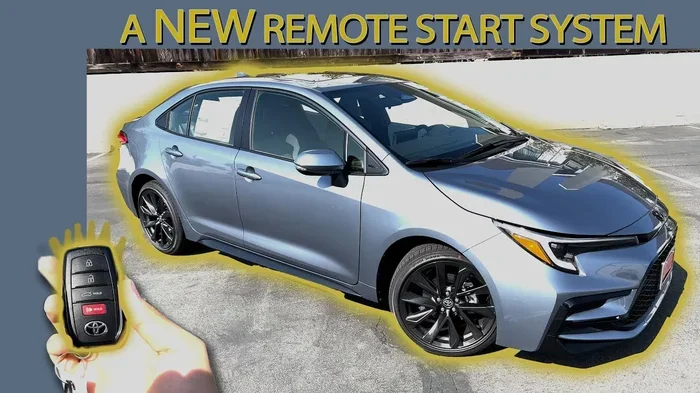
Do You Have to Pay for the Toyota App Remote Start
You do not always have to pay to use remote start through the Toyota App. Many Toyota owners can access basic remote start features for free, but full Toyota App remote start capabilities may require a Toyota Connect subscription depending on your model and year. This guide breaks down exactly what is free, what costs money, and how to get the most out of your Toyota’s remote features.
Have you ever wondered whether you need to hand over your hard-earned money just to start your Toyota from a distance? It is a fair question. The Toyota App remote start feature sounds amazing, but nobody wants to sign up for hidden fees or subscriptions they do not need. So let us clear this up once and for all.
The short answer is that it depends on your Toyota model, year, and the features you want. Some owners get remote start for free right out of the box. Others may need a paid subscription for full access. In this guide, we will walk through every detail so you know exactly what you are getting into. No guesswork. No surprises.
We will cover how the Toyota App remote start works, which models support it, what costs money, and how to set it up. Whether you drive a brand-new RAV4 or an older Camry, this article has you covered. Let us dive in.
Key Takeaways
- Free Remote Start Available: Many newer Toyota models offer basic remote start through the app at no extra cost.
- Subscription Plans Exist: Toyota Connect offers paid tiers that unlock advanced remote features like climate control and vehicle tracking.
- Model Year Matters: Older Toyota models may need a subscription or hardware upgrade to support app-based remote start.
- Setup Is Simple: You can set up remote start in minutes through the Toyota App on your smartphone.
- Free Alternatives Exist: Some features are available without a subscription, including basic lock/unlock and vehicle status checks.
- Check Your Coverage: Always verify what your specific Toyota model includes before paying for any add-on services.
📑 Table of Contents
- What Is the Toyota App Remote Start Feature?
- Do You Have to Pay for the Toyota App Remote Start?
- How to Set Up Remote Start Through the Toyota App
- What Other Remote Features Come with the Toyota App?
- Toyota App Remote Start vs. Factory Remote Start
- Common Problems with Toyota App Remote Start
- Tips to Get the Most Out of Toyota App Remote Start
- Is Toyota App Remote Start Worth It?
- Frequently Asked Questions
- Final Thoughts
What Is the Toyota App Remote Start Feature?
The Toyota App remote start lets you start your Toyota engine from your phone. You can turn on the heater or air conditioner before you even walk out the door. It is one of the most popular features in the Toyota connected services lineup. But here is the thing not everyone gets it the same way.
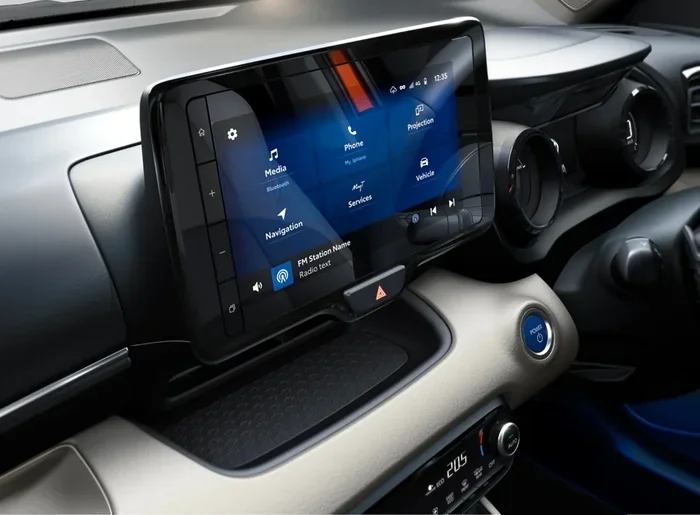
Toyota offers remote start through two main systems. The first is the Toyota App itself, available for both Apple and Android devices. The second is Toyota Connect, which is the built-in connected service system in many newer Toyotas. These two systems work together but sometimes have different rules about what is free and what is not.
How Does Toyota Remote Start Work?
Using remote start through the Toyota App is simple. You download the app, create an account, and link your Toyota vehicle. Once linked, you can press the remote start button on your phone screen. The engine fires up, and your climate settings kick in. All of this happens over a cellular connection, so you do not need to be within Bluetooth range.
Most Toyotas allow you to start the engine from up to 30 to 50 feet away. Some newer models with enhanced connectivity can go even further. The app also sends you notifications about your vehicle status, so you know the engine started successfully.
Which Toyota Models Support Remote Start?
Most modern Toyota models support the Toyota App remote start feature. Here is a quick look at popular models that work with the app:
- Toyota RAV4 and RAV4 Hybrid
- Toyota Camry and Camry Hybrid
- Toyota Corolla and Corolla Cross
- Toyota Highlander and Highlander Hybrid
- Toyota Tacoma
- Toyota 4Runner
- Toyota Tundra
- Toyota Prius
However, older models may not support app-based remote start without a hardware upgrade or subscription. Always check your specific model year before assuming you have access.
Do You Have to Pay for the Toyota App Remote Start?
This is the big question, and the answer is not a simple yes or no. Toyota App remote start costs depend on several factors. Let us break them down so you can figure out exactly where you stand.
Understanding Toyota Connect Subscription Plans
Toyota Connect is the subscription-based service that powers many of the advanced features in newer Toyotas. The Toyota Connect plans come in different tiers. Some include remote start, while others focus on safety, navigation, or entertainment.
Here is a general overview of what you might expect from Toyota Connect plans:
- Basic Plan: Often includes free remote start for a limited trial period. After that, it may require a paid subscription.
- Premium Plan: Includes remote start, climate control, vehicle tracking, and roadside assistance. This plan usually costs a yearly or monthly fee.
- Trial Period: Many new Toyotas come with a free trial of Toyota Connect, which gives you temporary access to remote start and other features.
The exact pricing varies by dealership, region, and model. Some Toyota owners report paying around $10 to $20 per month for full connected services, while others pay an annual fee. Always ask your dealer about the specific cost before purchasing a new Toyota.
Free vs. Paid Features in the Toyota App
Not everything in the Toyota App costs money. Here is a quick comparison of what you typically get for free versus what requires a paid plan:
- Free Features: Basic lock/unlock, vehicle location, fuel status check, maintenance reminders, and sometimes basic remote start during a trial period.
- Paid Features: Extended remote start beyond the trial, remote climate control, vehicle diagnostics, destination assist, and 24/7 roadside assistance.
If you only want to start your car from a short distance, the free tier might be enough for you. But if you want full control over your vehicle’s climate and location tracking, you will likely need a paid subscription.
Some owners also ask whether they can use the Toyota App without a subscription at all. The answer is yes, for basic functions. You can check out this guide on Can You Use the Toyota App Without a Subscription for more details on what stays free.
How to Set Up Remote Start Through the Toyota App
Setting up Toyota App remote start is easier than you might think. You do not need to be a tech expert. Follow these steps and you will be up and running in no time.
Step-by-Step Setup Guide
- Download the Toyota App. Go to the Apple App Store or Google Play Store and search for “Toyota.” Download the official app.
- Create an account. Open the app and sign up using your email address. You will need to create a secure password.
- Link your vehicle. Enter your Toyota’s Vehicle Identification Number (VIN) or scan the QR code if your dealer provided one.
- Verify your connection. The app will confirm your vehicle is linked. You should see your vehicle’s status on the home screen.
- Start your car. Tap the remote start button. Make sure you are in a safe location and follow all local laws about idling vehicles.
That is it. Most people complete the setup in under five minutes. If you run into issues, the app has a help section that walks you through common problems.
Common Setup Issues and How to Fix Them
Sometimes things do not go smoothly. Here are a few common issues and quick fixes:
- App not connecting to your vehicle: Check your internet connection and make sure your Toyota’s cellular module is active.
- Remote start not responding: Ensure your vehicle is in park and the doors are closed. Also verify that your key fob is inside the vehicle.
- Login issues: Reset your password and make sure you are using the correct Toyota account email.
If none of these fixes work, contact Toyota customer support or visit your local dealer. They can check your vehicle’s connectivity module and get you sorted out.
What Other Remote Features Come with the Toyota App?
Remote start is just the beginning. The Toyota App offers a range of features that make owning a Toyota more convenient. Let us look at what else you can do from your phone.
Remote Lock and Unlock
One of the most used features in the Toyota App is remote lock and unlock. You can lock your doors or unlock them from anywhere. This is incredibly handy if you lock your keys inside your car or if you want to let someone into your vehicle while you are at work.
For owners wondering about driving without the key fob, check out this article on Can I Drive My Toyota Without the Key Fob for helpful information.
Vehicle Tracking and Diagnostics
Paid Toyota Connect plans include vehicle tracking. You can see where your car is parked, check fuel levels, and even get maintenance alerts sent directly to your phone. The diagnostics feature can read error codes and tell you if something needs attention before it becomes a big problem.
Some owners also want to monitor tire pressure through the app. You can learn more about that in this guide on Can You See Tire Pressure on the Toyota App.
Climate Control and Seat Heating
If you live in a cold climate, remote climate control is a game changer. You can turn on the seat warmers and heat the cabin before you step outside. In the summer, you can cool down your car before you get in. These features are typically part of the paid Toyota Connect plans.
Toyota App Remote Start vs. Factory Remote Start
Some Toyotas come with a factory remote start system built into the key fob. This is different from the app-based remote start. Let us compare the two so you can decide which option works best for you.
Key Differences Between Factory and App Remote Start
Factory remote start uses the physical key fob to start the engine. You press a button on the fob, and the car starts. The range is typically limited to about 30 to 100 feet, depending on the fob technology.
App-based remote start uses your phone and cellular data. The range is much longer because it works over the internet. You can start your car from across town if needed. The app also gives you more control, such as setting specific climate temperatures and checking vehicle status in real time.
Which Option Is Better for You?
If you want convenience and range, the app-based Toyota App remote start wins. If you prefer not to rely on a subscription and just want basic start/stop functionality, factory remote start on the key fob works well. Some Toyotas offer both, giving you the best of both worlds.
Keep in mind that not all Toyota models come with factory remote start as standard. Many base trim levels do not include it. In those cases, the app-based option can fill the gap and give you remote start capability without needing a factory upgrade.
Common Problems with Toyota App Remote Start
Even the best technology can have hiccups. Here are some common problems Toyota owners face with the app remote start and how to solve them.
Remote Start Won’t Activate
If the app says your car has started but you do not hear the engine, check a few things first. Make sure the vehicle is in park. Confirm the doors are closed. Check that the key fob is inside the car. Sometimes the app takes a few seconds to connect, so give it a moment before trying again.
Subscription Expired or Not Recognized
If your Toyota Connect subscription has expired, the app may block certain features including remote start. You can check your subscription status in the app settings. If it has expired, you can renew it directly through the app or by contacting Toyota customer service.
App Crashes or Freezes During Remote Start
Make sure your phone has a stable internet connection. Close other apps running in the background. If the problem persists, try uninstalling and reinstalling the Toyota App. Also check for any available app updates in your device’s app store.
When Should You Contact Toyota Support?
If you have tried all the troubleshooting steps and remote start still does not work, it is time to reach out. Call Toyota customer support or visit your local dealer. They can run diagnostics on your vehicle’s connectivity system and determine if a hardware issue is causing the problem.
Tips to Get the Most Out of Toyota App Remote Start
Want to make sure you are getting the full value from your Toyota App remote start? Here are some expert tips that real Toyota owners swear by.
- Keep your app updated. Toyota regularly releases updates that improve performance and fix bugs. Check for updates at least once a month.
- Use a strong Wi-Fi connection during setup. Linking your vehicle to the app works best on a stable home network.
- Set your climate preferences in advance. Before you leave for the day, set the temperature you want. When you remote start, the car will go straight to that setting.
- Know your local laws. Some areas have rules about idling vehicles. Make sure you follow them when using remote start.
- Monitor your subscription. Set a reminder before your Toyota Connect subscription renews so you can decide if you want to continue.
These small habits make a big difference. They keep your experience smooth and help you avoid frustrating moments when you need remote start the most.
Is Toyota App Remote Start Worth It?
After reading through all of this, you might be wondering if the Toyota App remote start is actually worth it. The honest answer is that it depends on your lifestyle and needs.
If you live in an area with extreme weather, remote start is almost essential. Imagine stepping into a freezing cold car in January or a scorching hot car in July. Remote start solves both problems before you even walk outside. For these owners, paying for a Toyota Connect subscription is well worth the comfort.
On the other hand, if you live in a mild climate and just want basic lock/unlock features, the free tier of the Toyota App might be all you need. You do not have to pay extra for features you will never use.
The key is to evaluate what you actually need. Do not pay for a premium plan just because it is available. Start with the free features and upgrade only if you find yourself wanting more.
Frequently Asked Questions
Is Toyota App Remote Start Free?
Basic remote start through the Toyota App is often free, especially during the initial Toyota Connect trial period. However, continued access to remote start and advanced features may require a paid subscription. Check your specific plan to confirm what is included at no cost.
Can I Use the Toyota App Remote Start on Any Toyota Model?
Most modern Toyota models support app-based remote start, but older models may not. Some older Toyotas require a hardware upgrade or a compatible connectivity module. Always verify your specific model and year before assuming remote start is available.
How Far Can I Start My Toyota Using the App?
You can typically start your Toyota from anywhere with cellular service. The range is not limited by Bluetooth distance. As long as your vehicle has a cellular connection and the app is linked, you can start it from miles away.
Do I Need an Active Toyota Connect Subscription for Remote Start?
It depends on your model and the features you want. Many Toyotas include a free trial of Toyota Connect with remote start. After the trial ends, you may need to subscribe to continue using the feature. Some basic functions work without a subscription.
Can I Remote Start My Toyota Hybrid Through the App?
Yes, most Toyota hybrid models support remote start through the app. The hybrid battery and system work the same way as a standard Toyota when it comes to app-based remote start. You can start the engine and set the climate just like any other Toyota.
What Should I Do If the Toyota App Remote Start Is Not Working?
First, check your internet connection and make sure your vehicle is in park with the doors closed. Verify that your Toyota Connect subscription is active. If everything looks correct but the issue persists, try restarting the app or contacting Toyota customer support for further assistance.
Final Thoughts
The Toyota App remote start is a fantastic feature that adds real convenience to your daily routine. Whether you choose the free tier or a paid Toyota Connect subscription, you have options that fit different needs and budgets. The key is understanding what comes with your vehicle and what costs extra.
Take a few minutes to explore the Toyota App on your phone. Link your vehicle, try the free features, and see if remote start works for you. If it does, great. If you want more, consider a subscription plan that fits your lifestyle. Either way, you are in control of your Toyota experience.
Remote start is just one piece of the puzzle. The Toyota App offers a whole suite of connected services that make owning a Toyota more convenient and enjoyable. Explore them, find what works for you, and enjoy the drive. Your Toyota is smarter than you think, and the app is the key to unlocking its full potential.