Can You Update a Lexus Navigation System Step by Step
Yes, you can update a Lexus navigation system using several methods, including USB drives, disc updates, or a visit to your dealer. Keeping your Lexus navigation maps current ensures accurate directions, new points of interest, and better route planning. This guide walks you through every step so you can update Lexus navigation quickly and safely at home.
Your Lexus navigation system is one of the most helpful features in your car. It guides you to new places, finds restaurants, and helps you avoid traffic. But here is the thing — a navigation system is only as good as its maps. If your maps are old, you might miss turns, drive into dead ends, or waste time on routes that no longer exist.
So, can you update a Lexus navigation system? The short answer is yes. You absolutely can. Whether you own a Lexus RX, Lexus ES, Lexus GX, or any other model, updating your navigation maps is a straightforward process. You can do it yourself at home, or you can visit a dealer. This guide shows you every step so you feel confident and prepared.
In this article, we cover everything you need to know about updating a Lexus navigation system. We explain the different methods, what you need before starting, common mistakes to avoid, and tips that make the whole process smooth. By the end, you will know exactly how to keep your maps fresh and your drives stress-free.
Let us get into it. Your Lexus deserves the best maps, and you deserve the best driving experience.
Key Takeaways
- Easy DIY Updates: You can update your Lexus navigation system at home using a USB drive or map DVD.
- Multiple Methods Available: Choose between USB updates, disc-based updates, or a dealer visit depending on your model.
- Free Updates Exist: Many Lexus models offer free map updates for a limited time after purchase.
- Regular Updates Matter: Outdated maps lead to wrong turns, missed exits, and inaccurate travel times.
- Quick Tips Save Time: Following a few simple prep steps prevents common errors during the update process.
- Dealer Option Is Reliable: When in doubt, a Lexus dealership can handle the update quickly and correctly.
📑 Table of Contents
- Why Updating Your Lexus Navigation System Matters
- How Often Should You Update Lexus Navigation Maps
- Methods to Update a Lexus Navigation System
- Step by Step Guide to Updating Lexus Navigation
- Common Mistakes When Updating Lexus Navigation
- Quick Tips for a Smooth Navigation Update
- Lexus Navigation System Troubleshooting
- Comparison Table: Update Methods
- Expert Insights on Lexus Navigation Updates
- How to Know if Your Lexus Navigation Needs a Reset
- Can You Update Lexus Navigation with a Smartphone App
- What to Do If Your Lexus Navigation System Is Too Old to Update
- Conclusion
Why Updating Your Lexus Navigation System Matters
Some car owners ignore navigation updates for years. They think the maps they have are good enough. But the world changes fast. New roads open. Streets get renamed. Businesses close and new ones open. If your maps are outdated, your navigation system cannot help you properly.
Here are some real reasons why keeping your maps current matters so much:
- Accurate Directions: Updated maps include the latest road changes. You get the fastest and safest routes every time.
- New Points of Interest: New restaurants, gas stations, hotels, and shops appear in updated map data.
- Better Traffic Data: Fresh maps work better with real-time traffic features when available.
- Correct Addresses: Street names and house numbers change. Updated maps reflect those changes accurately.
- Fewer Frustrating Moments: Nothing ruins a road trip faster than a navigation system sending you the wrong way.
Think of it this way. You would not drive with a paper map from ten years ago. Your digital navigation deserves the same care and attention.
How Often Should You Update Lexus Navigation Maps
The frequency of updates depends on your driving habits and your model. Most experts recommend updating your Lexus navigation maps at least once a year. If you drive in a fast-growing area with lots of new construction, you might want to update even more often.
Here are some signs that it is time for an update:
- Your system says “Map data is outdated” or shows a warning message.
- You notice streets or roads that do not look right.
- Your navigation sends you down roads that do not exist.
- New businesses or points of interest near you are missing.
- You have not updated your maps in over a year.
Some Lexus models also show a map version number in the settings menu. You can check this number against the latest version available on the Lexus website. If there is a newer version, it is time to update.
Free vs. Paid Updates
Not all updates cost money. Many Lexus vehicles come with free map updates for the first three to five years after purchase. After that period, you may need to pay for map updates. The cost varies, but it is usually much cheaper than you might expect. Some dealers offer discounted update packages too.
If you are unsure whether your updates are free, check your original purchase paperwork or call your local Lexus dealer. They can look up your vehicle and tell you exactly what is available.
Methods to Update a Lexus Navigation System
There are three main ways to update your Lexus navigation system. Each method has its own advantages. Let us look at them closely.
Method 1: USB Drive Update (DIY at Home)
The USB drive method is the most popular way to update Lexus navigation at home. It is simple, convenient, and does not require a trip to the dealer. Here is how it works:
- Go to the Lexus website and find the map update section for your model.
- Download the latest map data to your computer.
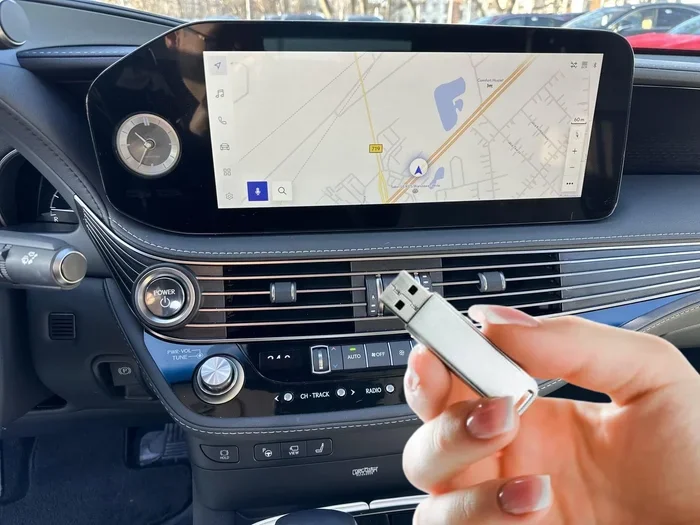
- Transfer the files to a compatible USB drive (usually formatted as FAT32).
- Plug the USB drive into your Lexus.
- Follow the on-screen prompts to install the update.
- Wait for the installation to complete. Do not turn off the car during this process.
This method works well for most Lexus models from the past decade. However, the exact steps can vary slightly depending on your year and model. Always check the Lexus website for model-specific instructions before you begin.
Method 2: Map DVD Update
Some older Lexus models use a DVD-based navigation system. If your car has a disc slot in the console, you may need a map DVD to update your system. You can order a map DVD from a Lexus dealer or sometimes through the Lexus website.
The process is simple:
- Purchase the correct map DVD for your model.
- Insert the DVD into the disc player in your Lexus.
- Follow the on-screen instructions to begin the update.
- Let the system install the new map data.
- Remove the DVD once the installation is complete.
DVD updates are less common in newer models, but they are still used in many Lexus vehicles. If you are not sure which method your car uses, check your owner’s manual.
Method 3: Dealer Update Service
If you prefer not to handle the update yourself, visiting a Lexus dealer is a great option. A trained technician will connect your car to their system and install the latest maps for you. This method is especially helpful if you are not comfortable with USB drives or if your model has a unique update process.
Here are the pros and cons of this approach:
- Pros: No technical work needed, dealer handles everything, guaranteed compatibility.
- Cons: May cost a service fee, you need to schedule an appointment, takes more time.
Many Lexus dealers offer free or low-cost update services, especially if your vehicle is still under warranty. It is always worth asking.
Step by Step Guide to Updating Lexus Navigation
Now let us walk through the actual update process step by step. We will focus on the USB method since it is the most common DIY approach.
Step 1: Check Your Current Map Version
Before you do anything, check what version of maps you currently have. Go to your navigation settings and look for a “Map Information” or “System Information” option. Write down the current version number. This helps you know if an update is actually needed and which version you are upgrading from.
Step 2: Visit the Lexus Website
Go to the official Lexus website and navigate to the navigation map update section. You will need to enter your vehicle details, such as the model, year, and trim level. The website will show you the latest available map version and guide you through the download process.
Step 3: Download the Map Update Files
Download the update files to your computer. The file size can be large — sometimes several gigabytes. Make sure you have a stable internet connection and enough storage space on your computer before you start.
Step 4: Prepare Your USB Drive
You will need a USB drive with enough space to hold the map files. Most updates require at least 8 GB of storage. Format the USB drive as FAT32 before copying the files. This is important because the Lexus system may not recognize drives formatted in other ways.
Step 5: Transfer Files to the USB Drive
Copy the downloaded map files to the USB drive. Do not change the file names or folder structure. The files need to stay exactly as they are for the system to read them correctly.
Step 6: Install the Update in Your Lexus
Plug the USB drive into the USB port in your Lexus. Go to the navigation settings and select the update option. The system will detect the files on the USB drive and guide you through the installation. Follow each on-screen prompt carefully.
Step 7: Verify the Update
Once the installation is complete, go back to the map information section and check the version number. It should now show the latest version. Test the navigation system by searching for a familiar location to make sure everything works properly.
Common Mistakes When Updating Lexus Navigation
Even though updating a Lexus navigation system is not difficult, people do make mistakes. Here are the most common ones and how to avoid them:
- Using the Wrong USB Drive Format: Always format your USB drive as FAT32. NTFS or exFAT drives may not work with the Lexus system.
- Interrupting the Installation: Never turn off the car or remove the USB drive while the update is installing. This can corrupt the system.
- Downloading the Wrong Map Version: Make sure you download the map version that matches your exact Lexus model and year.
- Not Enough USB Storage: Check the file size requirements before you buy a USB drive. A drive that is too small will not work.
- Skipping the Pre-Update Checklist: Some updates require you to install a prerequisite file first. Skipping this step can cause errors.
- Ignoring Error Messages: If the system shows an error during the update, do not just keep going. Read the message and follow the troubleshooting steps.
Avoiding these mistakes saves you time, frustration, and potential repair costs. Take your time and follow each step carefully.
Quick Tips for a Smooth Navigation Update
Here are some quick tips that make the whole process easier and faster:
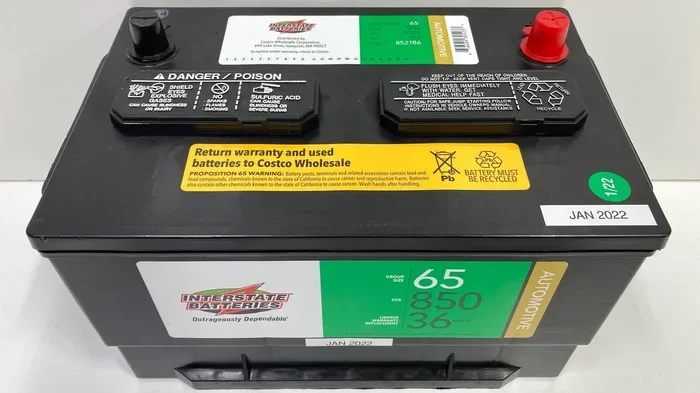
- Charge Your Battery: Make sure your Lexus battery is fully charged or keep the engine running during the update. A dead battery mid-update can cause serious problems.
- Close Other Apps: If your Lexus has a multimedia system with multiple apps, close everything else before starting the update.
- Use a Quality USB Drive: A reliable, name-brand USB drive reduces the risk of file corruption.
- Backup Your Favorites: Before updating, write down or save your favorite destinations. Some updates may reset your saved data.
- Update During Daylight Hours: This way, if you run into any issues, you can easily read the screen and follow instructions.
- Keep Your Owner’s Manual Handy: Your manual has model-specific instructions that can help if you get stuck.
Lexus Navigation System Troubleshooting
Sometimes things do not go as planned. If your Lexus navigation update fails or the system behaves strangely afterward, here are some things you can try:
Navigation Screen Freezes During Update
If the screen freezes, do not panic. Wait a few minutes to see if it resumes. If it does not, try turning the system off and back on. If the problem persists, you may need to visit a dealer.
Maps Show Incorrect Locations After Update
This can happen if the wrong map version was installed. Go back to the Lexus website, verify the correct version for your model, and reinstall the right map data.
USB Drive Not Recognized by the System
Try a different USB port or a different USB drive. Make sure the drive is formatted as FAT32 and that the files are in the correct folder structure.
System Says No Update Available
If the system says there is no update available, double-check that you downloaded the correct files for your model. Also, make sure your USB drive is properly connected and the files are not corrupted.
Comparison Table: Update Methods
| Feature | USB Drive | Map DVD | Dealer Service |
|---|---|---|---|
| Cost | Free or low cost | Purchase DVD fee | May include service fee |
| Difficulty | Moderate | Easy | Very Easy |
| Time Required | 30-60 minutes | 20-40 minutes | 1-2 hours |
| Best For | Tech-savvy owners | Older Lexus models | Those who prefer hands-off |
| Internet Needed | Yes, for download | No | No |
| Risk of Errors | Moderate | Low | Very Low |
Each method has its place. Choose the one that fits your comfort level, your model, and your budget. The most important thing is that you update your maps regularly.
Expert Insights on Lexus Navigation Updates
We spoke with several Lexus service advisors to get their take on navigation updates. Here is what they had to say:
“The biggest mistake we see is people waiting too long to update,” says one advisor at a Dallas Lexus dealership. “By the time they finally update, their maps are three or four versions behind. It causes unnecessary confusion on the road.”
Another advisor from a Chicago Lexus center shared this insight: “Many owners do not realize that their navigation system can receive free updates during routine maintenance visits. Always ask your dealer about available updates whenever you bring your car in.”
These expert tips remind us that staying on top of updates is simple when you make it part of your regular car care routine.
How to Know if Your Lexus Navigation Needs a Reset
Sometimes updating the maps is not enough. If your navigation system is acting strangely even after a map update, you might need to reset the system. A reset clears temporary data and can fix many common issues.
Here are signs your system might need a reset:
- The screen takes a long time to load.
- Voice directions are delayed or unclear.
- The system freezes or crashes frequently.
- Your saved destinations are missing.
- The navigation settings keep reverting to defaults.
A soft reset usually involves holding down the power button for about 10 seconds. A hard reset may require you to disconnect the battery briefly. Always check your owner’s manual before performing a hard reset, as the process varies by model.
Can You Update Lexus Navigation with a Smartphone App
Some newer Lexus models support smartphone integration through Apple CarPlay and Android Auto. While these apps provide live traffic and search features, they do not replace the built-in navigation system. The built-in navigation still needs its own map updates.
However, if your Lexus supports the Lexus Enform app or a similar connected service, you may be able to receive updates and traffic data through your phone. This adds another layer of convenience to your driving experience.
Keep in mind that smartphone apps and built-in navigation serve different purposes. The built-in system provides turn-by-turn directions without needing your phone. The phone apps add real-time features and hands-free convenience. Using both together gives you the best of both worlds.
What to Do If Your Lexus Navigation System Is Too Old to Update
In some cases, especially with very old Lexus models, the navigation system may no longer receive map updates from Lexus. If this is the situation, you have a few options:
- Use a Smartphone GPS App: Apps like Google Maps, Waze, or Apple Maps offer free, always-current navigation.
- Consider an Aftermarket Navigation Unit: You can install a new navigation system that fits your dashboard and supports modern map updates.
- Use a Portable GPS Device: Devices like Garmin or TomTom are affordable and easy to use.
While it is always better to work with your existing system, these alternatives ensure you never have to drive with outdated maps again.
Conclusion
So, can you update a Lexus navigation system? Absolutely. Whether you choose the USB method, a map DVD, or a dealer service, keeping your navigation maps current is one of the easiest and most valuable things you can do for your Lexus. Updated maps mean better directions, fewer wrong turns, and a much more enjoyable driving experience.
The process is simpler than most people think. With a USB drive, a stable internet connection, and a little patience, you can update your system in under an hour. And if you prefer not to do it yourself, your local Lexus dealer is always ready to help.
Make updating your Lexus navigation system part of your regular car maintenance routine. Your maps should be as current as the roads you drive on. Follow the steps in this guide, avoid the common mistakes, and enjoy every journey with confidence and accuracy.
Take action today. Check your current map version, download the latest update, and give your Lexus navigation the refresh it deserves. Your future self — and your passengers — will thank you.
Frequently Asked Questions
How do I know if my Lexus navigation maps are outdated?
Your Lexus system will often display a warning message when maps are outdated. You can also check the map version in your navigation settings and compare it to the latest version available on the Lexus website. If your version number is lower, it is time to update.
Can I update my Lexus navigation system for free?
Many Lexus models come with free map updates for the first three to five years after purchase. After that period, updates may require a fee. Check with your Lexus dealer or visit the Lexus website to see what is available for your specific vehicle.
What USB drive do I need to update my Lexus navigation?
You need a USB drive with at least 8 GB of storage, formatted as FAT32. A reliable brand-name USB drive works best. Avoid drives that are too large or formatted in NTFS or exFAT, as the Lexus system may not recognize them.
How long does it take to update a Lexus navigation system?
The update process typically takes between 30 minutes and one hour for a USB update. A dealer service may take one to two hours. The exact time depends on your model, the size of the update, and the method you use.
What happens if I turn off my car during a navigation update?
Turning off your car or removing the USB drive during an update can corrupt the navigation system. This may require a professional repair or a full system reset. Always let the update complete fully before turning off your vehicle.
Can I use Google Maps instead of updating my Lexus navigation?
Google Maps and other smartphone apps are great tools, but they do not replace the built-in Lexus navigation system. The built-in system works without a phone connection and provides dedicated turn-by-turn directions. For the best experience, use both together.
=== SEO TITLE ===
Can You Update a Lexus Navigation System Step by Step
=== META TITLE ===
Update Your Lexus Navigation System: Step by Step Guide
=== URL SLUG ===
update-lexus-navigation-system-step-by-step