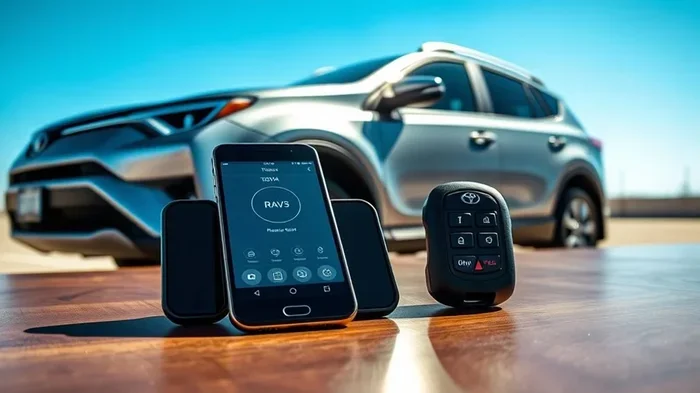
Can I Start My RAV4 With My Phone Heres How To Do It
Yes, you can start your Toyota RAV4 with your phone. The RAV4 phone key feature lets you use your smartphone as a digital key fob. You just need the Toyota app, a compatible RAV4 model, and a supported phone. This guide walks you through setup, usage, and troubleshooting.
Have you ever stood outside your car fumbling for your keys? It happens to all of us. Now imagine just walking up to your Toyota RAV4 and unlocking it with your phone. That is not science fiction anymore. The RAV4 phone key feature makes it real. In this guide, we will show you exactly how to start your RAV4 with your phone and get the most out of this handy feature.
The Toyota RAV4 has always been a top choice for SUV buyers. It is reliable, fuel-efficient, and packed with modern tech. One of the coolest additions is the ability to use your smartphone as a key. Whether you have a RAV4 Hybrid or a standard RAV4, this feature can make your daily drive smoother. Let us dive into everything you need to know about starting your RAV4 with your phone.
This article covers the full setup process, which RAV4 models support it, how to start the engine, and common issues you might face. We also share quick tips to help you get the best experience. By the end, you will know everything about using your phone as a digital key for your Toyota RAV4.
Key Takeaways
- Phone-as-a-Key works on newer RAV4 models with the right software and phone.
- You need the Toyota app and a compatible smartphone to set it up.
- Starting your RAV4 with your phone is simple — just walk up and press start.
- Keep your phone charged to avoid being locked out of your vehicle.
- Set up a backup key in case your phone dies or gets lost.
- Remote start is also possible using your phone through the Toyota app.
- The phone key feature is secure and uses encrypted Bluetooth and NFC signals.
📑 Table of Contents
- What Is the Toyota RAV4 Phone Key Feature?
- How to Set Up Phone-as-a-Key on Your RAV4
- Which RAV4 Models Support Phone Key?
- How to Start Your RAV4 Using Your Phone
- Troubleshooting Common Phone Key Issues
- Tips for Getting the Most Out of Your RAV4 Phone Key
- Is Phone Key Safe and Secure?
- Key Takeaways
- Final Thoughts
What Is the Toyota RAV4 Phone Key Feature?
The Toyota RAV4 phone key feature lets you use your smartphone to lock, unlock, and start your vehicle. It works through Bluetooth and NFC technology. You do not need a physical key fob anymore. Your phone becomes the key. This is part of Toyota’s broader push toward smartphone integration in their vehicles. The feature is also known as Toyota Smart Key in some markets.
How Does Phone-as-a-Key Work?
Your phone communicates with your RAV4 using wireless signals. When you approach the car, it detects your phone. The doors unlock automatically. You can then press the start button to fire up the engine. All of this happens seamlessly in the background. You just need to have your phone with you.
The system uses Bluetooth Low Energy to stay connected. It also uses NFC for quick pairing. Toyota designed this to be secure and fast. Your phone data stays protected too. The car only recognizes your specific phone profile. This hands-free approach is what makes RAV4 keyless entry so convenient. You never have to dig through your pockets again.
What You Need to Get Started
Before you can use phone-based vehicle access, you need a few things. First, you need a compatible RAV4 model. Not every RAV4 has this feature. Second, you need a supported smartphone. Apple and Android phones are both supported. Third, you need the Toyota app installed on your phone. Finally, make sure your phone has Bluetooth turned on.
- A compatible Toyota RAV4 model (2018 or newer for most trims)
- A supported smartphone (iPhone or Android)
- The Toyota app downloaded from your app store
- Bluetooth and NFC enabled on your phone
- A stable internet connection for initial setup
Keep in mind that some older RAV4 models may need a software update to support this feature. Check with your Toyota dealer if you are unsure about your specific model year. They can quickly confirm whether your RAV4 is compatible with phone-based vehicle access.
How to Set Up Phone-as-a-Key on Your RAV4
Setting up the RAV4 phone key is straightforward. You do not need a dealer or mechanic. Just follow these steps at home. The whole process takes about 10 to 15 minutes. Once it is done, you will never go back to a traditional key fob.
Step-by-Step Setup Process
First, open the Toyota app on your phone. Log in with your Toyota account. If you do not have one, create it for free. Go to the vehicle settings menu. Look for the phone key option. Select “Add New Phone Key.” Your car will need to be within Bluetooth range during setup.
Next, place your phone near the dashboard. The car and phone will pair automatically. You will see a confirmation on both screens. Follow any on-screen prompts to complete the pairing. Once done, your phone is now a digital key fob for your RAV4. You can test it right away by walking up to your car.
Downloading the Toyota App
The Toyota app is essential for this feature. You can download it from the Apple App Store or Google Play Store. Make sure you have the latest version. The app gives you access to many features beyond just starting the car. You can check tire pressure, lock doors, and even locate your vehicle if you forget where you parked.
Some users also use Toyota Remote Connect with the app. This adds extra remote features. You can start your RAV4 from a distance. You can also set climate control before you get in. These features work hand in hand with the phone key system. Together, they make the Toyota vehicle app a powerful tool for RAV4 owners.
Which RAV4 Models Support Phone Key?
Not every RAV4 has phone key support. Toyota has rolled this feature out across specific models and years. Let us look at which ones qualify so you know if your RAV4 is eligible.
RAV4 and RAV4 Hybrid
The standard RAV4 and RAV4 Hybrid support phone key on most 2019 and newer models. If you have a 2018 model, check with your dealer. Some early 2018 models may also be compatible. The feature works across all trim levels, but some base trims may need a software update to enable it.
The RAV4 Hybrid is especially popular, and phone key works just as well on it. Whether you drive the LE, SE, XLE, or Limited trim, you can likely use phone key. The experience is the same across all trims. The only difference is that higher trims may include extra convenience features bundled in.
RAV4 Prime and Newer Trims
The RAV4 Prime plug-in hybrid also supports phone key. In fact, newer trims often come with this feature built in. The 2021 and later RAV4 models have the best support. If you are shopping for a used RAV4, ask the seller about phone key compatibility. It is a great feature to have and adds real value to the vehicle.
Here is a quick look at RAV4 models and their phone key support:
- RAV4 (2019+): Phone key supported with Toyota app
- RAV4 Hybrid (2019+): Phone key supported with Toyota app
- RAV4 Prime (2021+): Phone key supported with full app features
- RAV4 (2018): Limited support, may need dealer visit
- Older RAV4 models: Phone key not supported
How to Start Your RAV4 Using Your Phone
Now for the fun part. Actually starting your RAV4 with your phone is easy. Here is exactly how it works in real-world situations.
Starting the Engine
Walk up to your RAV4 with your phone in your pocket or bag. The car will detect your phone through Bluetooth. The doors will unlock automatically. Sit down and press the engine start button. The RAV4 will recognize your phone and start the engine. No key fob needed. It is that simple.
Make sure your phone is within the car. The system needs to sense your phone to start. If your phone is in a backpack or deep pocket, it may take a second longer to detect. Keep it in an easy-to-reach spot for the best experience. The Bluetooth car start feature works within about 3 to 5 feet of the ignition button.
Using Remote Start
You can also remotely start your RAV4 using the Toyota app. This is great on hot or cold days. Open the app and tap “Remote Start.” The engine will turn on. Your RAV4 will begin heating or cooling the cabin. When you are ready to drive, just walk up and press the start button.
The Toyota Remote Connect feature makes this possible. You need an active subscription for full remote access. Some models come with a trial period. Check with your dealer for pricing and availability. Remote start is one of the most popular features among RAV4 owners who use phone key.
RAV4 Prime Phone Start Benefits
If you own a RAV4 Prime, the phone start feature has extra benefits. You can precondition the battery before driving. This means the electric motor is ready to go the moment you start. You can also check the charging status through the app. These features make the RAV4 Prime phone start experience even better than on standard models.
Troubleshooting Common Phone Key Issues
Like any tech feature, the RAV4 phone key can sometimes act up. Here are the most common problems and how to fix them quickly.
Phone Not Detected by the Car
If your RAV4 does not detect your phone, do not panic. First, check that Bluetooth is turned on. Sometimes a simple toggle fixes the issue. Next, restart your phone. This clears any temporary glitches. If that does not work, try removing the phone key from the Toyota app and setting it up again.
Another common cause is a low phone battery. When your battery drops below 20 percent, Bluetooth performance can suffer. Keep your phone charged, especially on cold mornings. Cold weather can also affect Bluetooth signals. Keep your phone close to the ignition button when starting. This ensures the strongest possible connection.
Battery Drain Concerns
Some owners worry about their phone battery draining. The good news is that Bluetooth Low Energy uses very little power. You should not notice a big difference in battery life. However, if you use remote start frequently, it may use a bit more battery. Overall, the tradeoff is worth it for the convenience of hands-free car access.
Lost or Dead Phone
What happens if your phone dies or gets lost? This is why you should always keep a backup key. The physical key fob still works with every RAV4. You can find the backup key in the sun visor or center console. Use it whenever your phone is not available. It is a simple habit that saves a lot of headaches.
Software Update Needed
Sometimes the issue is a simple software update. Toyota releases updates that improve phone key performance. Check the Toyota app for any pending updates. You can also visit your dealer for a free software flash. Keeping your RAV4 up to date ensures the smoothest phone key experience possible.
Tips for Getting the Most Out of Your RAV4 Phone Key
You have set up your phone key. Now let us make sure you get the best experience possible. These tips will help you avoid frustration and get the most from the feature every single day.
Keep Your Phone Charged
This is the number one rule. A dead phone means a dead key. Make it a habit to charge your phone overnight. Consider carrying a portable charger for long trips. You never know when you will need your RAV4 and your phone might be low. A small power bank in your glove box is a smart investment.
Set Up a Backup Key
Always keep your physical key fob in the car. It is your safety net. If your phone is lost, stolen, or broken, the backup key will save the day. Store it in the center console or under the floor panel. Most RAV4 owners forget about this backup. Do not make that mistake. It only takes a second to check that it is there.
Update Your App Regularly
Toyota releases app updates frequently. These updates fix bugs and add new features. Turn on automatic updates in your phone settings. An outdated app can cause connection issues. Keeping it current ensures smooth smartphone integration with your RAV4. It also keeps your digital key secure and up to date.
Learn the Quick Lock Feature
You can lock your RAV4 by walking away. The car detects when your phone leaves the vehicle. It locks the doors automatically. This feature is called hands-free locking. It works great when your hands are full of groceries. Just walk away and the car secures itself. It is one of the most underrated features of the phone key system.
Customize Your App Settings
The Toyota app lets you customize how phone key works. You can set notification preferences. You can choose whether the car locks automatically. You can also adjust remote start settings. Spend a few minutes exploring the app settings. Small tweaks can make a big difference in your daily experience.
Is Phone Key Safe and Secure?
Security is a big concern with any digital key system. Toyota has built strong protections into the phone key feature. Your car only responds to your specific phone. It uses encrypted signals that are hard to clone. Even if someone nearby has a similar phone, your RAV4 will not respond to it. This makes phone key one of the safest ways to access your vehicle.
The digital key system also has a kill switch. If your phone is stolen, you can deactivate the phone key from another device. You can do this through the Toyota app on a friend or family member’s phone. This keeps your RAV4 safe no matter what happens. Toyota takes phone-based vehicle access very seriously.
Toyota also uses near-field communication for secure pairing. The phone must be very close to the car to start. This prevents relay attacks where thieves try to boost the signal from far away. These security measures make phone key a trustworthy option for daily use. You can feel confident leaving your phone as your only key.
Key Takeaways
- Phone-as-a-Key works on newer RAV4 models with the right software and phone.
- You need the Toyota app and a compatible smartphone to set it up.
- Starting your RAV4 with your phone is simple — just walk up and press start.
- Keep your phone charged to avoid being locked out of your vehicle.
- Set up a backup key in case your phone dies or gets lost.
- Remote start is also possible using your phone through the Toyota app.
- The phone key feature is secure and uses encrypted Bluetooth and NFC signals.
Final Thoughts
The Toyota RAV4 phone key feature is a game changer. It adds real convenience to your daily routine. No more digging through pockets for a key fob. No more worrying about leaving keys inside the car. Your phone handles everything. Starting your RAV4 with your phone is smooth, secure, and easy to set up.
If you own a compatible RAV4, we strongly recommend trying this feature. The setup takes just a few minutes. The benefits last for years. Whether you drive a RAV4 Hybrid, RAV4 Prime, or standard RAV4, phone key makes life simpler. Embrace the future of smartphone vehicle access and enjoy a hands-free driving experience every day.
Remember to keep your phone charged and your app updated. Always carry a backup physical key for emergencies. With these habits in place, you will wonder how you ever drove without it. The RAV4 phone key is not just a cool tech feature. It is a practical upgrade that saves time and reduces stress. Give it a try and see the difference for yourself.
The Toyota RAV4 continues to lead the pack in SUV technology. Phone key is just one example of how Toyota is making driving more connected and convenient. As car technology evolves, features like this will become standard. Being an early adopter gives you a head start. Your RAV4 is ready. All you need is your phone.
Frequently Asked Questions
Can I Start My RAV4 With My Phone if the Battery Is Low?
Yes, you can still start your RAV4 with a low phone battery. Bluetooth signals work even at 10 percent battery in most cases. However, if your phone is completely dead, the phone key will not work. Always keep a backup physical key handy for situations like this.
Does Phone Key Work When My Phone Has No Internet?
Yes, the phone key feature works without an internet connection. Bluetooth connects directly between your phone and your RAV4. You do not need Wi-Fi or cellular data to unlock or start your car. The internet is only needed for initial setup and remote features like remote start through the Toyota app.
Can I Use Phone Key on More Than One Phone?
Yes, you can register multiple phones with your RAV4. The Toyota app allows you to add up to three phone keys. Each person who drives the RAV4 can set up their own phone as a key. This is great for families who share a vehicle and want the convenience of phone-based vehicle access.
Will My RAV4 Still Start if My Phone Is Dead?
Yes, your RAV4 will still start with the physical key fob. Every RAV4 with phone key also comes with a backup key. You can find it in the sun visor or center console. Keep this backup key accessible at all times for emergencies when your phone battery dies.
Is the Phone Key Feature Available on All RAV4 Trims?
Phone key is available on most RAV4 trims from 2019 onward. Some base trims may require a software update to enable the feature. Check with your Toyota dealer to confirm compatibility for your specific model and year before assuming it is supported.
Can Someone Else Start My RAV4 With Their Phone?
No, only registered phone keys can start your RAV4. The system uses encrypted signals that are unique to each paired phone. If you want someone else to drive your RAV4, you can add their phone to the Toyota app as a shared key with proper permissions.
=== CONCLUSION ===
The Toyota RAV4 phone key feature makes starting your SUV easier than ever. With just a few simple steps, you can turn your smartphone into a powerful digital key. The setup is quick, the daily use is seamless, and the security is strong. Whether you have a RAV4 Hybrid or a standard RAV4, this feature adds real value to your driving experience.
Follow the tips in this guide to get the best results. Keep your phone charged, update your app, and always carry a backup key. Soon, starting your RAV4 with your phone will feel second nature. Embrace this modern convenience and enjoy a smarter way to drive your Toyota RAV4 every single day.


One Comment