How to Start a Hyundai Tucson With a Key the Easy Way
Starting a Hyundai Tucson with a key is simpler than most people think. Whether you have a smart key, push-button start, or a traditional ignition, this guide walks you through every method. You will learn how to handle dead key fob batteries, troubleshoot common issues, and get your Tucson running in minutes. Follow these steps to start your Hyundai Tucson with a key like a pro.
There is nothing more frustrating than standing by your car, ready to go, and realizing you cannot start it. If you own a Hyundai Tucson, you are not alone. Many Tucson drivers face starting issues at some point. Whether your key fob died, the battery is weak, or the ignition system is acting up, knowing how to start a Hyundai Tucson with a key can save you a lot of stress. This guide breaks down every method, every common problem, and every quick fix you need. You will walk away feeling confident and ready to handle any starting issue.
The Hyundai Tucson is a popular compact SUV. It is reliable, fuel-efficient, and packed with features. But like any vehicle, it has its quirks. The key system is one area where owners sometimes get confused. Newer models come with smart key systems and push-button start. Older models use a traditional ignition key. And some models have a hidden emergency key blade tucked inside the key fob. Each method works differently. Understanding how they all work is the first step to trouble-free driving.
This article covers everything you need to know. We will walk through the different starting methods step by step. We will also cover what to do when things go wrong. From a dead key fob battery to a stuck steering lock, we have you covered. By the end, you will know exactly how to start a Hyundai Tucson with a key in any situation. Let us get into it.
Key Takeaways
- Multiple Starting Methods: Hyundai Tucson models support push-button start, smart key ignition, and traditional key ignition depending on the year and trim.
- Dead Key Fob Battery? You can still start your Tucson using the emergency key blade and by placing the fob near the start button.
- Common Issues Are Fixable: Most starting problems come from dead batteries, faulty steering locks, or worn key fob batteries.
- Prevention Saves Time: Regular key fob battery replacement and proper storage keep your Tucson starting smoothly.
- Know When to Call a Pro: Persistent starting problems may signal deeper electrical or ignition issues that need professional diagnosis.
📑 Table of Contents
Understanding the Hyundai Tucson Key System
The Hyundai Tucson has evolved a lot over the years. The key system changed right along with it. Knowing which system your Tucson uses is important. It determines how you start the engine and what to do when something goes wrong. Let us break down the three main key systems found in Hyundai Tucson models.
Smart Key Push-Button Start
Most recent Hyundai Tucson models use a smart key system. This system lets you start the engine with the push of a button. You do not need to insert a physical key into the ignition. Instead, the car detects the key fob inside the cabin. As long as the fob is nearby, you can press the start button and the engine turns on. This is convenient and modern. But it also means you need to keep the key fob battery charged. A dead battery can cause problems.
Traditional Key Ignition
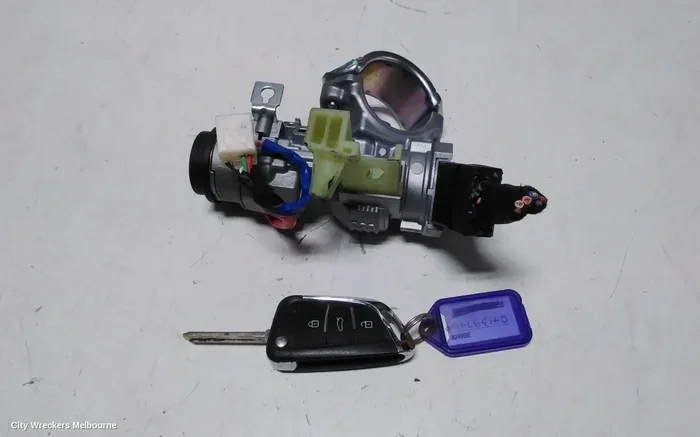
Older Hyundai Tucson models use a traditional key ignition. You insert the key into the ignition cylinder and turn it. This is the simplest method. It does not rely on batteries or electronics. But it does require a physical key that matches the ignition lock. If the key is worn or the cylinder is damaged, turning it can be difficult. Traditional systems are very reliable, though. They rarely fail without warning.
Emergency Key Blade
Many Hyundai Tucson key fobs come with a hidden emergency key blade. This small metal key is tucked inside the fob. You can use it to unlock the door or start the car if the main fob fails. It is a backup system designed for exactly this kind of situation. Not everyone knows about it. But once you find it, it can be a lifesaver.
| Starting Method | Model Years | Key Requirement | Battery Dependent |
|---|---|---|---|
| Smart Key Push-Button | 2016 and newer | Key fob inside cabin | Yes |
| Traditional Key Ignition | 2015 and older | Physical key in ignition | No |
| Emergency Key Blade | All models | Hidden blade inside fob | No |
Knowing which system your Tucson uses helps you troubleshoot faster. Check your owner’s manual if you are not sure. The manual will tell you exactly what kind of key system your car has.
How to Start a Hyundai Tucson With a Key the Easy Way
Now let us get into the actual steps. Whether you have a smart key or a traditional key, starting your Hyundai Tucson is straightforward once you know the process. Here is how to do it for each system.
Starting with a Smart Key Push-Button System
Follow these steps to start your Tucson with a smart key:
- Make sure the key fob is inside the cabin. The car needs to detect the fob.
- Press the brake pedal firmly with your foot.
- Press the engine start/stop button.
- The dashboard lights up. Wait a few seconds for the system to check.
- The engine starts. You are ready to drive.
If the engine does not start, check the dashboard for warning lights. A flashing red light usually means the fob is not detected. In that case, try placing the fob closer to the start button. Some Tucson models have a specific spot on the steering column or center console where the fob works best. Check your owner’s manual for the exact location.
Starting with a Traditional Key Ignition
For older Tucson models with a traditional key, follow these steps:
- Insert the key into the ignition cylinder.
- Turn the steering wheel slightly to unlock it. This releases the steering lock.
- Turn the key to the “On” position. You should see the dashboard lights come on.
- Turn the key further to the “Start” position. The engine cranks and starts.
- Release the key. It returns to the “On” position automatically.
If the key does not turn, do not force it. The steering lock may be engaged. Gently wiggle the steering wheel while turning the key. This usually releases the lock. Forcing the key can damage the ignition cylinder.
Using the Emergency Key Blade
If your main key fob is dead, the emergency blade is your backup. Here is how to use it:
- Find the small seam on the side of the key fob.
- Slide a thin object like a coin into the seam to pop open the fob.
- Remove the metal key blade inside.
- Use the blade to unlock the door manually.
- Once inside, place the fob as close to the start button as possible. Even a dead fob can sometimes work if placed near the button.
- Press the start button with the brake pedal pressed.
This method works because the Tucson’s system can sometimes read a dead fob if it is close enough to the antenna near the start button. It is not guaranteed, but it is worth trying before calling for help.
What to Do When Your Key Fob Battery Dies
A dead key fob battery is the most common reason a Tucson will not start. The good news is that this is an easy fix. Most Hyundai Tucson key fobs use a CR2025 or CR2032 coin battery. Replacing it takes just a few minutes. Here is what you need to do.
Step-by-Step Key Fob Battery Replacement
- Open the key fob using the emergency blade or by pressing the release button.
- Remove the old battery. Note which side faces up.
- Insert a new CR2025 or CR2032 battery with the correct side facing up.
- Snap the fob back together.
- Test the fob by standing near the car and pressing the start button.
After replacing the battery, the key fob should work normally again. If it does not, the new battery may be defective. Try a different battery. You can also try resetting the fob by holding the start button for 10 seconds while standing close to the car.
If you are dealing with a situation where the key fob battery has died and you need to drive, you might wonder whether you can still operate the vehicle. The answer depends on your specific model. In many cases, you can still drive even with a dead fob. However, it is best to replace the battery as soon as possible. For more details on what happens when your key fob battery dies, check out this detailed guide about driving with a dead key fob battery.
Quick Tips for Key Fob Battery Life
- Replace the battery every 1 to 2 years. Do not wait until it dies completely.
- Use quality batteries. Name-brand batteries last longer and perform more reliably.
- Keep a spare battery in your glove box. This saves you from being stranded.
- Avoid extreme temperatures. Heat and cold drain batteries faster.
- Store the fob away from electronic devices. Other electronics can interfere with the signal.
Expert Insight: Many Tucson owners do not realize that the key fob battery is user-replaceable. You do not need to visit a dealership. A simple battery swap takes less than five minutes and costs under a dollar. Keep spare batteries on hand, and you will never be caught off guard.
Common Problems That Prevent a Hyundai Tucson From Starting
Sometimes the issue is not the key fob battery. Several other problems can prevent your Tucson from starting. Let us look at the most common ones and how to fix them.
Steering Wheel Lock
The steering wheel lock is a security feature. It engages automatically when you turn off the car and remove the key. Sometimes it locks in a position that makes the key hard to turn. To fix this, gently wiggle the steering wheel left and right while turning the key. The lock should release. Never force the key. Forcing it can break the ignition cylinder, which is an expensive repair.
Dead 12-Volt Car Battery
A dead car battery is another common cause. If the dashboard lights are dim or do not come on at all, the car battery may be dead. You can test the battery with a multimeter. A healthy battery should read around 12.6 volts. If it reads below 12 volts, it needs charging or replacement. You can also try jump-starting the car with another vehicle or a portable jump starter.
Faulty Start Button or Ignition Switch
In some cases, the start button or ignition switch itself may be faulty. If you press the button and nothing happens, the switch could be worn out. This is more common in higher-mileage vehicles. A mechanic can test the switch and replace it if needed.
Key Fob Not Being Detected
If the car says “Key Not Detected” on the dashboard, the fob may not be communicating with the car. This can happen if the fob is damaged, the battery is dead, or the antenna is faulty. Try placing the fob directly on the start button. If that does not work, use the emergency key blade to start the car manually.
Immobilizer System Activation
The Hyundai Tucson has an immobilizer system. It prevents the engine from starting unless the correct key is detected. If the system activates incorrectly, the car will not start even with a working key. This usually happens after a battery change or if the key fob is damaged. In most cases, the system resets on its own. If it does not, you may need a dealership to reprogram the key.
Common Mistakes to Avoid:
- Do not press the start button without pressing the brake pedal first.
- Do not force the key into the ignition. This can damage the cylinder.
- Do not ignore warning lights on the dashboard. They tell you exactly what is wrong.
- Do not try to start the car with a wet key fob. Water can damage the electronics.
Key Maintenance Tips to Keep Your Tucson Starting Smoothly
Prevention is always better than cure. A little maintenance goes a long way in keeping your Hyundai Tucson starting reliably. Here are the best tips to follow.
Replace the Key Fob Battery Regularly
Set a reminder to replace your key fob battery every 12 to 18 months. This simple habit prevents the frustration of a dead fob at the worst possible moment. Use a high-quality battery for the best results.
Keep the Key Fob Clean and Dry
Moisture can damage the key fob electronics. If your fob gets wet, dry it immediately. Do not leave it in the car during heavy rain or in a humid environment. A clean, dry fob lasts much longer.
Check the Car Battery Regularly
The 12-volt car battery powers all the electronics. Have it tested at every oil change or at least twice a year. A weak battery can cause starting problems even if the key fob is working perfectly.
Store a Spare Key Fob
Keep a spare key fob at home or in your office. If your primary fob fails, the spare gets you back on the road quickly. Just make sure the spare battery is also fresh.
Update the Key Fob Software
Hyundai occasionally releases software updates for key fob systems. These updates can improve range and reliability. Ask your dealer if your Tucson is eligible for a key fob update at your next service visit.
Expert Insight: Many Tucson owners do not realize that key fob technology has advanced significantly. Some newer models can even be programmed to work with a smartphone as a digital key. While this is not standard on all trims, it is worth checking if your model supports it. For instance, some Hyundai models allow you to start the car using your phone, similar to how certain vehicles let you start the engine with your smartphone as a digital key.
When to Seek Professional Help
Most starting issues can be fixed at home with the steps in this guide. But some problems need a professional touch. If you have tried everything and the Tucson still will not start, it is time to see a mechanic. Signs that you need professional help include:
- The engine cranks but does not start.
- The dashboard shows multiple warning lights.
- The key fob works but the car does not respond.
- You hear a clicking sound but the engine does not turn over.
- The steering wheel is locked and will not release.
A qualified mechanic can diagnose electrical issues, ignition problems, and immobilizer faults. They have the tools and expertise to fix things quickly and safely.
Conclusion
Knowing how to start a Hyundai Tucson with a key is an essential skill for every Tucson owner. Whether you use a smart key push-button system, a traditional key ignition, or the emergency key blade, the process is simple once you understand it. Most starting problems come from a dead key fob battery, a locked steering wheel, or a weak car battery. These issues are easy to fix with the right knowledge and a little preparation.
Keep your key fob battery fresh. Store a spare battery and a spare key. Follow the maintenance tips in this guide. And do not panic when something goes wrong. You now have the tools and knowledge to handle almost any starting issue on your Hyundai Tucson. Drive safe, and enjoy the ride.
Frequently Asked Questions
Can I start a Hyundai Tucson with a dead key fob battery?
Yes, in most cases you can. Place the dead fob as close to the start button as possible and press the brake pedal, then press the start button. The car may still detect the fob even with a dead battery. You can also use the emergency key blade hidden inside the fob to unlock the door and start the car manually.
What kind of battery does a Hyundai Tucson key fob use?
Most Hyundai Tucson key fobs use a CR2025 or CR2032 coin battery. Check your owner’s manual or look at the old battery to confirm the correct type. These batteries are available at any grocery store, pharmacy, or auto parts shop for under a dollar.
How do I know if my Hyundai Tucson key fob needs a new battery?
Signs of a weak key fob battery include reduced range, the need to press the start button multiple times, and the “Key Not Detected” warning on the dashboard. If you notice any of these symptoms, replace the battery right away. Do not wait until the fob stops working completely.
Can I reprogram my Hyundai Tucson key fob myself?
In some cases, yes. You can often reset the key fob by holding the start button for 10 seconds while standing close to the car. However, if the fob needs full reprogramming, you may need to visit a dealership or a qualified locksmith. The process varies by model year.
Why does my Hyundai Tucson steering wheel lock when I try to start it?
The steering wheel lock is a security feature that engages when the ignition is off. To release it, gently wiggle the steering wheel left and right while turning the key or pressing the start button. Never force the steering wheel or the key. Forcing either component can cause damage that requires expensive repairs.
What should I do if my Hyundai Tucson still won’t start after replacing the key fob battery?
If replacing the battery does not solve the problem, try placing the fob directly on the start button. If that does not work, use the emergency key blade. If neither method works, the issue may be with the car battery, the ignition switch, or the immobilizer system. In that case, it is best to consult a professional mechanic for a proper diagnosis.