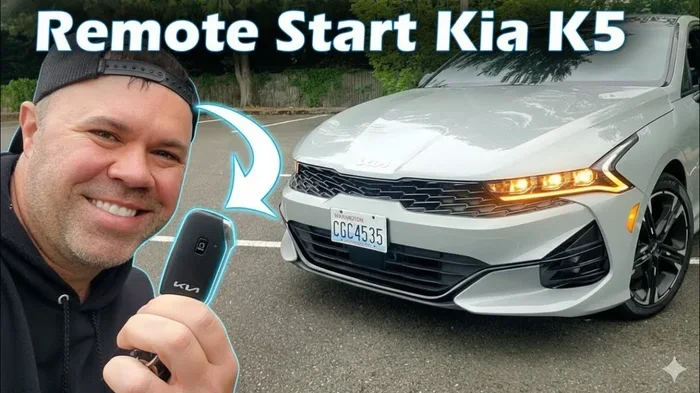
How to Remote Start a Kia K5 And Save Time Every Day
Learning how to remote start a Kia K5 is one of the simplest ways to add daily convenience to your routine. With just the push of a button on your key fob or a few taps on your phone, you can warm up your engine, heat your seats, and defrost your windshield before you even step outside. This guide covers everything you need to know about setting up and using the Kia K5 remote start feature, from key fob instructions to app-based controls and common troubleshooting tips.
There are few things in life as satisfying as walking out to a car that is already warm on a freezing morning or cool after a long day in the summer heat. The Kia K5 remote start feature makes this possible, and once you get used to it, you will wonder how you ever lived without it.
Whether you drive a Kia K5 GT or the base LX trim, the remote start system works in a similar way. You use your key fob or the Kia UVO mobile app to start the engine from a distance. The car then warms up or cools down based on your settings. This is not just a luxury. It is a practical tool that saves time and makes your daily routine smoother.
In this guide, we will walk you through everything you need to know about how to remote start a Kia K5. We will cover the setup process, key fob instructions, app controls, common problems, and pro tips to get the most out of the feature. By the end, you will feel confident using remote start every single day.
The Kia K5 is a stylish mid-size sedan that comes loaded with modern technology. One of the standout features is the ability to start your engine without being inside the car. This is especially helpful during cold winters or hot summers when you want your vehicle ready to go. The remote start system works with the smart key fob and can be controlled from a reasonable distance. Most Kia K5 models support this feature, but the exact setup depends on your trim level and year. Let us dive into the details.
Key Takeaways
- Remote start lets you warm up or cool down your Kia K5 before you get in.
- You can use the key fob or the Kia UVO app to start your car remotely.
- Setup is simple and works on most Kia K5 trims with the smart key system.
- Replacing your key fob battery is essential for reliable remote start performance.
- Common issues like a dead battery or incorrect settings are easy to fix.
- Remote start saves time and improves comfort during extreme weather.
📑 Table of Contents
- What Is Remote Start And Why Does It Matter
- How To Set Up Remote Start On Your Kia K5
- Using The Kia K5 Key Fob For Remote Start
- Remote Start Through The Kia UVO App
- Common Remote Start Problems And How To Fix Them
- Tips To Get The Most From Remote Start
- Frequently Asked Questions About Kia K5 Remote Start
- Conclusion
What Is Remote Start And Why Does It Matter
Remote start is a feature that allows you to start your car’s engine from outside the vehicle. You use either the key fob or a smartphone app to send a signal to the car. The engine turns on, and the climate control system begins working based on your last settings.
Understanding Remote Start Technology
The Kia K5 remote start system uses a smart key and radio frequency signals to communicate with your vehicle. When you press the remote start button on your key fob, a signal is sent to the car’s computer. The computer checks that all safety conditions are met, such as the transmission being in park and the doors being locked. Once everything checks out, the engine starts and runs for a set period, usually between 10 and 15 minutes.
This technology has been around for years, but modern systems like the one in the Kia K5 are much more refined. You can set the temperature, turn on heated seats, and even defrost your windshield before you get in. The system is designed to be secure, so your car cannot be driven without the smart key present inside the vehicle.
Benefits Of Remote Starting Your Kia K5
There are many real-world benefits to using remote start on your Kia K5. Here are some of the top advantages:
- Warmer cabin in winter. You can start the engine and set the heater to warm up the seats and steering wheel before you step outside.
- Cooler interior in summer. Remote start lets you turn on the air conditioning so the car is comfortable when you arrive.
- Time savings. Instead of waiting for the car to warm up while you sit inside, you can start it from inside your home and be ready to go.
- Better visibility. Defrosting your windshield remotely means no more scraping ice or waiting for fog to clear.
- Engine health. Letting your engine warm up gradually in cold weather can reduce wear and tear on internal components.
These benefits add up over time. On a cold Monday morning, the difference between stepping into a warm car and a freezing one is huge. Remote start makes that difference possible with minimal effort.
How To Set Up Remote Start On Your Kia K5
Setting up remote start on your Kia K5 is straightforward, but the exact steps depend on your model year and trim level. Most Kia K5 models from recent years come with remote start as a standard or available feature. Here is how to get it working.
Check Your Trim Level And Features
Before you begin, make sure your Kia K5 supports remote start. Higher trims like the Kia K5 GT and GT-Line typically include remote start as part of the smart key package. Lower trims may not have this feature unless you added the convenience package. You can check your owner’s manual or look for the remote start button on your key fob. It usually looks like a circular arrow with a car icon.
If you are unsure whether your specific model has remote start, contact your local Kia dealer. They can look up your vehicle by VIN and confirm which features are included. This is a quick and easy way to verify before you try to set anything up.
Step-By-Step Setup Process
Once you confirm your Kia K5 has remote start, follow these steps to set it up:
- Enter the vehicle and sit in the driver’s seat. Make sure the transmission is in Park and your foot is on the brake pedal.
- Press the engine start/stop button. This turns the ignition on without starting the engine. The dashboard lights should illuminate.
- Press the remote start button on the key fob. Hold it for about two seconds. You should see the parking lights flash and hear a confirmation beep.
- Release the button and walk away from the vehicle. The engine should continue running. The climate control system will activate based on your previous settings.
- To turn off remote start, press the remote start button again or enter the vehicle and press the brake pedal.
That is really all there is to it. The system is designed to be intuitive, and most Kia K5 owners find it easy to use after the first try. If the remote start button does not respond, check that your key fob battery is fresh. A weak battery is one of the most common reasons for remote start failure.
Using The Kia K5 Key Fob For Remote Start
The key fob is the primary way to activate remote start on the Kia K5. It is a small, handheld device that communicates wirelessly with your car. Understanding how to use it properly will help you get the most from the feature.
How The Key Fob Remote Start Works
On most Kia K5 models, the remote start function is built into the key fob. You do not need any special equipment or additional hardware. The key fob has a dedicated button that triggers the remote start sequence. When you press it, the car locks, the engine starts, and the climate control engages automatically.
The effective range of the key fob remote start is typically around 200 to 300 feet, depending on conditions. Walls, buildings, and other obstacles can reduce this range. For best results, stand within a clear line of sight to your vehicle when using remote start.
One thing to keep in mind is that the key fob must be within range and have a working battery. If you have recently replaced the battery, you may need to resync the fob with the car. Do you have to do anything after replacing a key fob battery? In most cases, the system resyncs automatically, but it is worth checking if you notice any issues after a battery change.
Key Fob Buttons Explained
Here is a quick breakdown of the key fob buttons relevant to remote start:
- Lock button: Press once to lock all doors. Press twice quickly to trigger remote start on supported models.
- Unlock button: Press once to unlock all doors.
- Trunk release: Opens the rear trunk or cargo area.
- Panic button: Activates the horn and lights in case of emergency.
- Remote start button: Present on some key fob models. Look for the circular arrow icon.
Not all Kia K5 key fobs have a dedicated remote start button. Some models require you to press the lock button twice within a short window to activate remote start. Check your owner’s manual for the exact button sequence for your specific key fob model.
Remote Start Through The Kia UVO App
In addition to the key fob, many Kia K5 models offer remote start through the Kia UVO app on your smartphone. This adds another layer of convenience, especially if you forget to start the car before leaving the house.
Downloading And Setting Up The App
The Kia UVO app is available for both iOS and Android devices. To get started, download the app from your phone’s app store and create an account. You will need your Kia K5’s VIN and some basic information to link your vehicle to the app.
Once your account is set up, you can access remote start directly from the app’s home screen. The interface is clean and user-friendly. You simply tap the remote start icon, and your car will begin the startup sequence. The app also provides real-time status updates, so you can see whether your engine is running and how long it has been running.
Some features of the Kia UVO app may require a subscription plan. Can you use the Toyota app without a subscription? This is a common question among car owners who want to use remote features without ongoing costs. With Kia UVO, basic features like remote start are often included for a trial period, after which a subscription may be required for continued access. Check with your Kia dealer for the current UVO service plan details.
App Vs Key Fob Remote Start
Both the key fob and the app offer remote start capabilities, but there are some differences to consider:
| Feature | Key Fob | Kia UVO App |
|---|---|---|
| Connection Type | Radio frequency | Cellular/internet |
| Range | 200-300 feet | Anywhere with internet |
| Works Without Cell Service | Yes | No |
| Subscription Required | No | Trial, then may require plan |
| Climate Control Details | Basic | Detailed real-time info |
| Ease of Use | Very simple | Simple with phone |
For most daily use, the key fob is the simplest and most reliable option. The app is a great backup and adds extra convenience when you are away from your vehicle for extended periods. Some owners even use both methods together, relying on the key fob for daily use and the app when they are farther away from the car.
You can also compare this to how other brands handle remote start. For example, Can I Start My Rav4 With My Phone is a similar question many Toyota owners ask. The Kia K5 offers a comparable experience with its own unique interface and features.
Common Remote Start Problems And How To Fix Them
Like any car feature, remote start can occasionally have issues. The good news is that most problems are easy to diagnose and fix. Here are the most common issues Kia K5 owners face and how to resolve them.
Remote Start Not Responding
If your Kia K5 remote start is not responding, the first thing to check is the key fob battery. A dead or weak battery will prevent the signal from reaching your car. Replace the battery with the correct type, which is usually a CR2032 coin cell battery. After replacing the battery, test the remote start again.
If the battery is fresh and the remote still does not work, try standing closer to the vehicle. Obstacles like buildings, large vehicles, and even heavy clothing on your key fob can interfere with the signal. Also, make sure the car is fully locked. Remote start typically requires all doors to be locked before it will activate.
Another common cause is that the engine has already reached its maximum run time. Most Kia K5 models limit remote start to about 10-15 minutes. If the engine has already run for this duration, you will need to wait for it to shut off before starting it again remotely.
Car Will Not Start Remotely Even After Setup
Sometimes the remote start system seems set up correctly but the car simply will not start remotely. There are several reasons this can happen:
- The transmission is not in Park. Remote start requires the transmission to be in Park. If it is in any other gear, the system will not engage.
- A door or hood is not fully closed. The car checks that all doors and the hood are latched before allowing remote start.
- The brake pedal was pressed recently. If you pressed the brake after the last drive, the system may need a reset. Enter the car, press the brake, and turn the ignition off and back on.
- The key fob is out of range or has a dead battery. As mentioned above, the key fob battery is critical for remote start function.
In rare cases, a car won’t start with a new battery issue can also affect remote start functionality. If your battery is weak or failing, the remote start system may not have enough power to engage the starter motor. Have your battery tested at a Kia service center if you suspect this might be the issue.
Climate Control Not Activating Remotely
If your engine starts remotely but the climate control does not turn on, check your last climate settings. The system uses the settings from your last drive. If you had the air conditioning on during your last trip, it may default to A/C when you remote start. You can adjust this by entering the car, setting your preferred temperature, and then turning the system off before you leave. The next remote start will use these new settings.
Tips To Get The Most From Remote Start
Now that you know how to set up and troubleshoot remote start, here are some pro tips to help you use the feature more effectively and safely.
Best Practices For Daily Use
Follow these simple habits to get the best experience from your Kia K5 remote start:
- Always lock your doors before using remote start. The system will not activate if the car is unlocked.
- Set your climate preferences before leaving the car. This ensures the right temperature kicks in immediately when you remote start.
- Do not leave the car running unattended for extended periods. Most systems auto-shutoff after 10-15 minutes for safety and fuel efficiency.
- Keep your key fob battery fresh. Replace it at least once a year to avoid unexpected failures.
- Use remote start in well-ventilated areas. Never use remote start in an enclosed garage, as carbon monoxide can build up quickly.
These small habits make a big difference. They keep your remote start system working reliably and help you avoid common mistakes that can cause frustration.
Safety Considerations
Remote start is a convenient feature, but it comes with important safety considerations. Always use remote start in open areas where exhaust fumes can dissipate safely. Never leave your car running in a closed garage, even for a short time.
The Kia K5 remote start system includes built-in safety features. The engine will automatically shut off if the car is tampered with or if the hood is opened. The transmission remains locked in Park, so the car cannot be driven without the smart key present inside the vehicle. These features give you peace of mind while using the convenience of remote start.
It is also worth noting that some insurance companies offer discounts for vehicles with remote start and security features. Check with your insurance provider to see if you qualify for any savings. It is an added benefit that makes the feature even more valuable.
Frequently Asked Questions About Kia K5 Remote Start
How Far Can You Remote Start A Kia K5 With The Key Fob?
The effective range of the key fob remote start on a Kia K5 is typically between 200 and 300 feet. This range can be reduced by obstacles like buildings, walls, and large vehicles. For the best results, stand within a clear line of sight to your car when using remote start. The Kia UVO app extends this range significantly since it works over cellular networks from anywhere with internet access.
Does Remote Start Waste Gas?
Remote start does use a small amount of fuel, but the impact is minimal. Most Kia K5 models limit remote start engine run time to 10-15 minutes before automatically shutting off. For a typical daily use of a few minutes to warm up the car, the fuel cost is negligible. Over time, the time savings and comfort benefits far outweigh the small amount of extra fuel used.
Can You Remote Start A Kia K5 In Cold Weather?
Yes, remote start works excellently in cold weather. In fact, it is one of the most useful features during winter months. You can start your Kia K5 remotely and set the heater to warm the cabin, seats, and steering wheel before you step outside. This is especially helpful when temperatures drop well below freezing and you want to avoid scraping ice off your windshield.
Is Remote Start Safe To Use Every Day?
Absolutely. The Kia K5 remote start system is designed for daily use and includes multiple safety features. The engine automatically shuts off after the preset run time, the transmission stays locked in Park, and the car cannot be driven without the smart key inside the vehicle. As long as you follow the safety guidelines, such as never using remote start in an enclosed space, it is perfectly safe for everyday use.
What Should You Do If Remote Start Stops Working Suddenly?
If remote start suddenly stops working, start by checking the key fob battery. A dead or weak battery is the most common cause. Replace it with a fresh CR2032 battery and try again. If that does not solve the problem, make sure all doors are locked and the transmission is in Park. You can also try resetting the system by entering the car, pressing the brake pedal, and turning the ignition off and back on. If none of these steps work, visit a Kia dealer for a diagnostic check.
Do You Need A Subscription For Kia UVO Remote Start?
Kia UVO offers a trial period for its connected services, including remote start through the app. After the trial, a subscription may be required to continue using app-based features. However, remote start through the key fob does not require any subscription at all. It works independently of cellular service and internet connectivity, making it the most reliable option for daily use.
Conclusion
The Kia K5 remote start feature is one of the most practical and convenient technologies available in today’s sedans. Once you learn how to use it, you will wonder how you ever managed without it. Whether you rely on the key fob or the Kia UVO app, the ability to start your engine, warm up your seats, and defrost your windshield from a distance is a game changer for your daily routine.
Setting up remote start is simple, and troubleshooting common issues is straightforward. Keep your key fob battery fresh, make sure your doors are locked, and use the system in safe, open areas. With these basic habits, your Kia K5 remote start will work reliably for years to come.
Take a few minutes today to test your remote start system and get comfortable with how it works. A few small adjustments to your morning routine can save you significant time and make every drive more comfortable. The Kia K5 is already a great car, and remote start makes it even better.