How Do I Cancel My Toyota Remote Connect Subscription
Cancelling your Toyota Remote Connect subscription is simple and can be done online, by phone, or through your Toyota dealer. Whether you want to stop paying for connected services or switch to a different plan, this guide walks you through every step. You will learn about cancellation methods, potential fees, and what happens to your features after you cancel.
So you have been paying for Toyota Remote Connect and you are ready to move on. Maybe you are not using the features enough to justify the cost. Or perhaps you found a better alternative. Whatever the reason, cancelling your subscription does not have to be a headache.
This guide covers everything you need to know about how to cancel your Toyota Remote Connect subscription. We will walk you through each method, explain what happens after cancellation, and answer common questions. By the end, you will feel confident and fully prepared to take action.
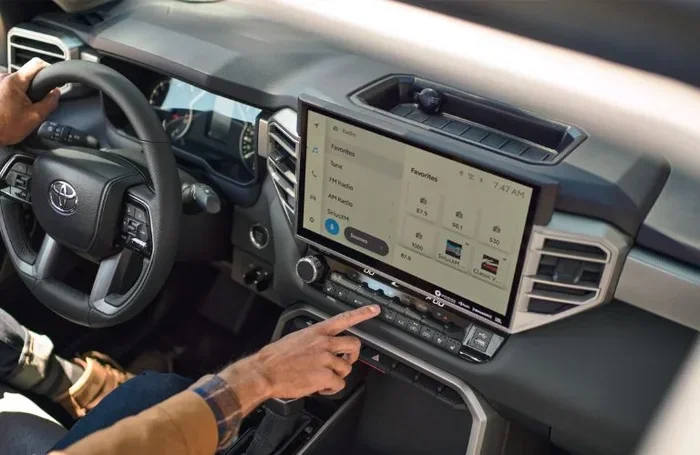
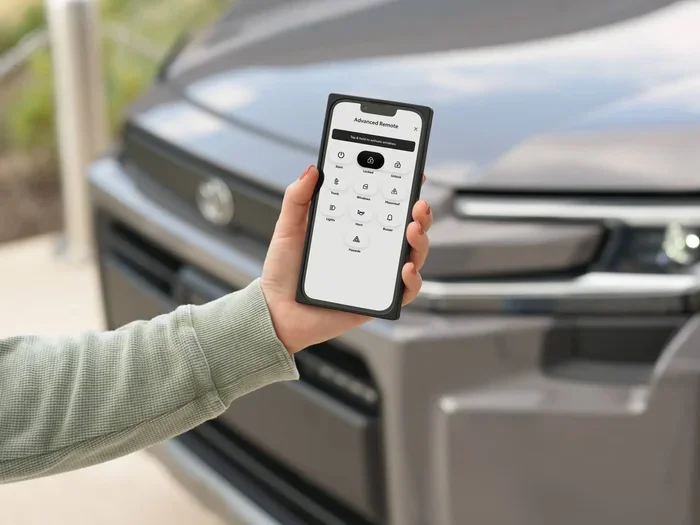
Toyota Remote Connect is a subscription-based service that gives Toyota owners access to remote features. These include locking and unlocking doors, starting the engine remotely, tracking your vehicle, and receiving maintenance alerts. The service works through the Toyota app and requires an active Toyota connected services plan. Some Toyota models come with a free trial period, after which you must pay a recurring fee to keep the features running.
People cancel their subscriptions for many reasons. Some want to save money. Others feel they do not use the features often enough. And some simply prefer to manage their car without a digital subscription. No matter your reason, you have every right to cancel when you are ready.
Key Takeaways
- Multiple cancellation options: You can cancel Toyota Remote Connect online, by phone, or in person at a dealer.
- No long-term lock-in: Most Toyota Remote Connect plans do not require a long-term contract, so you can cancel anytime.
- Feature loss is immediate: Once cancelled, connected services like remote start, vehicle tracking, and alerts stop working right away.
- Check for refund eligibility: Some users may qualify for a partial refund depending on their billing cycle and plan type.
- Alternatives exist: You can use basic Toyota apps without an active subscription or explore third-party connected car solutions.
- Dealer assistance is available: Your local Toyota dealer can handle the cancellation for you if you prefer hands-on help.
📑 Table of Contents
- Understanding Your Toyota Remote Connect Subscription
- How to Cancel Your Toyota Remote Connect Subscription
- What Happens After You Cancel Toyota Remote Connect?
- Can You Use Toyota Services Without a Subscription?
- Alternatives to Toyota Remote Connect
- Common Mistakes to Avoid When Cancelling
- Expert Tips for Managing Toyota Subscriptions
- Conclusion
Understanding Your Toyota Remote Connect Subscription
Before you cancel, it helps to understand what you are currently subscribed to. Toyota Remote Connect offers different tiers of service. The basic plan usually includes remote locking, unlocking, and horn honking. Higher-tier plans add features like remote start, GPS tracking, and roadside assistance integration.
What Does Toyota Remote Connect Include?
The features you get depend on your specific plan. Here is a quick look at what is typically included:
- Remote locking and unlocking – Control your doors from your phone.
- Remote engine start – Start your car before you get in.
- Vehicle location tracking – Find your car in a crowded parking lot.
- Maintenance alerts – Get notified when service is due.
- Roadside assistance – Access help directly through the app.
- Vehicle health reports – Monitor your car’s condition remotely.
How Much Does Toyota Remote Connect Cost?
Pricing varies by plan and region. Most Toyota owners pay between $80 and $150 per year for Toyota connected services. Some newer models come with a free trial period that lasts one to three years. After the trial ends, the subscription automatically renews unless you cancel it.
If you are unsure about your current plan, check your Toyota app or your billing statement. You can also contact your Toyota dealer for a detailed breakdown of your subscription costs.
How to Cancel Your Toyota Remote Connect Subscription
You have three main ways to cancel your Toyota Remote Connect subscription. You can do it online through the app, call Toyota customer service, or visit your local dealer. Each method is straightforward, and we will explain each one below.
Method 1: Cancel Online Through the Toyota App
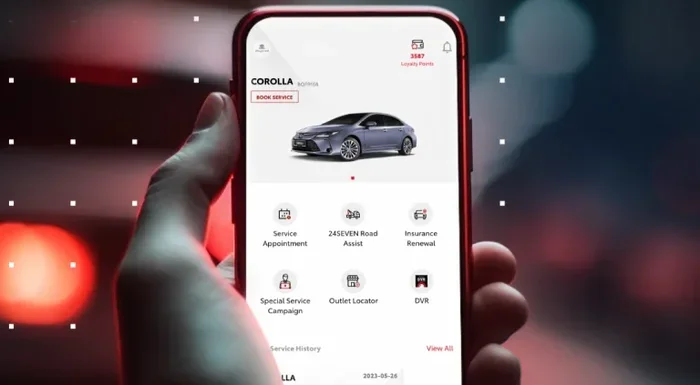
The fastest way to cancel is through the Toyota app on your phone. Follow these steps:
- Open the Toyota app on your smartphone.
- Log in to your account using your credentials.
- Navigate to the Services or Subscription section.
- Select your Toyota Remote Connect plan.
- Look for the Cancel Subscription or Manage Plan option.
- Follow the on-screen prompts to complete the cancellation.
- Confirm your cancellation and save any confirmation number.
Once you complete these steps, you should receive a confirmation email. Keep this email for your records. It serves as proof that you cancelled on a specific date.
Method 2: Cancel by Phone
If you prefer speaking with a person, you can call Toyota customer service. The phone number is usually listed in your app or on the Toyota website. Have your account information ready before you call. The representative will verify your identity and process the cancellation for you.
Make sure to ask about any cancellation fees or refund eligibility before you end the call. Some plans may offer a partial refund if you cancel mid-cycle. It never hurts to ask.
Method 3: Cancel at Your Toyota Dealer
You can also visit your local Toyota dealer and ask them to cancel the subscription on your behalf. This method is ideal if you are not comfortable handling it online or over the phone. The dealer can access your account and complete the cancellation in person.
According to Toyota’s policy, you can take your Toyota to any dealer for service, and the same applies to subscription management. You do not need to go back to the dealer where you purchased the vehicle. Any authorized Toyota dealer can assist you with cancellation requests.
What Happens After You Cancel Toyota Remote Connect?
Once your Toyota Remote Connect subscription is cancelled, several changes take place. Understanding these changes helps you prepare and avoid surprises.
You Lose Access to Connected Features
Immediately after cancellation, you will no longer have access to remote features. This means you cannot lock or unlock your car remotely, start the engine from your phone, or use GPS tracking through the app. All Toyota connected services tied to your subscription will stop working.
However, basic vehicle functions remain unaffected. Your car will still start normally with the key or key fob. All mechanical and electrical systems continue to work as they did before. You simply lose the remote connectivity features.
Your App Profile May Still Exist
Cancelling your subscription does not delete your Toyota app account. Your profile, vehicle information, and history may remain in the system. You can still use the app for basic functions like viewing your owner’s manual or locating your nearest dealer.
If you want to fully remove your data, you may need to contact Toyota support separately. Check the privacy settings in your app for options to manage your data.
Billing Stops After the Current Cycle
Most Toyota Remote Connect plans operate on a monthly or annual billing cycle. After cancellation, you will not be charged for the next cycle. However, you may still be billed for the current period if you cancelled mid-cycle. This is standard practice for most subscription services.
Review your billing statement carefully after cancellation. If you notice any unexpected charges, contact Toyota customer service right away.
Can You Use Toyota Services Without a Subscription?
This is one of the most common questions Toyota owners ask. The short answer is yes, but with limitations. You can still use many basic Toyota features without an active Toyota Remote Connect subscription.
For example, you can still use Apple CarPlay and Android Auto if your vehicle supports them. You can also use standard Bluetooth connectivity and USB ports. These features do not require a subscription and work independently of Toyota connected services.
If you are interested in using the Toyota app without paying, you should know that you can use the Toyota app without a subscription for basic functions. The app allows you to view vehicle information, schedule service appointments, and access owner resources. However, remote features like engine start and GPS tracking require an active plan.
Similarly, you can use Toyota Connect without a subscription for limited functionality. The vehicle’s built-in systems may still provide basic navigation and audio features. But the full suite of remote services will remain locked until you reactivate your subscription.
Alternatives to Toyota Remote Connect
If you are cancelling because you want a different solution, there are alternatives worth considering. Not everyone needs a full subscription for connected car features.
Third-Party Connected Car Devices
Several aftermarket devices offer similar features to Toyota Remote Connect at a lower cost. Brands like Bouncie, Vyncs, and CarTracker provide GPS tracking, vehicle health monitoring, and driving reports. These devices plug into your car’s OBD-II port and connect through your phone.
The benefit of these devices is flexibility. You are not locked into a long-term subscription. You can cancel or switch plans anytime. And many offer free basic tiers with optional paid upgrades.
Factory-Based Features
Many newer Toyota models come with built-in features that do not require a subscription. For instance, some Toyota vehicles include standard GPS navigation, Bluetooth calling, and audio streaming at no extra cost. Check your vehicle’s manual to see what is included from the factory.
Common Mistakes to Avoid When Cancelling
Cancelling a subscription seems simple, but people often make mistakes that cause problems. Here are a few to watch out for:
- Forgetting to cancel before the renewal date: If you miss the window, you may be charged for another billing cycle. Set a reminder a week before your renewal date.
- Not checking for early termination fees: Some plans may have cancellation penalties. Read your terms and conditions before you cancel.
- Skipping the confirmation step: Always confirm your cancellation and save the confirmation email. Without proof, you may face billing disputes later.
- Assuming all features stop immediately: Some features may remain active until the end of your current billing period. Check with Toyota for specific timing.
- Ignoring refund opportunities: You may be entitled to a partial refund. Always ask about refund policies before finalising the cancellation.
Expert Tips for Managing Toyota Subscriptions
Managing your Toyota connected services does not have to be complicated. Here are some expert tips to help you stay in control:
- Set calendar reminders: Mark your subscription renewal dates on your calendar. This gives you time to decide whether to continue or cancel.
- Review your usage quarterly: Every few months, check which features you actually use. If you are not using them, it may be time to cancel.
- Keep records of all communications: Save emails, confirmation numbers, and chat transcripts. These are valuable if any billing issues arise later.
- Talk to your dealer: Your Toyota dealer can provide personalised advice on managing subscriptions. They may also know about promotions or plan changes that could save you money.
If you are considering cancelling because you are exploring other Toyota ownership options, you might also want to learn about returning your Toyota lease to any dealership or getting your Lexus oil change at Toyota. These topics can help you make the most of your Toyota ownership experience.
Conclusion
Cancelling your Toyota Remote Connect subscription is a straightforward process that you can complete in just a few minutes. Whether you choose to cancel online, by phone, or at your dealer, the steps are clear and well-documented. You now know what happens after cancellation, what alternatives exist, and how to avoid common mistakes.
Toyota Remote Connect is a great service for those who value connected features. But it is not for everyone. If you have decided that the subscription no longer fits your needs, you are in the right place and fully equipped to take action.
Remember to save your confirmation, monitor your billing, and explore alternatives if needed. Your car is yours, and you should have full control over the services you pay for. Take the next step today and enjoy a simpler, subscription-free driving experience.
Frequently Asked Questions
How do I cancel my Toyota Remote Connect subscription online?
Open the Toyota app, log in to your account, go to the Services or Subscription section, select your Toyota Remote Connect plan, and choose the Cancel Subscription option. Follow the prompts to complete the process and save your confirmation.
Is there a fee to cancel Toyota Remote Connect?
Most Toyota Remote Connect plans do not charge a cancellation fee. However, some plans may have early termination fees or require you to pay for the current billing cycle. Check your specific plan terms or ask a Toyota representative before cancelling.
Will I get a refund after cancelling Toyota Remote Connect?
You may be eligible for a partial refund depending on your billing cycle and plan type. Contact Toyota customer service or visit your dealer to ask about refund eligibility for your specific situation.
Can I reactivate my Toyota Remote Connect subscription after cancelling?
Yes, you can reactivate your subscription at any time. Simply log in to the Toyota app or contact your Toyota dealer to restart your Toyota connected services plan. Your vehicle and account information should still be in the system.
How long does it take for Toyota Remote Connect to cancel?
Cancellation is typically processed immediately when done online or over the phone. However, some features may remain active until the end of your current billing period. Check with Toyota for the exact timing of your cancellation.
Can I cancel Toyota Remote Connect at any Toyota dealer?
Yes, you can visit any authorized Toyota dealer to cancel your subscription. The dealer can access your account and process the cancellation for you. You do not need to return to the dealer where you originally purchased the vehicle.