How to Connect a Hyundai Garage Door Opener Quickly
Connecting a Hyundai garage door opener is simpler than most drivers think. This guide walks you through the entire process, from preparing your vehicle to programming the HomeLink system in just a few minutes. You will learn the exact steps, common mistakes to avoid, and expert tips to keep your system running smoothly for years.
There is something incredibly satisfying about pressing a button in your car and watching your garage door swing open. It is one of those small modern comforts that makes life easier every single day. If you just bought a Hyundai or recently moved into a new home, you might be wondering how to connect a Hyundai garage door opener to your vehicle. The good news is that it is a straightforward process that most people can handle without any professional help.
Hyundai vehicles come equipped with a built-in system called HomeLink, which lets you pair your garage door opener directly to your car. Whether you drive a Hyundai Sonata, Tucson, Santa Fe, or any other model, the process is very similar. In this guide, we will walk you through every single step. You will also learn how to troubleshoot common issues and keep your system working perfectly for years to come.
By the time you finish reading, you will have all the knowledge you need to get your garage door connected and working in no time. No more fumbling with remotes in the rain or digging through your console for a separate device. Let us get started.
Key Takeaways
- Quick Setup: Most Hyundai models let you connect a garage door opener in under 15 minutes using the HomeLink system.
- No Special Tools Needed: You only need your garage door remote and your Hyundai vehicle to complete the process.
- Universal Compatibility: The HomeLink system works with nearly all garage door brands and models.
- Rolling Code Technology: Modern systems use secure rolling codes that change every time you use the opener.
- Easy Troubleshooting: Most connection issues can be fixed with a simple reset or battery replacement.
- Regular Maintenance Helps: Keeping your opener clean and your remote battery fresh prevents most problems.
📑 Table of Contents
- What Is a Hyundai Garage Door Opener?
- Before You Start: What You Will Need
- Step-by-Step Guide to Connecting Your Hyundai Garage Door Opener
- Troubleshooting Common Connection Issues
- Maintaining Your Hyundai Garage Door Opener System
- Expert Tips for Getting the Most Out of Your Garage Door Opener
- Conclusion
What Is a Hyundai Garage Door Opener?
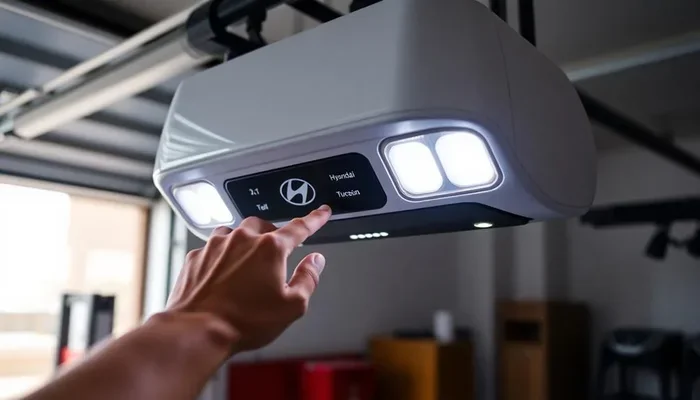
A Hyundai garage door opener refers to the built-in HomeLink system found in most Hyundai vehicles. This system is a small control panel usually located on the inside of your rearview mirror or on the overhead console. It acts as a universal receiver that communicates with your garage door motor.
The HomeLink system has been around for decades and is used by many car manufacturers. Hyundai uses the same basic technology but integrates it seamlessly into their vehicles. When you press a button on the HomeLink panel, it sends a signal to your garage door opener, telling it to open or close.
One of the best things about the Hyundai garage door opener system is that it supports rolling code technology. This means the code changes every time you use it, which makes your garage much more secure. You do not have to worry about someone copying your remote signal. The system generates a new code each time, keeping your home safe.
Most Hyundai models from the past 15 years or so come with HomeLink as standard or optional equipment. If your vehicle does not have it, you can also purchase an aftermarket universal garage door opener that plugs into your car’s cigarette lighter or attaches to the console. But for most Hyundai owners, the built-in system is all you need.
Before You Start: What You Will Need
Before you begin the setup process, it helps to gather everything you need. Preparation makes the whole process faster and smoother. Here is a quick checklist of items you should have ready:
- Your Hyundai vehicle with the ignition turned on and the car in park
- Your garage door remote with working batteries
- Access to your garage door motor (the unit mounted on the ceiling of your garage)
- A stepladder if you need to reach the garage door motor
- Your vehicle owner’s manual for reference, especially if you are unsure about your specific model
It is also a good idea to make sure your garage door is fully closed before you start programming. This prevents any accidental opening during the setup process. You should also clear the area around the garage door motor so you have safe access to the learn button.
One thing many people overlook is checking the battery in their garage door remote. If the battery is weak, the signal might not reach the motor during programming. A fresh battery costs just a few dollars and can save you a lot of frustration. If you are wondering about other car features and connectivity, you might also ask yourself, can you use the Toyota app without a subscription for similar smart home integration?
Step-by-Step Guide to Connecting Your Hyundai Garage Door Opener
Now let us get into the actual process. Connecting your garage door opener to your Hyundai is a simple three-step process. Each step is clearly laid out below so you can follow along easily.
Step 1: Locate the HomeLink Control Panel
The first step is to find the HomeLink control panel in your Hyundai. In most models, this panel is mounted on the overhead console, right above the windshield. It usually has three buttons labeled 1, 2, and 3. These buttons control three separate garage door or gate entries.
To find it, simply look up at the ceiling of your vehicle’s interior. The panel is typically located near the rearview mirror. Some Hyundai models may place it slightly to the left or right of center. If you are having trouble finding it, refer to your owner’s manual for the exact location in your specific model.
Once you have located the panel, press and hold the button you want to use for your garage door. You will notice the indicator light on the panel start to flash. This means the system is in programming mode and ready to receive the signal from your garage door remote.
Step 2: Program the Garage Door Remote Signal
With the HomeLink button pressed and the indicator light flashing, you now need to train the system to recognize your garage door remote. Take your garage door remote and hold it about one to three inches away from the HomeLink panel.
Press and hold the button on your garage door remote. At the same time, keep holding the HomeLink button on your Hyundai. You should see the indicator light on the HomeLink panel change from a slow flash to a rapid flash. This usually takes about 20 to 30 seconds.
Once the light starts flashing rapidly, release both buttons. This means the HomeLink system has successfully learned the signal from your garage door remote. You have now completed the programming phase.
Some older garage door openers use a different method that requires you to press a learn button on the motor unit itself. If the method above does not work, you may need to climb a stepladder, press the learn button on your garage door motor, and then quickly return to your car to complete the pairing. This is called the “universal” or “manual” programming method.
Step 3: Test the Connection
Now for the exciting part. Press the HomeLink button you just programmed. Your garage door should respond and either open or close. If it works, congratulations. You are all set.
If the door does not respond, do not panic. This happens more often than you might think. Simply repeat the programming steps and make sure you are holding the remote close enough to the HomeLink panel. You may also want to check that your garage door remote battery is fresh.
It is also a good practice to test the connection from a safe distance. Stand outside your vehicle and press the HomeLink button from the driver’s seat. This ensures the signal reaches the garage door motor clearly. If you are curious about other vehicle features and how they compare, you might wonder, can I take my Toyota to any dealer for service when troubleshooting similar tech features?
Troubleshooting Common Connection Issues
Even though the process is simple, things do not always go perfectly the first time. Here are the most common issues people face when setting up their Hyundai garage door opener and how to fix them.
The HomeLink Light Does Not Flash
If you press and hold the HomeLink button but the indicator light does not flash, the system might not be entering programming mode. Try turning your ignition off and back on. Make sure your car is in park. Some Hyundai models require the parking brake to be engaged before the HomeLink system will enter programming mode.
You should also check that you are pressing and holding the button long enough. In some models, you need to hold the button for about five seconds before the light starts flashing. Be patient and give it enough time.
The Garage Door Does Not Respond After Programming
This is the most common issue and it usually has a simple fix. The most likely cause is that the garage door remote battery is weak. Replace the battery with a fresh one and try programming again.
Another possible cause is interference. If you are trying to program your garage door opener while standing too close to the garage door motor, the signal might not reach the HomeLink panel properly. Move your vehicle further away from the garage and try again.
Sometimes the issue is with the garage door motor itself. Make sure the motor is receiving power and that the garage door is not locked or in maintenance mode. A quick reset of the garage door motor can often resolve this issue.
The System Works Intermittently
If your Hyundai garage door opener works sometimes but not always, the problem could be related to signal range or battery life. The HomeLink system in your Hyundai has a limited range, usually around 20 to 30 feet. Make sure you are within this range when using the system.
Also check the batteries in both your garage door remote and the HomeLink system. Weak batteries in either device can cause intermittent performance. Replacing them with fresh batteries often solves the problem immediately.
Maintaining Your Hyundai Garage Door Opener System
Once your Hyundai garage door opener is connected and working, you want to keep it in great shape. Regular maintenance ensures the system continues to work reliably for years. Here are some simple tips to keep everything running smoothly.
Replace Batteries Regularly
The most common cause of garage door opener issues is a dead battery. Make it a habit to replace the battery in your garage door remote at least once a year. Most garage door remotes use a standard CR2032 battery, which is cheap and easy to find. You should also check the battery in your key fob if it doubles as a garage door remote.
Keep the HomeLink Panel Clean
Dust and debris can build up around the HomeLink buttons over time. This can interfere with the signal and make the system less responsive. Wipe the panel down with a soft, dry cloth every few months. If you notice any buildup around the buttons, use a cotton swab dipped in a small amount of rubbing alcohol to clean the area gently.
Update Your Garage Door Opener Firmware
Some modern garage door openers have firmware that can be updated by the manufacturer. Check your garage door motor’s manual or visit the manufacturer’s website to see if any updates are available. Updated firmware can improve signal reliability and security features.
It is also worth noting that maintaining your garage door itself plays a role in how well the opener works. A well-lubricated track and properly balanced door reduce the strain on the motor, which means fewer signal issues and a longer lifespan for your opener. If you are interested in other Hyundai features and maintenance tips, you might also want to explore whether are Toyotas difficult to work on for comparison, since many Hyundai owners also own Toyotas and appreciate DIY maintenance.
Reset the System When Needed
If you ever sell your vehicle or want to remove a previous owner’s garage door access, you can reset the HomeLink system. To do this, press and hold all three HomeLink buttons simultaneously for about 10 seconds. The indicator light will flash, and all programmed codes will be erased. This is a great security practice when you get a used Hyundai vehicle.
You can also reset a single button by pressing and holding it for 10 seconds until the light flashes. This clears just that one programmed entry and allows you to pair a new device.
Expert Tips for Getting the Most Out of Your Garage Door Opener
Here are some expert tips that go beyond the basic setup. These insights will help you get the most out of your Hyundai garage door opener system.
- Use the same button for multiple doors. If you have a garage and a gate, you can program both to the same HomeLink button. The system supports multiple devices on a single button.
- Program all three buttons. Use button 1 for your garage, button 2 for your gate, and button 3 for a secondary door or storage shed.
- Keep your vehicle inside the garage when programming. This ensures the strongest possible signal between your garage door remote and the HomeLink panel.
- Replace your remote every few years. Older remotes can develop internal issues that affect signal strength. A new remote is a small investment for reliable performance.
- Consider a smart garage door controller. If you want even more convenience, aftermarket smart controllers can connect your HomeLink system to your phone, letting you open and close your garage from anywhere.
Remember, connecting a Hyundai garage door opener is one of the easiest and most useful upgrades you can make to your vehicle. Once it is set up, you will wonder how you ever lived without it. The system is designed to be intuitive and user-friendly, so do not hesitate to try it yourself before calling a professional.
With the steps outlined in this guide, you should be able to connect your garage door opener in under 15 minutes. If you run into any issues, refer back to the troubleshooting section. And always remember that regular maintenance keeps everything working at its best.
Your Hyundai is packed with smart features, and the built-in garage door opener is just one of them. Take advantage of it, enjoy the convenience, and drive confidently knowing your garage is just a button press away.
Conclusion
Connecting a Hyundai garage door opener is a quick and rewarding process that adds real convenience to your daily routine. Whether you are programming your first HomeLink button or resetting an old one, the steps are simple and easy to follow. You now know how to locate the control panel, program the signal, test the connection, troubleshoot common issues, and maintain the system for long-term reliability.
The key is to be patient during the initial setup, use fresh batteries, and keep the system clean. With these habits, your Hyundai garage door opener will serve you well for many years to come. Take a few minutes today to get it set up, and you will thank yourself every time you pull into the driveway.
Do not let a simple setup intimidate you. You have all the information you need right here. Get started, enjoy the process, and embrace the convenience of a connected garage door opener in your Hyundai.
Frequently Asked Questions
Can I connect more than one garage door to a single Hyundai HomeLink button?
Yes, the Hyundai HomeLink system supports multiple devices on a single button. You can program your garage door, a gate, or a secondary door all to the same button. Simply follow the programming steps for each device, and the system will store all the codes.
How long does it take to connect a Hyundai garage door opener?
Most people complete the entire process in 10 to 15 minutes. The actual programming takes only a few minutes, but allowing extra time for troubleshooting or reading your owner’s manual is always a good idea.
What should I do if my Hyundai HomeLink system is not working after programming?
Start by replacing the battery in your garage door remote. Then, make sure your vehicle is in park with the ignition on. If the issue persists, reset the HomeLink system by holding all three buttons for 10 seconds and reprogram from scratch.
Is the Hyundai garage door opener secure?
Yes, modern Hyundai HomeLink systems use rolling code technology. This means the access code changes every time you use it, making it very difficult for someone to intercept and copy your signal. Your garage stays secure.
Can I program a Hyundai garage door opener without the original remote?
Yes, you can use the manual programming method if you do not have the original remote. This involves pressing the learn button on your garage door motor and then quickly completing the HomeLink programming steps. Refer to your garage door motor’s manual for the exact location of the learn button.
Do I need any special tools to connect a Hyundai garage door opener?
No special tools are needed. You only need your garage door remote, a working vehicle battery, and optionally a stepladder if you need to access the garage door motor for manual programming. The entire setup is designed to be tool-free and user-friendly.