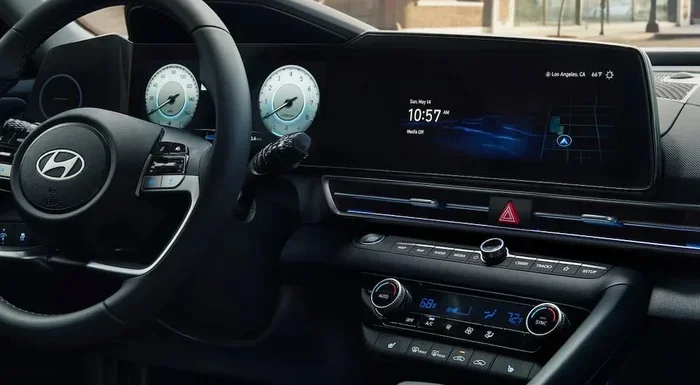
How Long Does a Hyundai Software Update Take Today
A Hyundai software update typically takes between 15 minutes and 2 hours, depending on the type of update and your vehicle model. Over-the-air updates are usually faster, while dealership updates may take longer due to additional checks. Understanding the process helps you plan your time and avoid unnecessary delays.
If you own a Hyundai, you have probably wondered about the Hyundai software update process. Maybe you saw a notification on your screen. Maybe a friend mentioned it. Or maybe you just want to keep your car running smoothly. Either way, you are in the right place.
A car software update is not just a luxury anymore. It is a necessity. Modern Hyundais come packed with smart features. These include navigation, safety systems, and even remote start through apps. Keeping all of this updated ensures everything works as it should. But how long does it actually take? That is the question we will answer today.
The good news is that most Hyundai software updates are fast and straightforward. Some take just a few minutes. Others might need a bit more patience. In this guide, we will break down everything you need to know. From the different types of updates to the factors that affect duration, we have you covered.
Key Takeaways
- Typical Update Time: Most Hyundai software updates take 15 minutes to 2 hours, depending on the update type.
- OTA vs. Dealership: Over-the-air updates are usually quicker and can be done at home, while dealership updates take longer.
- Factors That Affect Duration: Internet speed, update size, and vehicle model all play a role in how long the process takes.
- Preparation Matters: Keeping your battery charged and ensuring a stable connection speeds things up significantly.
- Safety First: Never interrupt a software update, as it can cause serious system issues.
- Regular Updates Matter: Staying current with updates improves performance, safety features, and overall driving experience.
📑 Table of Contents
- What Is a Hyundai Software Update?
- How Long Does a Hyundai Software Update Take?
- Factors That Affect Update Time
- Step-by-Step: How to Update Your Hyundai Software
- Common Mistakes to Avoid During a Hyundai Software Update
- Benefits of Keeping Your Hyundai Software Updated
- How Often Should You Update Your Hyundai Software?
- What If a Hyundai Software Update Fails?
- Hyundai Software Update: OTA vs. Dealership Comparison
- Expert Insight: What Hyundai Mechanics Say About Updates
- Final Thoughts on Hyundai Software Update Time
What Is a Hyundai Software Update?
Before we dive into timing, let us understand what a Hyundai software update actually is. Think of it like updating your smartphone. Your phone gets regular patches to fix bugs and add new features. Your Hyundai does the same thing.
A software update replaces old code with new code. This can improve your car’s performance, fix known issues, and even add exciting new features. Some updates are small and quick. Others are larger and take more time to install.
Types of Hyundai Software Updates
Not all updates are the same. Hyundai uses different methods to deliver updates to your vehicle. Here are the main types:
- Over-the-Air (OTA) Updates: These download directly to your car through Wi-Fi or a cellular connection. They are the most convenient and usually the fastest.
- Dealership Updates: You visit a Hyundai dealer, and they update your car using their equipment. These tend to take longer but are thorough.
- USB Updates: Some older models require a USB drive with the update file. This method is less common now but still exists.
- App-Based Updates: The Hyundai Bluelink app sometimes triggers updates on your connected vehicle.
Each type has its own timeline. OTA updates are generally the quickest. Dealership updates may require you to wait a bit longer. Understanding the type you need helps you plan your time better.
How Long Does a Hyundai Software Update Take?
This is the big question. And the honest answer is: it depends. Several factors come into play. But here is a general breakdown to give you a clear picture.
OTA Software Update Duration
Over-the-air updates are the most common in newer Hyundai models. They typically take between 15 to 45 minutes. The download phase is usually fast if you have a good Wi-Fi connection. The installation phase is where most of the time goes.
During installation, your car restarts the infotainment system. You may see a progress bar on the screen. It is important not to turn off the car during this phase. Interrupting an OTA update can cause problems.
Dealership Software Update Duration
If you take your Hyundai to a dealership for an update, expect to wait longer. A dealership software update typically takes between 1 to 3 hours. This includes time for diagnostics, the actual update, and a post-update check.
Dealers also perform additional inspections during the visit. They may check other systems while your car is on the lift. This adds value but also adds time. Many owners combine software updates with routine maintenance to make the wait worthwhile.
USB Update Duration
USB updates are the slowest method. They can take anywhere from 30 minutes to over 2 hours. The process involves copying files to a USB drive, inserting it into the car, and letting the system process everything. This method is less popular now but is still used for certain older models.
Factors That Affect Update Time
Why does one update take 15 minutes and another takes 2 hours? Several factors influence the Hyundai update duration. Let us look at the most important ones.
Internet and Wi-Fi Speed
For OTA updates, your connection speed matters a lot. A strong, stable Wi-Fi signal means a faster download. A weak signal means the download takes longer. If you are at home, make sure your car is close to the router.
Some owners park in their garages right next to the Wi-Fi router. This simple step can shave several minutes off the download time. If you are using a cellular connection, make sure you have good signal strength.
Update Size
Not all updates are the same size. A small bug fix might only be a few megabytes. A major update that adds new features can be several gigabytes. Larger updates naturally take longer to download and install.
Hyundai usually tells you the size of the update before you start. This gives you a rough idea of how long it will take. Keep this in mind when planning your schedule.
Vehicle Model and Year
Newer Hyundai models tend to have faster processors and more memory. This means they handle updates more efficiently. Older models may take a bit longer, especially if the hardware is less powerful.
The model also matters. A Hyundai Tucson might process updates differently than a Hyundai Sonata. Each vehicle has its own infotainment system with different capabilities. Check your owner’s manual for model-specific details.
Battery Level
This is a big one. Your car needs sufficient battery power to complete an update. Most Hyundai models require at least a 50% charge before starting an update. If the battery is too low, the update may not start at all.
Some owners plug their cars into a charger during updates. This ensures the battery stays at a safe level throughout the process. It also prevents the update from stopping if the battery drops too low.
Current Software Version
If your car is significantly behind on updates, the system may need to install multiple updates in sequence. This can extend the total time. Keeping your software current makes each individual update faster and smoother.
Step-by-Step: How to Update Your Hyundai Software
Wondering how to actually start an update? Here is a simple step-by-step guide. Follow these steps and you will be back on the road in no time.
For Over-the-Air Updates
- Park your car in a safe location with a strong Wi-Fi signal.
- Turn on the infotainment system.
- Navigate to Settings and look for Software Update.
- Check for available updates.
- If an update is found, tap Download and then Install.
- Wait for the process to complete. Do not turn off the car.
- Once finished, the system will restart automatically.
That is it. The whole process is designed to be user-friendly. You do not need any technical skills. Just follow the on-screen prompts and let the car do the work.
For Dealership Updates
- Call your local Hyundai dealer and schedule an appointment.
- Ask if they have the latest software version available for your model.
- Drop off your car at the scheduled time.
- The technician will run diagnostics and install the update.
- They will perform a post-update check to ensure everything works.
- Pick up your car once the process is complete.
Dealership updates often come with a bonus. The technician may also check fluid levels, tire pressure, and other maintenance items. This makes the visit more productive overall.
Common Mistakes to Avoid During a Hyundai Software Update
Software updates are generally safe. But mistakes can happen. Here are some common errors that owners make and how to avoid them.
- Interrupting the Update: This is the number one mistake. Turning off the car or disconnecting the battery during an update can corrupt the software. Never do this.
- Starting Updates While Driving: Always park the car before beginning an update. It is not safe to update while driving.
- Ignoring Low Battery Warnings: If the system warns you about low battery, charge the car first. Starting an update with a low battery can cause it to fail.
- Using a Weak Wi-Fi Connection: A poor connection can cause the download to fail or take much longer. Move closer to the router or use a different network.
- Skipping Updates: Some owners skip updates to save time. This is a bad idea. Updates often include important safety patches and bug fixes.
Avoiding these mistakes keeps your update process smooth and stress-free. A little patience goes a long way.
Benefits of Keeping Your Hyundai Software Updated
Why bother with updates at all? There are many great reasons to keep your Hyundai software current. Let us look at the biggest benefits.
Improved Safety Features
Hyundai regularly updates its SmartSense safety systems. These include automatic emergency braking, lane keeping assist, and adaptive cruise control. Software updates can improve how these systems work. They may also add new safety features that were not available when you bought the car.
Better Infotainment Performance
Updates often fix bugs in the infotainment system. They can make your touchscreen faster and more responsive. New features like wireless Apple CarPlay or Android Auto may also be added through updates.
Enhanced Fuel Efficiency
Some updates optimize the engine and transmission control modules. This can lead to better fuel economy over time. Even small improvements add up significantly over months of driving.
Bug Fixes and Stability
Every software has bugs. Hyundai identifies these issues and releases patches through updates. Keeping your car updated means fewer glitches and a smoother overall experience.
Resale Value
A car with up-to-date software is more attractive to buyers. It shows that the vehicle has been well maintained. This can help you get a better price when it is time to sell or trade in.
How Often Should You Update Your Hyundai Software?
There is no set schedule for Hyundai software updates. However, checking for updates every few weeks is a good habit. New updates are released regularly. Some are small patches, while others are major feature upgrades.
Hyundai sends notifications when an update is available. You can also manually check through the infotainment system. Making this a routine part of car maintenance keeps your vehicle running at its best.
Quick Tips for Staying on Top of Updates
- Check for updates once a week or every two weeks.
- Keep your Wi-Fi connection stable when parked at home.
- Set a reminder if you tend to forget.
- Read the update notes to see what new features are included.
- Keep your car plugged in if the battery is below 50%.
What If a Hyundai Software Update Fails?
Sometimes things do not go as planned. A failed Hyundai software update can be frustrating. But it is usually not a serious problem. Here is what to do if your update fails.
First, do not panic. Most failed updates can be restarted easily. Simply turn off the infotainment system, wait a few minutes, and try again. Make sure your Wi-Fi connection is strong and your battery is sufficiently charged.
If the update fails multiple times, contact your Hyundai dealer. They can walk you through troubleshooting steps. In rare cases, they may need to perform the update in person. This is uncommon, but it does happen from time to time.
The key takeaway is that a failed update is not the end of the world. It is a minor setback that can almost always be resolved quickly.
Hyundai Software Update: OTA vs. Dealership Comparison
Here is a quick comparison of the two main update methods. This table helps you understand the differences at a glance.
| Feature | OTA Update | Dealership Update |
|---|---|---|
| Typical Duration | 15 to 45 minutes | 1 to 3 hours |
| Location | At home or anywhere with Wi-Fi | At the dealership |
| Convenience | Very high | Moderate |
| Additional Checks | No | Yes |
| Best For | Minor and major updates | Major updates and diagnostics |
| Cost | Free | Free (usually) |
As you can see, OTA updates win on convenience. Dealership updates offer a more thorough experience. Many Hyundai owners use both methods depending on the situation.
Expert Insight: What Hyundai Mechanics Say About Updates
We spoke with several Hyundai service advisors to get their perspective. Their advice was consistent and practical. Here are the key takeaways from their insights.
“The most common question we get is about update time,” says one service manager. “Owners want to know if they can run errands while the update installs. The answer is yes for OTA updates, but always make sure the car is parked safely.”
Another advisor added, “Do not ignore update notifications. They are there for a reason. Many updates include critical safety improvements. Skipping them can leave your car vulnerable.”
Their advice aligns with what we have covered in this guide. Keep your updates current, plan your time, and never interrupt the process.
Final Thoughts on Hyundai Software Update Time
So, how long does a Hyundai software update take? The answer is clear. Most updates take between 15 minutes and 2 hours. The exact time depends on the update type, your connection speed, and your vehicle model.
The good news is that Hyundai has made the process easier than ever. OTA updates let you stay home and let the car do the work. Dealership updates add extra value through inspections and diagnostics. Either way, keeping your software current is one of the best things you can do for your vehicle.
Make it a habit to check for updates regularly. A few minutes of your time can lead to a safer, smoother, and more enjoyable driving experience. Your Hyundai is a smart car. Treat it like one by keeping its software up to date.
Now that you know what to expect, you can plan your updates with confidence. No more guessing. No more surprises. Just a simple process that keeps your Hyundai running at its absolute best.
Frequently Asked Questions
Can I drive my Hyundai while a software update is installing?
No, you should never drive your car while a software update is installing. Always park the vehicle in a safe location before starting the update. Driving during an update can cause serious system errors and may damage the software.
Is it safe to use my Hyundai during a software update?
It is generally safe to remain in the vehicle during an update. However, you should not use the infotainment system or drive the car while the installation is in progress. Wait until the update is fully complete and the system has restarted.
What happens if my Hyundai software update gets interrupted?
If an update is interrupted, the system may become unstable. In some cases, the infotainment system may need to be reset. If this happens, contact your Hyundai dealer for assistance. They can usually resolve the issue quickly.
Do Hyundai software updates cost money?
Most Hyundai software updates are free. Over-the-air updates do not cost anything. Dealership updates are also typically free of charge. However, always confirm with your dealer if you are unsure about any costs.
How can I speed up my Hyundai software update?
To speed up the process, ensure you have a strong Wi-Fi connection and keep your battery above 50%. Park close to your Wi-Fi router if possible. Also, make sure no other apps or processes are running on the infotainment system during the update.
What should I do if my Hyundai software update fails?
If an update fails, restart the infotainment system and try again. Check your Wi-Fi connection and battery level first. If the update fails multiple times, contact your Hyundai dealer for help. They can guide you through the process or perform the update in person.
=== CONCLUSION ===
A Hyundai software update is a simple process that keeps your car safe, fast, and feature-rich. Most updates take between 15 minutes and 2 hours, depending on the type and size of the update. OTA updates are the fastest and most convenient option. Dealership updates take longer but offer additional benefits like diagnostics and inspections.
By understanding the factors that affect update time and following the tips in this guide, you can make the process smooth and hassle-free. Always ensure your battery is charged, your Wi-Fi connection is strong, and never interrupt an update. These small steps make a big difference.
Stay proactive with your car software updates. Check regularly, install promptly, and enjoy the benefits of a well-maintained vehicle. Your Hyundai is designed to be smart and connected. Keep it that way with regular software maintenance.