Do All Cars Come With Navigation Built Into Every Car
Do all cars come with navigation? The short answer is no. While many modern vehicles offer built-in GPS as a standard or optional feature, plenty of cars still ship without any navigation system at all. In this guide, we’ll explore which cars include factory navigation, which don’t, and how you can easily add navigation to any vehicle using affordable solutions.
Have you ever hopped into a rental car and realized you have no clue how to get somewhere? Or maybe you bought a used car and discovered it doesn’t have a navigation system at all. It happens more often than you might think.
Do all cars come with navigation? The answer might surprise you. While car technology has advanced by leaps and bounds in the last decade, not every vehicle on the road today includes built-in GPS. In fact, millions of cars roll off the lot each year without any form of factory navigation. So let’s break this down. We’ll look at which cars include navigation, which ones don’t, and what you can do about it.
Whether you’re shopping for a new car or trying to figure out your current ride, this guide covers everything you need to know about car navigation systems. We’ll keep it simple, practical, and straight to the point. No fluff. Just real answers.
Key Takeaways
- Not all cars have navigation: Many base model vehicles skip built-in GPS to keep costs low.
- Luxury and mid-range cars are more likely to include factory navigation systems as standard or optional.
- Smartphone apps like Google Maps and Apple Maps are free and effective alternatives to car navigation units.
- Aftermarket navigation devices and head units are easy to install and work in almost any car.
- Apple CarPlay and Android Auto bring smart navigation to your car’s touchscreen display without extra hardware.
- Factory navigation systems offer benefits like map updates and integrated car audio systems.
- Road trip planning is much easier when you have reliable turn-by-turn directions in your vehicle.
📑 Table of Contents
- What Is Built-In Car Navigation?
- Which Cars Come With Navigation Standard?
- Cars That Don’t Include Navigation
- How to Add Navigation to Any Car
- Built-In Navigation vs Phone Navigation: Which Is Better?
- What to Look for When Buying a Car With Navigation
- Common Mistakes People Make with Car Navigation
- Final Thoughts
What Is Built-In Car Navigation?
When people talk about built-in car navigation, they mean a GPS system that’s already part of the vehicle. It’s not your phone. It’s not a portable device you bought separately. It’s a system that comes with the car from the factory.
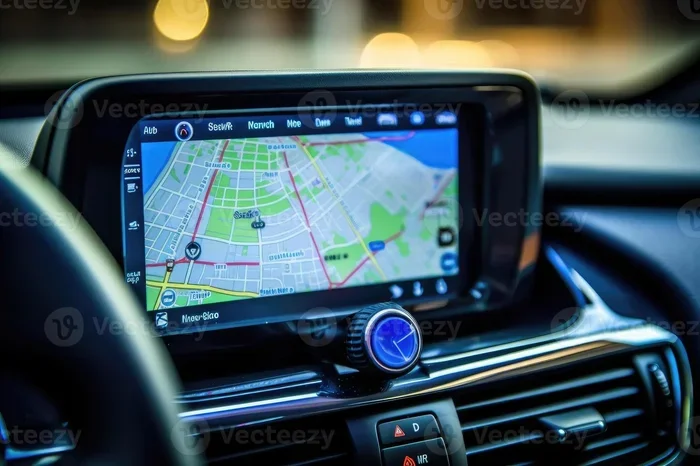
These systems typically include a touchscreen display on the car dashboard. They use satellites to pinpoint your location and give you turn-by-turn directions to your destination. Most modern car infotainment systems include this feature, but not all of them do.
A good navigation system does more than just tell you where to go. It can help with road trip planning, find gas stations, locate restaurants, and even reroute you when there’s traffic. Some systems also offer live traffic updates and map updates over Wi-Fi or through USB connections.
How Does Built-In GPS Work?
Built-in GPS tracking works by connecting to a network of satellites. The car’s system receives signals from these satellites and calculates your exact position on Earth. From there, it compares your location to digital maps stored in the system or downloaded through a connection.
The car stereo and touchscreen display work together to show you the map and give audio directions. Many factory navigation systems also connect to the internet, which allows for real-time traffic data and updated maps. This is a big advantage over older standalone GPS navigation devices.
Which Cars Come With Navigation Standard?
Not every car includes built-in GPS, but certain types of vehicles are much more likely to have it. Let’s look at the categories where navigation systems are most common.
Luxury Vehicles
If you buy a luxury car, there’s a very good chance it comes with factory navigation. Brands like BMW, Mercedes-Benz, Audi, and Lexus often include GPS navigation as standard or make it part of a popular package. These systems tend to be high-end with large touchscreen displays and features like augmented reality navigation.
Mid-Range and Family Vehicles
Many mid-range cars from brands like Toyota, Honda, Ford, and Chevrolet offer navigation as an option or include it in higher trim levels. For example, the Toyota Camry XSE or the Honda Accord Touring often come with built-in navigation. Family SUVs like the Ford Explorer and Chevrolet Traverse also frequently include this feature.
Electric and Hybrid Vehicles
Electric cars like the Tesla Model 3 and the Hyundai Ioniq 5 almost always include navigation systems. This makes sense because EV drivers need to find charging stations along their route. Car technology in electric vehicles tends to be more advanced overall, and GPS tracking is a key part of that.
Cars That Don’t Include Navigation
Here’s where things get interesting. Plenty of cars don’t come with any form of built-in GPS. This is especially true in certain categories and trim levels.
Base Model Trim Levels
Automakers often leave navigation out of base models to keep the price low. If you buy the most affordable trim of a popular car, there’s a good chance it won’t have factory navigation. Instead, you might get a basic car audio system with a small screen and Bluetooth connectivity.
Older and Used Vehicles
Cars that are more than five or six years old may not have navigation systems at all. Before smartphones became common, built-in GPS was a premium add-on that many buyers skipped. If you drive an older car, there’s a decent chance you’re relying on your phone or a portable GPS navigation device.
Budget and Economy Cars
Budget-friendly cars from brands like Kia, Nissan, and Hyundai often come in trims that don’t include navigation. These vehicles are designed for cost-conscious buyers who prioritize affordability over high-tech features. The good news is that adding navigation to these cars is easy and affordable.
Commercial and Work Vehicles
Many work trucks and commercial vans are sold without GPS navigation. Fleet buyers often prefer simpler car dashboard setups that are easier to maintain and replace. If you drive a work truck, you might need to add your own car navigation unit.
| Vehicle Type | Navigation Included? | Typical Cost to Add |
|---|---|---|
| Luxury Sedan (BMW, Mercedes) | Yes (standard or optional) | Included or $500-$1,500 |
| Mid-Range SUV (Toyota, Ford) | Yes (higher trims) | $300-$800 option |
| Base Model Compact Car | No | $200-$500 to add |
| Budget Economy Car | No | $150-$400 to add |
| Used Car (5+ years old) | Rarely | $200-$600 to add |
| Electric Vehicle (Tesla, etc.) | Yes (standard) | Included |
How to Add Navigation to Any Car
Don’t have built-in GPS? No worries. There are several great ways to bring navigation into any vehicle. You don’t need to be a mechanic to do it either.
Use Your Smartphone
The easiest and most popular option is to use your smartphone. Apps like Google Maps, Apple Maps, and Waze give you turn-by-turn directions for free. You just mount your phone on the windshield or dash and follow the prompts. This works well for most drivers, and it’s completely free.
Quick Tip: Use a phone mount with a magnetic holder. It keeps your phone secure and lets you charge it at the same time. This is one of the best car features you can add for under $20.
Use Apple CarPlay or Android Auto
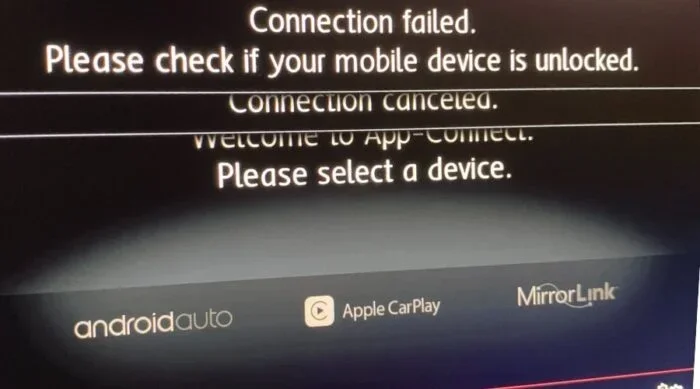
If your car has a touchscreen display, you can connect your phone through Apple CarPlay or Android Auto. These systems mirror your phone’s screen on your car’s display. You get access to navigation apps, music, and calls right from the car dashboard. It’s like having a smart navigation system without buying a new unit.
Most cars made after 2016 support either Apple CarPlay or Android Auto. Check your owner’s manual or ask your dealer if your car is compatible. This is a great way to upgrade your vehicle technology without spending much money.
Buy an Aftermarket Navigation Head Unit
If you want a dedicated car navigation unit, you can replace your factory head unit with an aftermarket one. Brands like Pioneer, Kenwood, and Sony make excellent car navigation units with touchscreen displays, Bluetooth, and even wireless Apple CarPlay.
Installation is straightforward if you have basic tools. You can also have it done at an auto shop for $100-$200. Aftermarket units range from $200 to $800 depending on features. This is a solid option if you want a permanent navigation system that works even when your phone isn’t connected.
Get a Portable GPS Device
Portable GPS navigation devices from brands like Garmin and TomTom are still a great option. They mount on your windshield and come with preloaded maps. These devices don’t rely on your phone’s data connection, which makes them reliable in areas with poor cell service.
Portable units cost between $100 and $300. They’re especially useful for people who travel frequently or drive in areas with weak wireless connectivity. While they’re not as sleek as built-in GPS, they get the job done.
Built-In Navigation vs Phone Navigation: Which Is Better?
This is a question we hear a lot. People want to know if they should rely on factory navigation or just use their phone. Let’s compare the two so you can decide what works best for you.
Pros of Built-In Navigation
- Integrated design: The navigation system is built into the car’s infotainment system. It looks and feels like part of the vehicle.
- No phone needed: You don’t have to worry about your phone dying or losing signal. The built-in GPS works independently.
- Larger display: Many factory navigation systems have bigger touchscreen displays than most phones, making them easier to read while driving.
- Voice commands: Built-in systems often have better voice recognition that works with the car’s car audio system.
- Map updates: Most factory navigation systems come with free map updates for a few years after purchase.
Pros of Phone Navigation
- Free: Apps like Google Maps and Waze cost nothing to use. You already have the hardware.
- Always up to date: Phone apps update automatically, so you always have the latest map data and traffic information.
- Familiar interface: You already know how to use your phone. There’s no learning curve with smartphone integration.
- More features: Phone apps offer reviews, photos, ratings, and real-time road trip planning tools that built-in systems can’t match.
- Works in any car: Whether you drive a 2010 sedan or a brand-new SUV, your phone navigation apps will work.
The Verdict
Both options have real strengths. If you want a seamless, integrated experience and don’t mind paying extra, factory navigation is excellent. If you want something free, flexible, and always current, phone navigation wins for most people. The best approach? Use Apple CarPlay or Android Auto to get the best of both worlds.
What to Look for When Buying a Car With Navigation
If you’re shopping for a car and navigation matters to you, here are the key things to look for. These tips will help you make a smart purchase and avoid surprises.
Check the Trim Level
Navigation is often bundled into higher trim levels. Before you buy, check the spec sheet carefully. Look for terms like GPS navigation, built-in navigation, or infotainment system with map. If it’s not listed, the base model probably doesn’t have it.
Ask About Map Updates
Not all factory navigation systems offer free map updates. Some require a subscription after the first few years. Ask the dealer how often maps are updated and whether there’s a cost. This matters a lot for road trip planning and daily commuting.
Look for Wireless Connectivity
A good car infotainment system should support wireless Apple CarPlay and Android Auto. This gives you access to navigation apps even if the built-in GPS isn’t top-notch. Wireless connectivity also means no messy cables on your car dashboard.
Test the Touchscreen Display
Before you buy, test the touchscreen display in person. Make sure it’s responsive and easy to read. A navigation system is useless if the screen is laggy or hard to see in sunlight. Pay attention to the size of the display too. Bigger is usually better for turn-by-turn directions.
Consider Your Daily Driving Needs
Think about how you use your car. Do you commute long distances? Do you travel frequently? If so, a good navigation system is worth the investment. If you mostly drive around your neighborhood and use your phone for directions, you might not need factory navigation at all.
Common Mistakes People Make with Car Navigation
Even if your car has a great navigation system, there are mistakes that can cause problems. Here are a few to avoid.
Never updating your maps: Roads change constantly. New streets, closed highways, and updated speed limits can make old maps unreliable. Always keep your map updates current.
Relying too much on GPS: A GPS navigation device is a tool, not a replacement for common sense. Always use your own judgment, especially in unfamiliar areas.
Ignoring traffic data: Many built-in GPS systems offer live traffic updates. If yours does, use them. They can save you from sitting in traffic for hours during your daily commute or road trip planning.
Not using voice commands: Typing into a touchscreen display while driving is dangerous. Use voice commands to input destinations and get turn-by-turn directions safely.
Skipping Apple CarPlay or Android Auto: If your car supports these features, use them. They bring the best of smartphone navigation apps to your car’s infotainment system. It’s one of the most useful car features available today.
Final Thoughts
Do all cars come with navigation? No, they don’t. But the good news is that adding navigation to any car is easier and more affordable than ever. Whether you go with factory navigation, a smartphone app, an aftermarket head unit, or a portable GPS device, you have options.
If you’re in the market for a new car, pay attention to the trim level and available infotainment packages. A good navigation system can make your daily commute smoother and your road trips more enjoyable. And if your current car doesn’t have one, don’t worry. You can add GPS navigation for a fraction of what it costs to buy a new car.
The bottom line is this: navigation is no longer a luxury reserved for expensive vehicles. With smartphone integration, Apple CarPlay, Android Auto, and affordable aftermarket options, every driver can have reliable turn-by-turn directions at their fingertips. Take the time to find the solution that works best for you, and you’ll never get lost again.
Frequently Asked Questions
Do all new cars come with built-in navigation?
No, not all new cars include built-in navigation. Many base model trims skip this feature to keep the price low. However, most mid-range and luxury vehicles offer it as standard or an option. Always check the trim level before buying.
Can I add navigation to my car after purchase?
Yes, absolutely. You can use smartphone apps, install Apple CarPlay or Android Auto, buy an aftermarket head unit, or get a portable GPS device. These options work in almost any vehicle regardless of age or model.
Is built-in navigation better than phone navigation?
It depends on your needs. Factory navigation systems offer a seamless, integrated experience and don’t rely on your phone. Phone navigation apps are free, always up to date, and offer more features. Using Apple CarPlay or Android Auto gives you the best of both worlds.
How much does it cost to add navigation to a car?
Costs vary widely. Smartphone apps are free. Apple CarPlay and Android Auto are also free if your car supports them. Aftermarket head units cost $200 to $800. Portable GPS devices range from $100 to $300. Factory navigation can add $500 to $1,500 to a new car’s price.
Do used cars usually have navigation?
Most used cars, especially those more than five years old, do not include built-in navigation. Before GPS became standard, it was a premium add-on that many buyers skipped. You can still add navigation to a used car easily with aftermarket options.
What is the best free navigation app for driving?
Google Maps, Apple Maps, and Waze are all excellent free options. They offer turn-by-turn directions, live traffic updates, and road trip planning features. Waze is especially good for avoiding traffic and road hazards in real time.
=== CONCLUSION ===
Do all cars come with navigation? The answer is clearly no, but that doesn’t mean you’re stuck without directions. From factory navigation systems in luxury and mid-range vehicles to free smartphone apps and affordable aftermarket units, there’s a solution for every driver and every budget. The key is understanding your options and choosing what works best for your lifestyle. Whether you rely on built-in GPS, Apple CarPlay, Android Auto, or a portable GPS device, having reliable navigation makes every drive safer and more enjoyable. Take a look at your current car, explore the options, and make the choice that keeps you on the right path every time you hit the road.