Does the Car Need to Be Running to Program HomeLink
You do not always need to start your car engine to program HomeLink. Most vehicles allow HomeLink programming with the ignition in accessory or on mode. However, some car manufacturers require the engine to be running for the HomeLink system to pair with your garage door opener. This guide covers the exact steps, car-specific requirements, and common mistakes to avoid.
Have you ever stood in your driveway, garage door remote in hand, trying to pair your HomeLink system with your car? It can feel confusing fast. One of the first questions people ask is whether the car needs to be running to program HomeLink. The short answer is no, not always. But the full answer depends on your vehicle make, model, and year.
In this article, we will walk through everything you need to know about programming HomeLink in your car. We will cover when the engine must be running, when it does not, and exactly how to get the job done right. Whether you drive a Toyota, Ford, BMW, or something else, this guide has you covered.
HomeLink is a built-in garage door control system found in many modern vehicles. It replaces the need for a handheld remote. Instead, you press a button on your car’s sun visor or console to open or close your garage door. The system uses radio frequency signals to communicate with your garage door opener. It is convenient, clean, and eliminates the clutter of multiple remotes hanging from your keychain.
Understanding how HomeLink works before you start programming makes the process much smoother. The system communicates with your garage door opener using one of two methods. The first is called “rolling code” technology. This means the code changes every time you use the remote, making it very secure. The second method is “fixed code,” which is older and less secure but still found in some garage door systems.
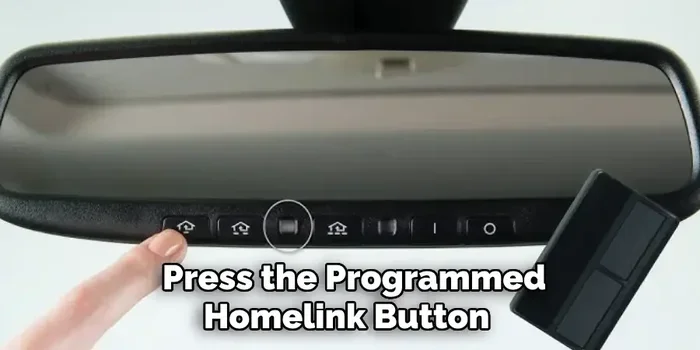
Most HomeLink systems have three buttons on your visor or console. These buttons store the codes for your garage door opener. When you press a button, HomeLink sends a signal to the opener, and the door responds. The whole process takes just a few seconds once the system is properly paired.
Key Takeaways
- HomeLink can work without the engine running: Most cars only need the ignition in the “on” or “accessory” position.
- Car brand matters: Some manufacturers like BMW and Mercedes require the engine to be running during programming.
- You need a working garage door opener: Your handheld remote must be functional before you start the pairing process.
- Resetting HomeLink is often the fix: Clearing old codes resolves most programming failures.
- Rolling code technology adds security: This feature prevents unauthorized access to your garage.
- Universal transmitters are a backup: They work with HomeLink when your car lacks native support.
- Patience is key: Following each step carefully saves time and frustration.
📑 Table of Contents
- Does the Car Need to Be Running to Program HomeLink?
- How to Program HomeLink Without Starting the Engine
- Common HomeLink Programming Problems and How to Fix Them
- Tips for Getting the Best HomeLink Performance
- Which Vehicles Support HomeLink?
- Safety Considerations When Using HomeLink
- Frequently Asked Questions
- Final Thoughts
Does the Car Need to Be Running to Program HomeLink?
This is the big question, and the answer is not a simple yes or no. It depends on your vehicle. Let us break it down.
When You Do NOT Need the Engine Running
For most cars on the road today, you do not need to start the engine to program HomeLink. You just need to put the ignition key or push-button start into the “on” or “accessory” position. This powers the car’s electrical systems without starting the engine. In this mode, the dashboard lights come on, the radio works, and the HomeLink system is active and ready to pair.
Many popular brands like Toyota, Honda, Chevrolet, and Nissan allow HomeLink programming in accessory mode. You can even do it with the key removed from the ignition switch if your car has a push-button start. Just make sure the car is in park and the parking brake is engaged.
Here is a quick list of vehicles that typically allow HomeLink programming without the engine running:
- Toyota models from 2010 onward
- Honda vehicles with factory HomeLink
- Chevrolet trucks and SUVs
- Nissan cars and crossovers
- Ford vehicles with built-in HomeLink
When You DO Need the Engine Running
Some car manufacturers require the engine to be running during the HomeLink programming process. This is not common, but it does happen. Brands like BMW and Mercedes-Benz sometimes require the engine to be on. This ensures the car’s electrical system is at full power and the HomeLink module receives a stable connection.
If you own a luxury vehicle or a European make, check your owner’s manual first. The manual will tell you exactly what position the ignition needs to be in. Skipping this step can lead to a failed programming attempt, and that can be frustrating when you just want to open your garage door.
Here is a quick comparison of when you need the engine running versus when you do not:
- Engine not required: Most Toyota, Honda, Ford, Chevrolet, and Nissan models
- Engine required: Some BMW, Mercedes-Benz, and Audi models
- Check your manual: Always verify with your specific vehicle
Why Does This Matter?
You might wonder why the engine position matters at all. The answer comes down to power and signal strength. When the engine is off and the car is in accessory mode, the battery provides power to the electrical systems. This power level is lower than when the engine is running. For most vehicles, this is more than enough for HomeLink programming. But for some systems, especially those with sensitive electronics, a full power supply from the running engine is necessary.
Another reason is safety. Car manufacturers design the programming process to require the car to be in a stationary, powered state. This prevents accidental signal sending while the car is in motion. It keeps your garage door from opening unexpectedly, which is a serious safety concern.
How to Program HomeLink Without Starting the Engine
Now that you know most cars do not need the engine running, let us walk through the actual programming steps. This process works for the majority of vehicles on the road today.
Step 1: Prepare Your Garage Door Opener
Before you touch your car, you need to prepare your garage door opener. Locate the “learn” or “smart” button on your garage door motor unit. This button is usually found on the back or side of the motor housing. Press it once. The indicator light next to the button will turn on or start flashing. This means the opener is ready to receive a new signal.
Quick tip: If your garage door opener does not have a learn button, check the manual. Some older models use a different pairing method. You may need a universal transmitter to bridge the gap between your opener and HomeLink.
Step 2: Position Your Car Correctly
Drive your car directly in front of the garage door opener. Park it close enough that the HomeLink antenna on your vehicle can send a strong signal. The antenna is usually located on the roof of the car, near the rearview mirror. Being close to the opener ensures a clean signal during the pairing process.
Put the car in park. Engage the parking brake. Then turn the ignition to the “on” or “accessory” position. Do not start the engine. The dashboard should light up, and the car should be fully electrically powered.
Step 3: Clear Old HomeLink Codes
This step is important and often skipped. If there are old codes stored in your HomeLink system, they can interfere with the new pairing. To clear the codes, press and hold the first and third HomeLink buttons simultaneously for about 10 seconds. The indicator light on the HomeLink unit will flash and then turn off. This means the system has been reset and is ready for new programming.
If you only want to replace one button’s code, you can also press and hold that specific button for 10 seconds until the light flashes. This clears just that one stored code.
Step 4: Pair HomeLink With Your Garage Door Opener
Now the real pairing begins. Press and hold the HomeLink button you want to use. Do not release it. Within 30 seconds, go back to your garage door opener motor and press the “learn” button again. Return to your car and continue holding the HomeLink button for another 2 to 5 seconds. The HomeLink indicator light will flash, and then it should stay solid or blink rapidly.
Release the HomeLink button. The pairing is complete. Test it by pressing the HomeLink button. Your garage door should respond and open or close.
Step 5: Test the System
Always test your new HomeLink pairing before you walk away. Press the HomeLink button and watch the garage door. If it opens or closes smoothly, you are all set. If nothing happens, repeat the process from Step 3. Sometimes a second attempt is all it takes.
Common HomeLink Programming Problems and How to Fix Them
Even when you follow every step correctly, things can go wrong. HomeLink programming is not always a smooth process. Here are the most common problems and how to solve them.
Problem 1: HomeLink Button Does Not Respond
If pressing the HomeLink button does nothing, the first thing to check is the battery in your handheld garage door remote. A weak battery can cause the opener to send a weak signal that HomeLink cannot pick up. Replace the battery and try again.
Another cause is distance. If your car is too far from the garage door motor, the signal will not reach. Park closer to the opener and try again. Also, make sure there are no large metal objects blocking the signal path between your car and the garage door motor.
Problem 2: Indicator Light Flashes But Does Not Pair
This usually means the HomeLink system is in programming mode but is not receiving the signal from the garage door opener. Go back to the learn button on your motor unit. Make sure you press it within the 30-second window after starting the HomeLink button hold. Timing is everything here.
Also check if your garage door opener uses rolling code technology. If it does, you may need to press the learn button twice or follow a specific sequence. Consult your garage door opener manual for the exact steps.
Problem 3: HomeLink Works Once Then Stops
This is a frustrating but common issue. It usually happens when the garage door opener and HomeLink lose their frequency sync. The fix is to clear all stored codes and reprogram from scratch. Follow the steps in Section 2 above for a clean reset.
If the problem keeps coming back, your garage door opener may be too old to work with modern HomeLink systems. In that case, a universal HomeLink transmitter can act as a bridge between the two systems.
Problem 4: Interference From Other Devices
Other garage door openers, security systems, and even baby monitors can interfere with the HomeLink signal. If you live in a neighborhood with many homes close together, interference is more likely. Try programming your HomeLink at a different time of day when fewer people are using their garage doors. Also, make sure your garage door opener is set to a frequency channel that is not shared with your neighbors.
Tips for Getting the Best HomeLink Performance
Once your HomeLink system is programmed, a few simple tips can keep it working reliably for years.
- Replace the HomeLink battery every two years. The battery in your HomeLink unit is a small coin cell, similar to what powers a watch. When it gets weak, the signal range drops significantly.
- Keep your HomeLink buttons clean. Dust and dirt can build up on the button contacts. Wipe them gently with a dry cloth every few months.
- Program all three buttons for different garage doors. If you have a main garage, a side gate, or a secondary garage, use each HomeLink button for a different opener.
- Use the “smart” feature for modern openers. Many newer garage door openers have a Wi-Fi-enabled smart feature. You can link this with HomeLink for even more control.
- Keep your car battery healthy. A weak car battery can affect the power supply to the HomeLink system. If your car struggles to start, the HomeLink may also behave inconsistently.
Which Vehicles Support HomeLink?
HomeLink has been around since the 1990s and is now standard in many vehicles. Almost every major car manufacturer offers HomeLink as either standard equipment or an optional feature. Here are some of the most common brands that support HomeLink.
Toyota has offered HomeLink on most models since the early 2000s. It is standard on many trims of the Camry, RAV4, and Highlander. Honda includes HomeLink on the Accord, CR-V, and Pilot. Ford offers it on the F-150, Explorer, and Escape. Chevrolet includes HomeLink on the Silverado, Tahoe, and Equinox.
If your vehicle does not have factory HomeLink, you can still add garage door control functionality. Universal HomeLink transmitters plug into your car’s cigarette lighter or OBD-II port and communicate with your existing HomeLink system. These devices are affordable and easy to install. They are a great option for older vehicles or models that do not come with built-in HomeLink.
Some newer cars are moving away from HomeLink in favor of smartphone-based garage door control. Apps from companies like Chamberlain and LiftMaster let you open your garage door from your phone. However, these smart systems still work alongside traditional HomeLink in most cases. You get the best of both worlds.
Safety Considerations When Using HomeLink
HomeLink is incredibly convenient, but safety should always come first. Here are a few important safety tips to keep in mind.
- Never program HomeLink while the car is in motion. Always park in a safe, stationary location before starting the programming process.
- Teach all family members how to use HomeLink. Make sure everyone in your household knows how to operate the system, including children.
- Keep your garage door opener manual nearby. It contains important safety information and troubleshooting steps for your specific opener model.
- Test the auto-reverse feature regularly. Place a roll of paper towels on the garage floor and close the door. It should reverse automatically when it hits the object.
- Do not share your HomeLink codes publicly. Keep your garage door opener manual and any learned codes secure.
Frequently Asked Questions
Can I program HomeLink with the car turned off completely?
In most cases, no. The car needs to be in the “on” or “accessory” position to power the HomeLink module. With the car completely off, the electrical systems are not active, and the HomeLink unit cannot send or receive signals. Always set the ignition to the correct position before starting the programming process.
How long does it take to program HomeLink?
The entire process usually takes about 5 to 10 minutes. The actual pairing step takes only a few seconds. Most of the time is spent clearing old codes and making sure the garage door opener is in learning mode. If you run into issues, it could take longer, but do not rush the process.
What if my garage door opener does not have a learn button?
Some older garage door openers do not have a learn button. In this case, you may need a universal HomeLink transmitter. These devices connect to your garage door opener’s wiring or sensor system and translate the signal for HomeLink. They are available at most hardware stores and online retailers.
Can I program HomeLink for someone else’s garage door opener?
Yes, you can. The programming process is the same regardless of whose garage door opener you are pairing with. Just make sure you have permission and that the opener is within signal range of your vehicle.
Does HomeLink work with all garage door brands?
HomeLink is designed to work with virtually all garage door opener brands, including Chamberlain, LiftMaster, Craftsman, and Genie. If your opener uses rolling code technology, HomeLink should pair with it without any issues. Very old openers that use fixed codes may require a universal transmitter.
Is it safe to leave my car running while programming HomeLink?
It is generally safe, but you should always be in a well-ventilated area. Never leave your car running in an enclosed garage. If you need the engine running to program HomeLink, do so with the garage door open and the car parked outside. This prevents carbon monoxide buildup and keeps you safe.
Final Thoughts
Programming HomeLink does not have to be a headache. The key takeaway is that most cars do not need the engine running to program HomeLink. You just need the ignition in the on or accessory position. A few brands may require the engine to be running, so always check your owner’s manual first.
By following the steps outlined in this guide, you can pair your HomeLink system with your garage door opener quickly and confidently. Clear old codes first, park close to the opener, and time your button presses carefully. If you run into trouble, reset the system and try again.
HomeLink is one of those small features that makes a big difference in your daily routine. Once it is set up, you will wonder how you ever managed without it. No more fumbling for a remote in the rain or digging through your pockets in the garage. Just press a button and go. Take the time to program your HomeLink today, and you will thank yourself every time you pull into the driveway.